
Introduction
External collaboration represents a fundamental pillar of Microsoft 365, enabling organizations to work effectively with partners, suppliers, and consultants without creating full internal accounts. However, managing guest users raises complex governance and security questions that many administrators discover too late.
When IT teams are asked about the mechanisms for creating guest accounts, the typical response boils down to "someone sends an invitation". This simplified view masks a more nuanced reality: external identities can appear in your tenant through different paths, with varying levels of visibility and control.
Governance Challenge
In many Microsoft 365 environments, guest accounts proliferate through workflows that IT has never directly approved, creating security risks and governance challenges.
Automated Monitoring of Guest Users
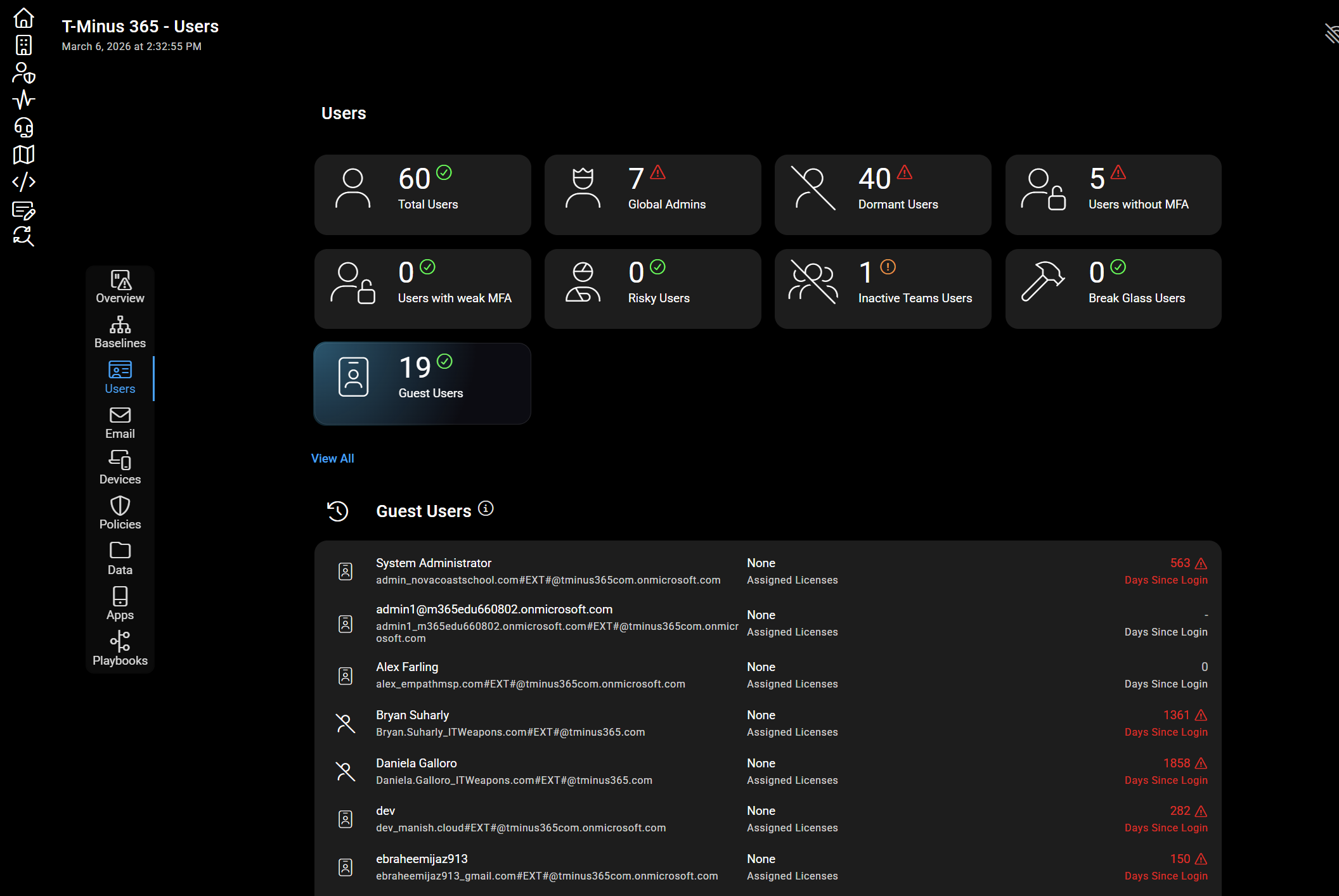
Monitoring solutions like CloudCapsule automate the discovery, monitoring, and reporting of all guest users and their associated settings. These tools allow you to quickly assess the security posture of your tenants in just a few seconds.
The Controlled Process: Invitation via Microsoft Entra ID
Structured Use Cases
Consider typical use cases requiring external collaboration:
- Managed Service Providers: access to production environments
- Security Consultants: configuration and log analysis
- Accounting Firms: processing financial data
These collaborations typically require access to multiple resources:
- Microsoft Teams workspaces
- Dedicated SharePoint sites
- Specific business applications
Structured Invitation Process
The recommended method consists of directly inviting the external user in Microsoft Entra ID. A user with appropriate permissions can:
Creating the guest account
Add the external user as a guest in the Microsoft Entra ID directory with the necessary permissions.
Assignment to a group
Assign the guest account to a pre-configured security group to control access to resources.
Validating access
Verify that the permissions granted match exactly the collaboration needs identified.
This approach ensures traceability and auditability of external access. Each guest account has a clear business context and documented justification.
Default Configuration: Extended Invitation Permissions
A critical aspect often overlooked concerns the default settings of Microsoft 365 regarding external user invitations.
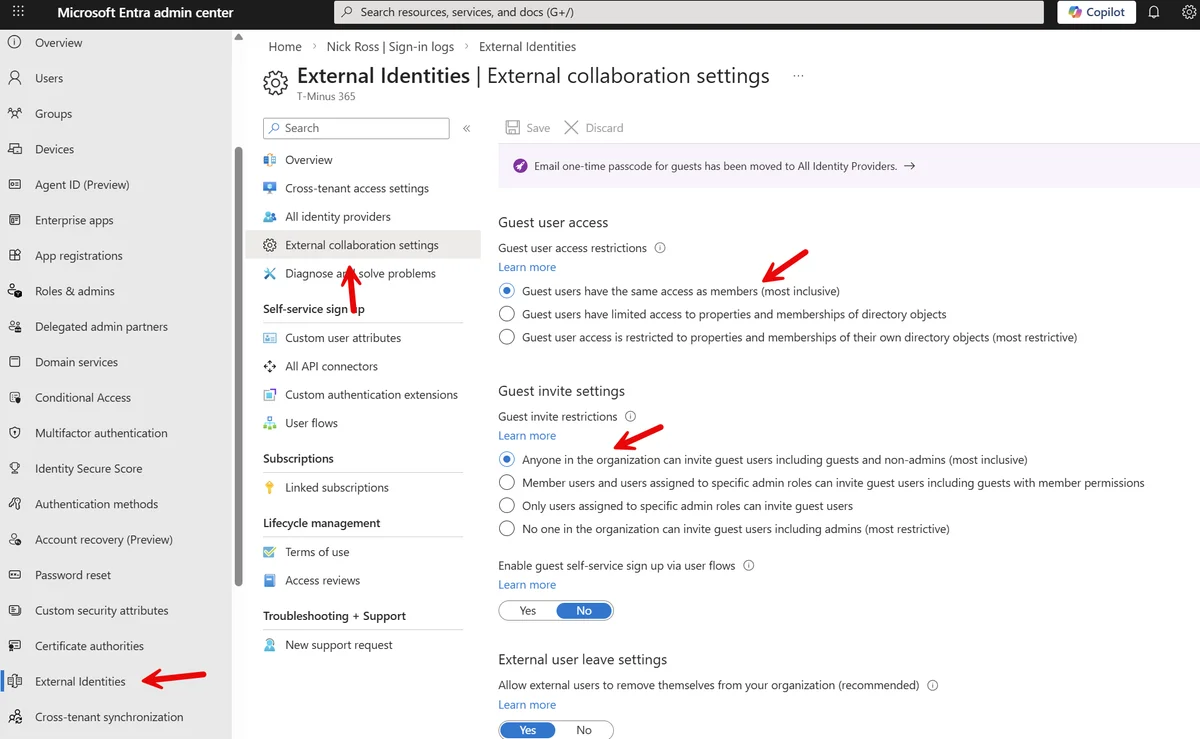
Default Invitation Permissions
The standard configuration allows:
- Members to invite external users
- Non-administrators to create guest accounts
- Guest users to invite other external users
This permissiveness facilitates collaboration but can generate uncontrolled proliferation of external accounts.
Critical Security Risk
Guest users can enumerate all users in the tenant, representing a major risk if compromised. Attackers use tools like Graph Runner to perform reconnaissance and prepare lateral movements.
Practical Example: Invitation via Microsoft Teams
A frequent scenario illustrates this problem: a team owner wants to collaborate with an external speaker.
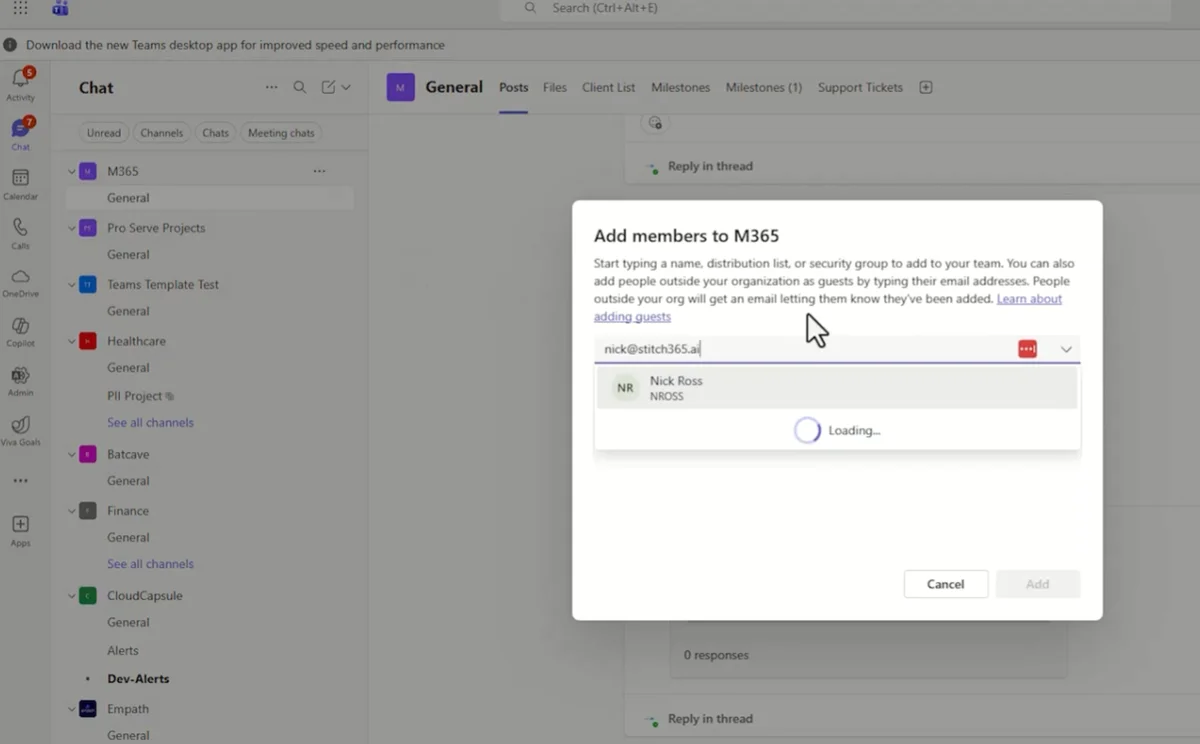
The process proceeds as follows:
- Direct Addition: entering the external email address as a team member
- Automatic Notification: sending an invitation email to the external user
- Acceptance: validation of the invitation by the user
- Automatic Creation: generation of the guest account in the directory
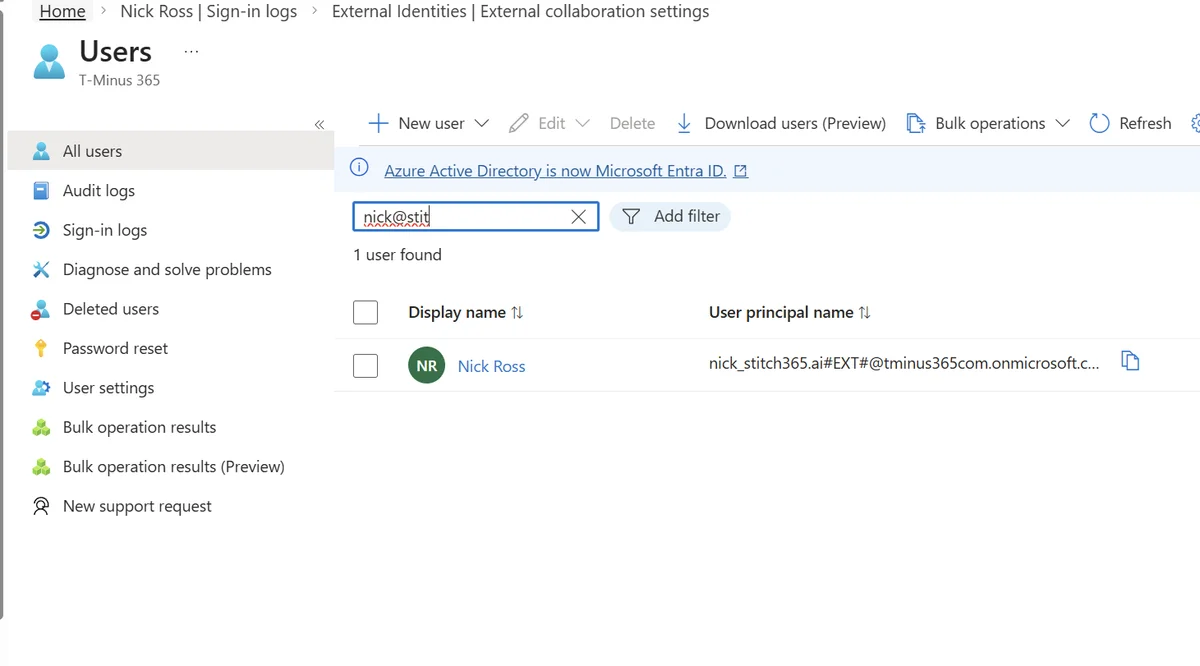
The created identity appears in Microsoft Entra ID with the invitation type "External Azure AD invitation", without prior administrative validation.
Governance Impact
This mechanism can generate a large number of active guest users long after the initial collaboration ends, requiring proactive lifecycle management.
The Invisible Path: Sharing via SharePoint and OneDrive
A second creation path, less visible but equally impactful, concerns document sharing.
Common Business Scenarios
Several situations trigger this mechanism:
- HR: collaboration with a recruitment firm
- Legal: contract review with an external attorney
- Finance: data transmission to an external auditor
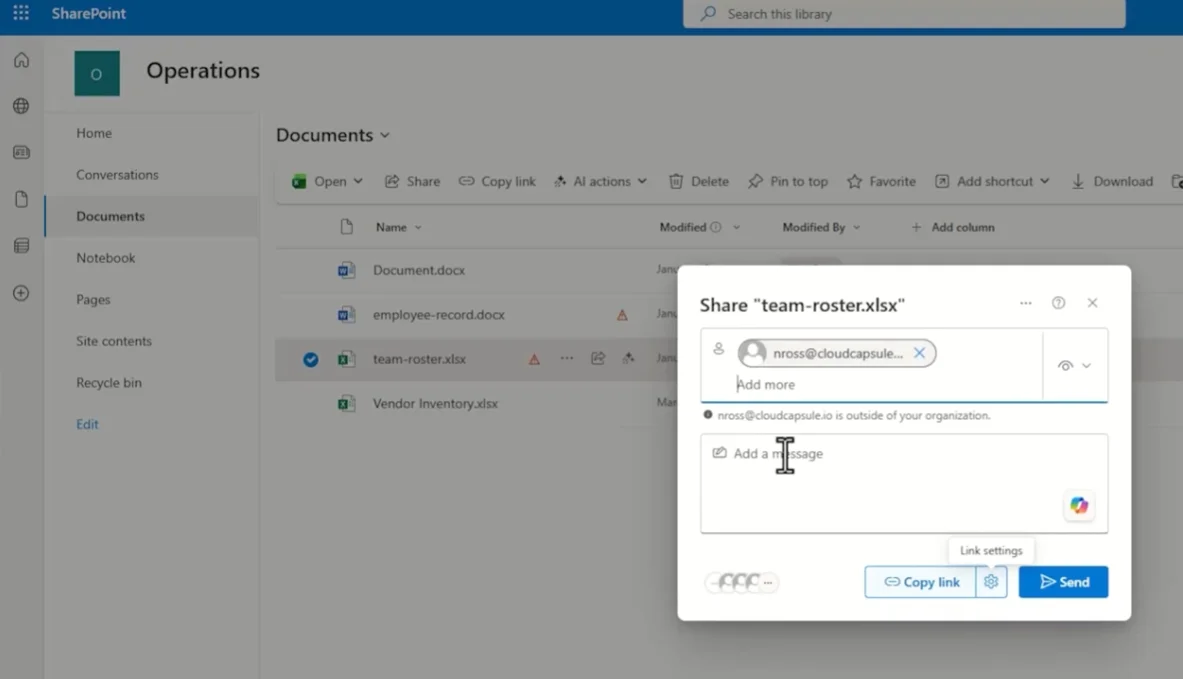
The internal user simply shares the document via SharePoint, Teams, or OneDrive by entering an external email address.
Automatic Identity Creation
When the external user accesses the shared link, Microsoft 365 can automatically:
- Create a guest identity in Microsoft Entra ID
- Integrate it into your tenant's identity inventory
- Grant persistent access permissions
This automation occurs without direct administrative intervention, often surprising IT teams who discover these accounts during audits.
Understanding SharePoint B2B Integration
Integration Mechanism
SharePoint communicates directly with Microsoft Entra ID to automatically create identities when sharing externally. This behavior depends on the SharePoint B2B integration parameter.
| Parameter | False Value | True Value |
|---|---|---|
| Access Mechanism | Verification Code | Automatic Identity Creation |
| Impact on Entra ID | No Identity Created | Automatic Guest Account |
| Persistent Permissions | One-time Access Only | Possible Persistent Access |
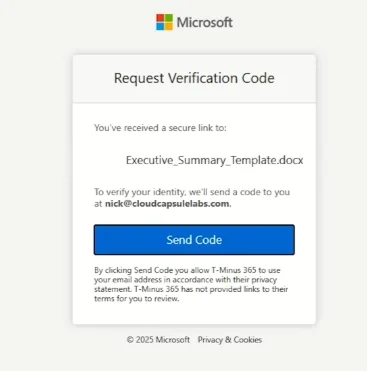
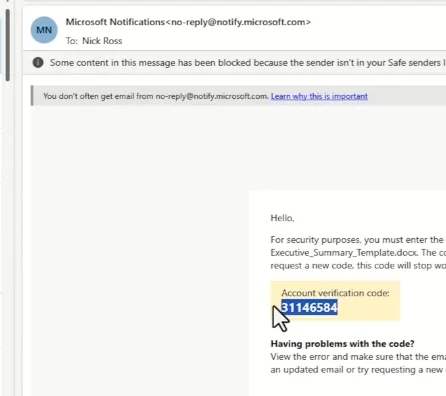
Verifying the Configuration
To control this parameter:
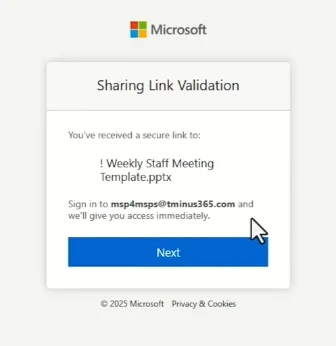
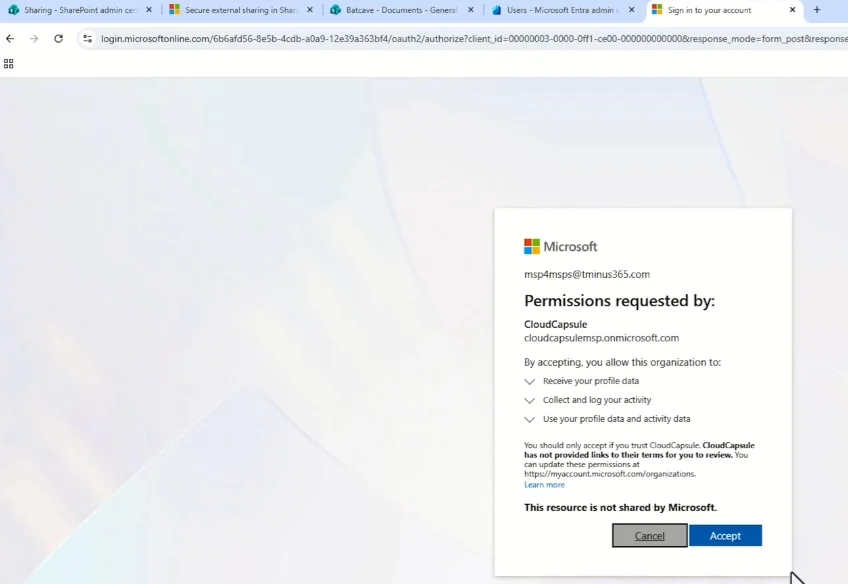
Once the identity is created, it becomes part of the directory and can receive additional permissions on other resources.
Best Practices
Regularly audit your SharePoint B2B integration configuration and align it with your external identity governance policy.
Strategic Challenges in Guest User Management
Governance Objectives
The challenge is not to eliminate external collaboration, which is essential to modern businesses, but to control three fundamental aspects:
- Creator Control: identifying users authorized to invite externals
- Services Involved: mapping Microsoft 365 services that automatically create accounts
- Lifecycle: processes for reviewing and deleting obsolete accounts
Managing Security Incidents
When incidents involve guest accounts, the critical question is usually not the activation of external sharing, but the persistence of access that has become inappropriate.
Security Recommendation
Implement regular access reviews and proactive lifecycle management of guest users to maintain an optimal security level in your external collaborations.
Conclusion
Managing guest users in Microsoft 365 requires a balanced approach between facilitating collaboration and maintaining security. Understanding automatic creation mechanisms, combined with appropriate governance, allows you to leverage collaborative capabilities while preserving the security integrity of your environment.
Implementing regular review processes and lifecycle policies is key to safe and controlled external collaboration.