Introduction
Do you manage your Conditional Access policies like 'change requests'? Here's why that's a major security problem for your organization. Manual management of Conditional Access policies in Microsoft Entra ID exposes environments to critical risks: configuration drift, lack of regression testing, and inconsistent deployments across environments.
Critical Risk
A misconfigured Conditional Access policy can block access for all users or create major security gaps in minutes.
Identity as Code (IaC) transforms this manual approach into an industrialized process, allowing you to manage Conditional Access like source code with versioning, automated testing, and controlled deployments.
The Problem with Manual Management
Configuration Drift and Inconsistencies
Manual management via the Entra ID portal generates several technical issues:
- Configuration drift: Direct modifications create gaps between environments
- Lack of traceability: Impossible to determine who changed what and when
- Insufficient testing: No automated validation before deployment
- Complex rollback: Manual and time-consuming rollback process
Impact on Governance
IAM teams face:
- Undetected security escalations
- Contradictory policies
- Difficult compliance maintenance
- High incident resolution time
Statistics
According to Microsoft, 73% of organizations experience interruptions caused by misconfigured Conditional Access at least once per quarter.
Identity as Code Pipeline Architecture
Deployment Workflow
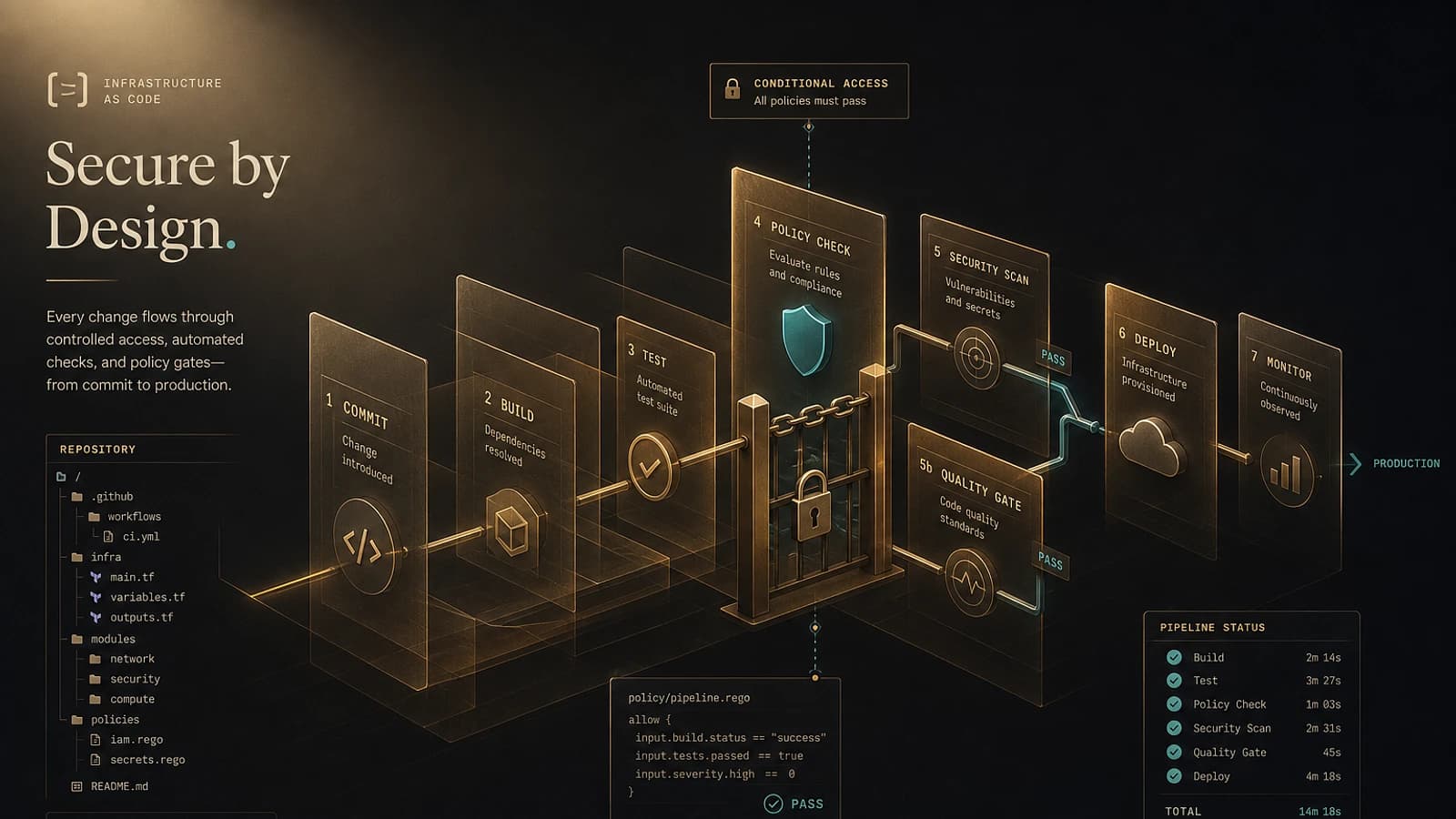
The GitOps pipeline for Conditional Access follows this sequence:
Source Code Modification
The administrator modifies configuration files in the Git repository (JSON, Bicep, or Terraform)
Pull Request and Validation
Automatic PR creation with syntax validation and consistency checks
Simulation with What If API
Execute tests with the Conditional Access What If API to validate impact
Deployment in Report-Only Mode
Activate policies in report mode for validation under real conditions
Final Activation
Production deployment after validating monitoring metrics
Technical Architecture
The required infrastructure includes:
- Git Repository: Version control storage for configurations
- CI/CD Pipeline: GitHub Actions or Azure DevOps
- Service Principal: Authentication to Graph API
- Key Vault: Secure secret storage
- Log Analytics: Monitoring and alerting
Implementation with GitHub Actions
Pipeline Configuration
1name: Conditional Access Deployment2 3on:4 pull_request:5 paths:6 - 'conditional-access/**'7 push:8 branches:9 - main10 paths:11 - 'conditional-access/**'12 13jobs:14 validate:15 runs-on: ubuntu-latest16 steps:17 - uses: actions/checkout@v418 19 - name: Azure Login20 uses: azure/login@v121 with:22 client-id: ${{ secrets.AZURE_CLIENT_ID }}23 tenant-id: ${{ secrets.AZURE_TENANT_ID }}24 subscription-id: ${{ secrets.AZURE_SUBSCRIPTION_ID }}25 26 - name: Validate CA Policies27 run: |28 az extension add --name account29 python scripts/validate_ca_policies.py30 31 - name: What If Analysis32 if: github.event_name == 'pull_request'33 run: |34 python scripts/whatif_analysis.py --policies ./conditional-access/35 36 - name: Deploy Report Mode37 if: github.ref == 'refs/heads/main'38 run: |39 python scripts/deploy_ca_policies.py --mode report-onlyPowerShell Script for Graph API
1# Deployment of a Conditional Access policy via Graph API2function Deploy-ConditionalAccessPolicy {3 param(4 [Parameter(Mandatory)]5 [string]$PolicyFile,6 7 [Parameter(Mandatory)]8 [string]$AccessToken,9 10 [switch]$ReportOnly11 )12 13 $policy = Get-Content $PolicyFile | ConvertFrom-Json14 15 # Mode configuration16 if ($ReportOnly) {17 $policy.state = "enabledForReportingButNotEnforced"18 } else {19 $policy.state = "enabled"20 }21 22 $headers = @{23 'Authorization' = "Bearer $AccessToken"24 'Content-Type' = 'application/json'25 }26 27 $uri = "https://graph.microsoft.com/v1.0/identity/conditionalAccess/policies"28 29 try {30 $response = Invoke-RestMethod -Uri $uri -Method POST -Headers $headers -Body ($policy | ConvertTo-Json -Depth 10)31 Write-Output "Policy deployed: $($response.id)"32 return $response33 }34 catch {35 Write-Error "Deployment error: $($_.Exception.Message)"36 throw37 }38}39 40# What If API Test41function Test-ConditionalAccessImpact {42 param(43 [Parameter(Mandatory)]44 [hashtable]$TestScenario,45 46 [Parameter(Mandatory)]47 [string]$AccessToken48 )49 50 $headers = @{51 'Authorization' = "Bearer $AccessToken"52 'Content-Type' = 'application/json'53 }54 55 $body = @{56 conditionalAccessWhatIfSubject = @{57 user = @{58 id = $TestScenario.UserId59 }60 }61 conditionalAccessWhatIfConditions = @{62 clientAppType = $TestScenario.ClientApp63 devicePlatform = $TestScenario.Platform64 location = @{65 includeLocations = @($TestScenario.Location)66 }67 }68 } | ConvertTo-Json -Depth 1069 70 $uri = "https://graph.microsoft.com/v1.0/identity/conditionalAccess/whatIf"71 72 $response = Invoke-RestMethod -Uri $uri -Method POST -Headers $headers -Body $body73 return $response74}Pipeline Governance and Security
Access Controls (RBAC)
Securing the pipeline requires:
-
Service Principal with minimal permissions:
Policy.ReadWrite.ConditionalAccessApplication.Read.All(for testing)User.Read.All(for validation)
-
Git branch protection with:
- Mandatory reviews (minimum 2)
- Required status checks
- Direct push restrictions
Audit and Logging
1{2 "auditEvent": {3 "timestamp": "2026-05-05T10:30:00Z",4 "action": "ConditionalAccessPolicyDeployed",5 "actor": "pipeline@contoso.com",6 "resource": "CA-RequireMFA-Externals",7 "details": {8 "policyId": "12345678-1234-1234-1234-123456789012",9 "state": "enabledForReportingButNotEnforced",10 "commitSha": "abc123def456"11 }12 }13}Separation of Duties
Never grant both policy modification permissions and PR approval authority to the same person.
Automated Testing with What If API
Critical Test Scenarios
Automated tests should cover:
User Access Tests:
- Internal user from corporate network
- External user with MFA configured
- Privileged user from non-compliant device
Continuity Tests:
- Break-glass access in case of MFA failure
- Emergency exclusion functionality
- Behavior during partial outages
Test Implementation
1# Automated test suite2$TestSuites = @(3 @{4 Name = "Internal User Corporate Network"5 UserId = "user@contoso.com"6 ClientApp = "browser"7 Platform = "windows"8 Location = "Corporate-Network"9 ExpectedResult = "Allow"10 },11 @{12 Name = "External User Mobile"13 UserId = "external@partner.com"14 ClientApp = "mobileAppsAndDesktopClients"15 Platform = "iOS"16 Location = "All"17 ExpectedResult = "RequireMFA"18 }19)20 21foreach ($test in $TestSuites) {22 $result = Test-ConditionalAccessImpact -TestScenario $test -AccessToken $token23 24 if ($result.applyResult -ne $test.ExpectedResult) {25 throw "Test failed: $($test.Name) - Expected: $($test.ExpectedResult), Got: $($result.applyResult)"26 }27 28 Write-Output "✓ Test passed: $($test.Name)"29}Operational Checklist
- Service Principal configured with minimal permissions
- Git Repository with branch protection enabled
- CI/CD Pipeline with validation and testing steps
- Secret Management via Key Vault or GitHub Secrets
- What If Tests automated for all critical scenarios
- Monitoring of deployments via Log Analytics
- Documentation of processes and emergency procedures
- Team Training on new workflows
- Automated Rollback Plan in case of incident
- Disaster Recovery Tests including break-glass accounts
Best Practices
Start by automating 2-3 non-critical policies to validate the process before migrating critical security policies.
Common Pitfalls to Avoid
Too Broad Scope During Migration
Common mistake: Migrating all policies at once Solution: Incremental approach by user groups
Missing Break-Glass in Tests
Common mistake: Not testing emergency accounts Solution: Automated testing of emergency exclusions
Failed Secret Management
Common mistake: Hard-coded secrets in code Solution: Azure Key Vault + Managed Identity
Insufficient Pre-Production Testing
Common mistake: Synthetic tests only Solution: Validation period in report-only mode
30/60/90 Day Deployment Plan
First 30 Days - Foundations
- Development environment setup
- Service Principal and permission configuration
- First pipeline for 1-2 test policies
- Core team training
60 Days - Expansion
- Migration of 25% of non-critical policies
- Advanced monitoring implementation
- Disaster recovery testing
- Process documentation
90 Days - Full Production
- Migration of all policies
- Pipeline performance optimization
- Extended training for support teams
- Complete process audit
| Phase | Duration | Policies Migrated | Risk Level |
|---|---|---|---|
| Foundation | 30 days | 2-3 test policies | Low |
| Expansion | 60 days | 25% non-critical | Moderate |
| Production | 90 days | 100% all policies | Managed |
Conclusion
Identity as Code transforms the management of Conditional Access from a risky manual process into a secure, industrialized approach. Integration of CI/CD pipelines, automated testing via What If API, and continuous monitoring enables DevSecOps maturity for identity.
Success depends on an incremental approach, rigorous governance, and a culture of continuous improvement. Teams adopting this approach see significant reductions in Conditional Access-related incidents and improved overall security posture.
Useful Links
- Microsoft Graph API - Conditional Access
- Conditional Access What If API
- GitHub Actions for Azure
- Azure Bicep for Entra ID
Glossary
Identity as Code (IaC): Approach to managing identities and access through source code, enabling versioning, testing, and automated deployments.
What If API: Microsoft Graph API allowing simulation of Conditional Access policy impact on authentication scenarios.
GitOps: Deployment methodology using Git as the source of truth for infrastructure configurations.
Service Principal: Application identity in Entra ID enabling programmatic authentication to Azure services.
Break-glass: Emergency accounts providing administrative access in case of normal authentication system dysfunction.