
Overview of Microsoft 365 Guest Accounts
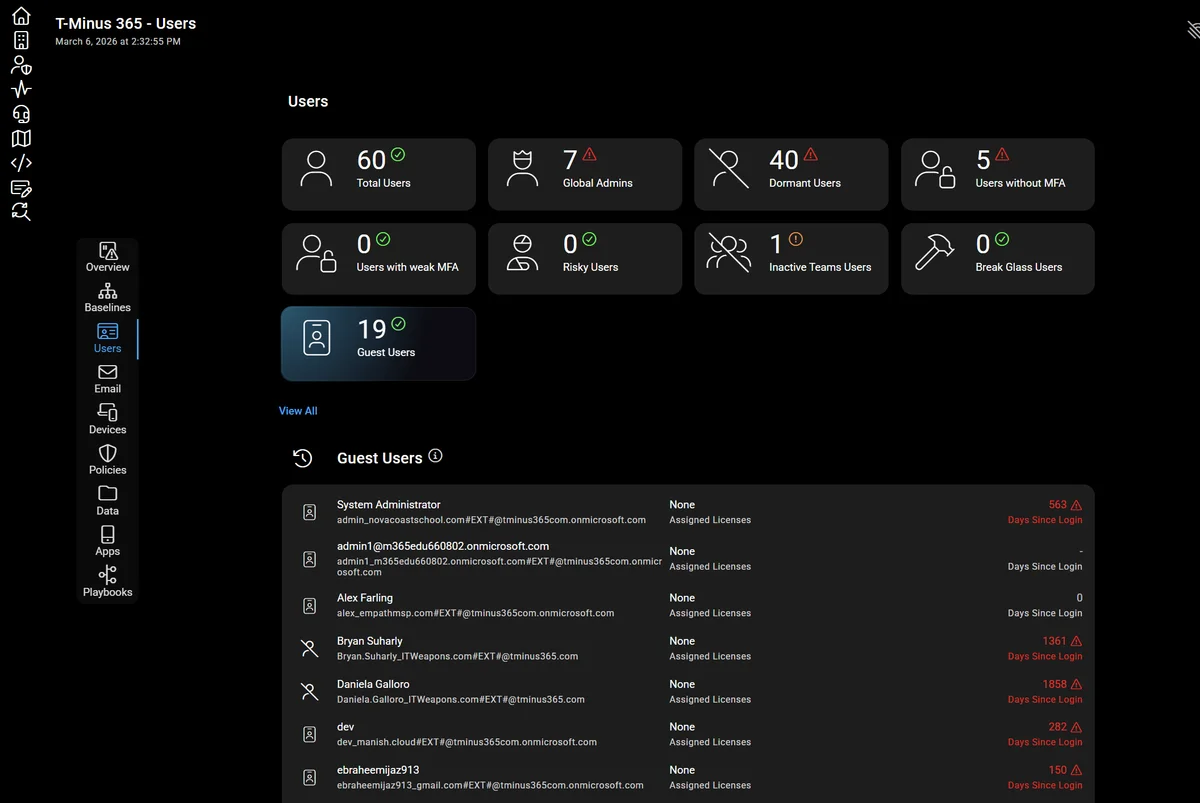
Guest accounts are one of the most powerful collaboration features in Microsoft 365. They enable organizations to work efficiently with vendors, consultants, customers, and partners without creating full internal accounts.
However, most administrators believe that guest accounts can only be created in one way: through direct invitation. This view is incomplete and can lead to unpleasant surprises during security audits.
Real-world reality
In many Microsoft 365 environments, guest accounts appear automatically through workflows that IT never directly approved.
This article examines the mechanisms of external identity creation, their security implications, and associated governance best practices.
Intentional Method: Invitation via Microsoft Entra
The first approach aligns with expectations of well-structured organizations. When collaborating with:
- A managed services provider
- A security consultant
- An outsourced accounting firm
These external partners typically require access to multiple resources:
- Microsoft Teams workspaces
- SharePoint sites
- Business applications
The recommended method is to directly invite the external user in Microsoft Entra. An administrator with appropriate permissions can add the external user as a guest, then assign them to a group granting access to necessary resources.
Advantage of this approach
This method is deliberate and auditable. Guest accounts created via Entra typically have a clear purpose and complete traceability.
Default Configuration and Invitation Permissions
Before analyzing other creation mechanisms, it is crucial to understand the default configuration of many Microsoft 365 tenants.
By default, Microsoft allows most users to invite external accounts. This configuration is found in Microsoft Entra, in the guest invitation restrictions section.
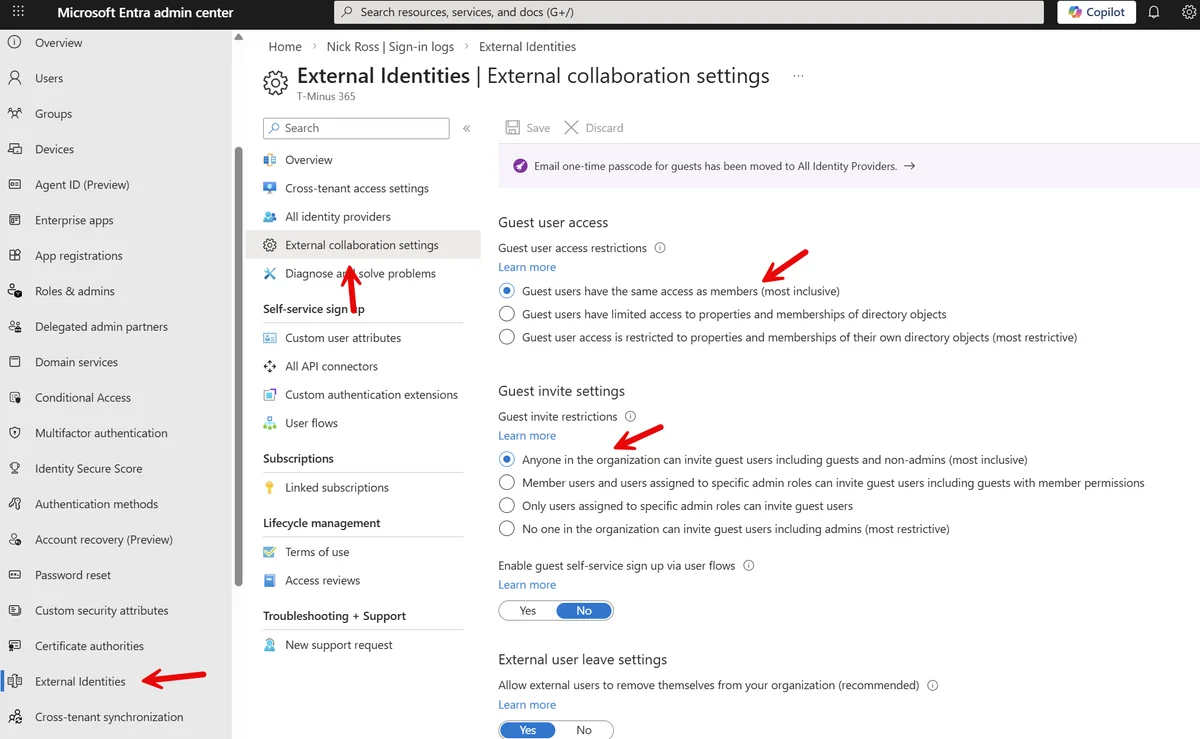
The default configuration often allows:
- Members to invite guests
- Non-administrators to invite guests
- Even existing guest accounts to invite other guests
Major security risk
Guest accounts can enumerate all users in the tenant. Attackers have already compromised guest accounts and used tools like Graph Runner to reconnaissance the directory for lateral movements.
Concrete Example: Adding via Microsoft Teams
A Teams team owner wants to collaborate with an external person. They simply add the external email address as a team member.
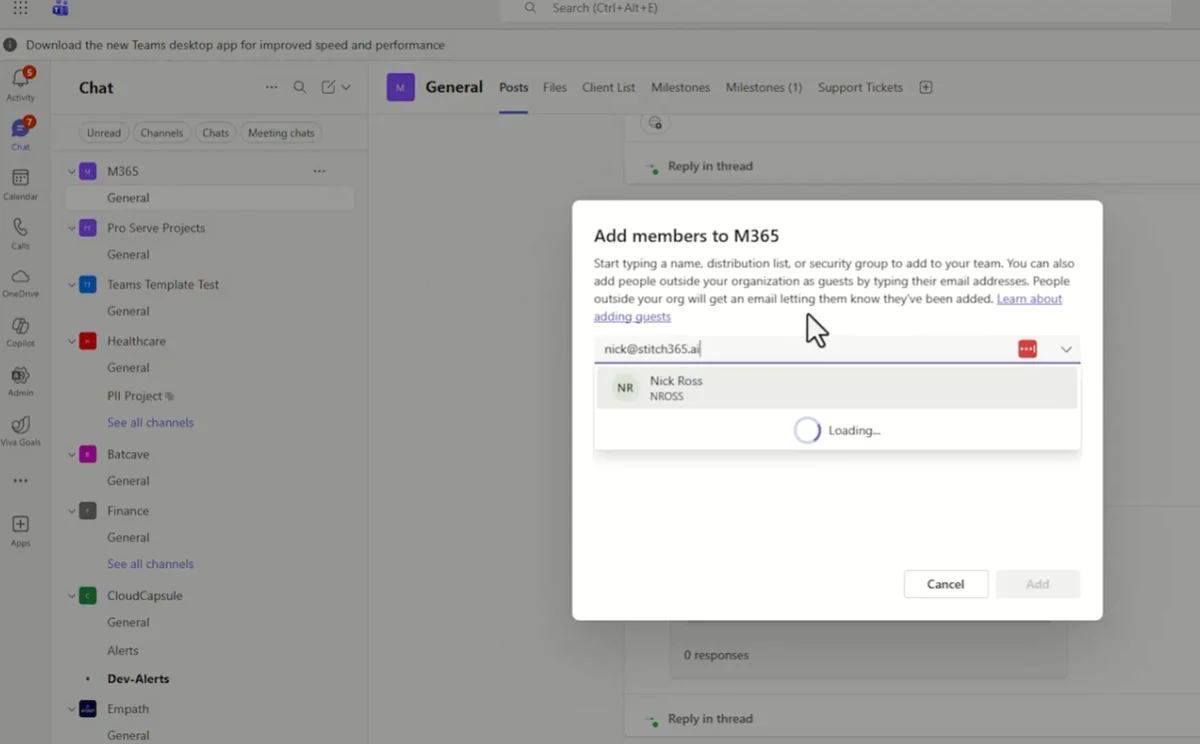
Sending the invitation
The external user receives an email informing them that they have been added to the team.
Acceptance and creation
When they accept the invitation, Microsoft automatically creates a guest account in the tenant directory.
Onboarding
The user logs in and completes the onboarding process, potentially including multi-factor authentication setup.
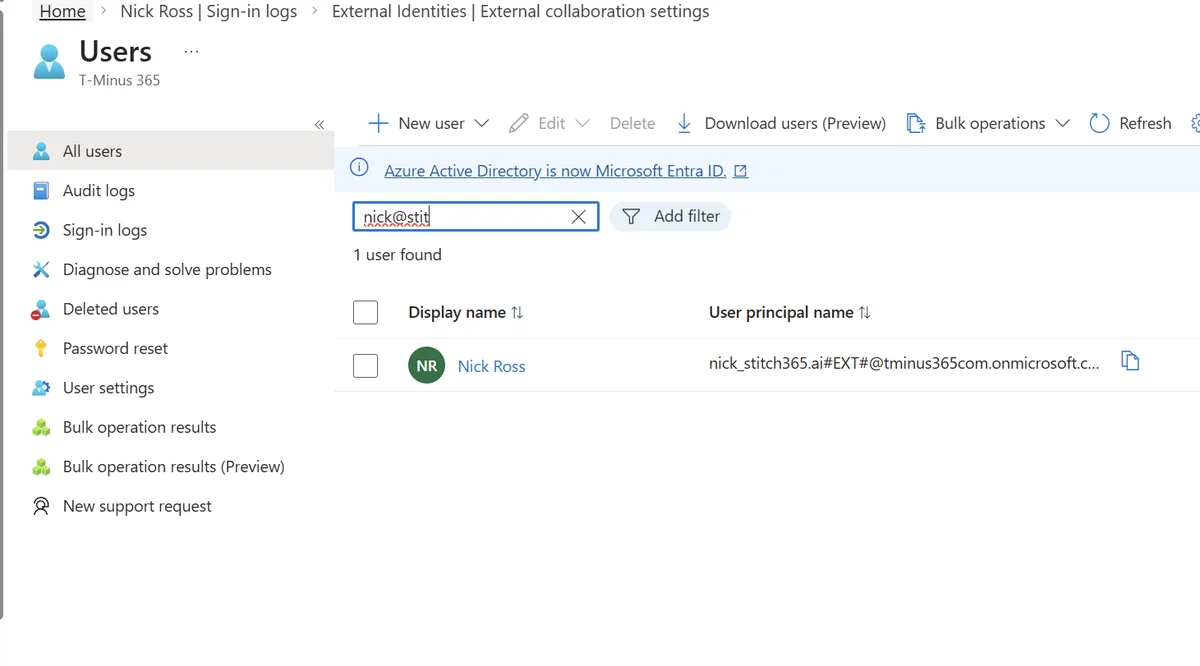
The invitation type typically appears as "external Azure AD invitation". No administrative approval was required — the team owner could create the guest identity simply by adding them to the team.
Unexpected Method: File Sharing via SharePoint and OneDrive
A second workflow often surprises organizations. Consider these common business scenarios:
- HR works with a recruiter
- Legal reviews a contract with an external attorney
- Finance sends a spreadsheet to an external auditor
In each case, the user simply clicks "Share" in SharePoint, Teams, or OneDrive and enters an external email address.
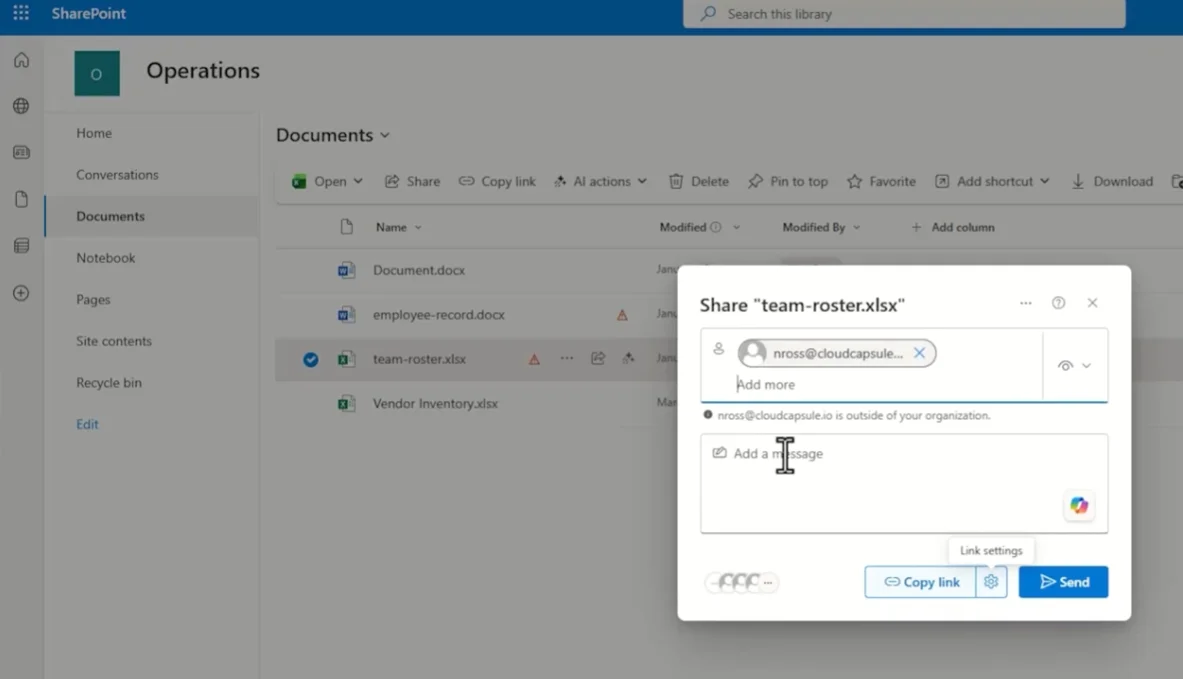
The external user receives the link and logs in to access the document. Behind the scenes, something important can happen: a guest identity may be automatically created in Microsoft Entra.
Silent creation
The user now exists in your tenant's identity inventory even though IT never directly invited them.
Understanding SharePoint B2B Integration
SharePoint does more than share files — it can communicate directly with Microsoft Entra and create identities during external sharing.
This depends on a specific setting called "SharePoint B2B integration". When this integration is enabled, SharePoint is authorized to automatically create guest users in Microsoft Entra during external document sharing.
Implications of this configuration
| B2B Integration | Behavior | Identity Creation |
|---|---|---|
| Enabled (True) | Automatic guest creation | Yes, in Entra |
| Disabled (False) | Verification code flow | No, temporary access |
Excellent collaboration comes with a downside: guest accounts can exist with:
- No clear owner
- No group assignment
- No expiration policy
Checking the B2B Integration Setting
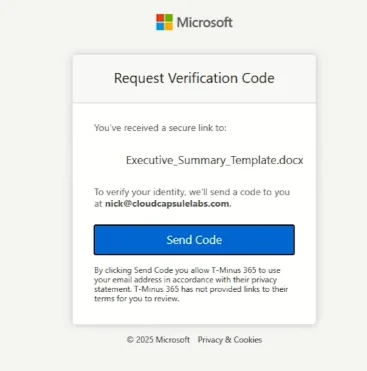
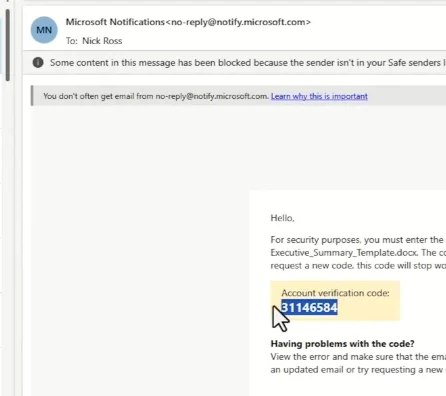
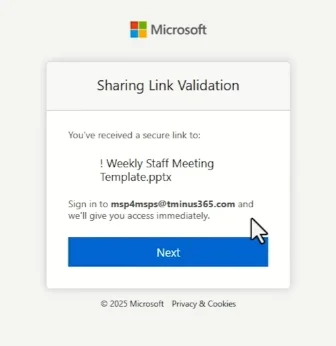
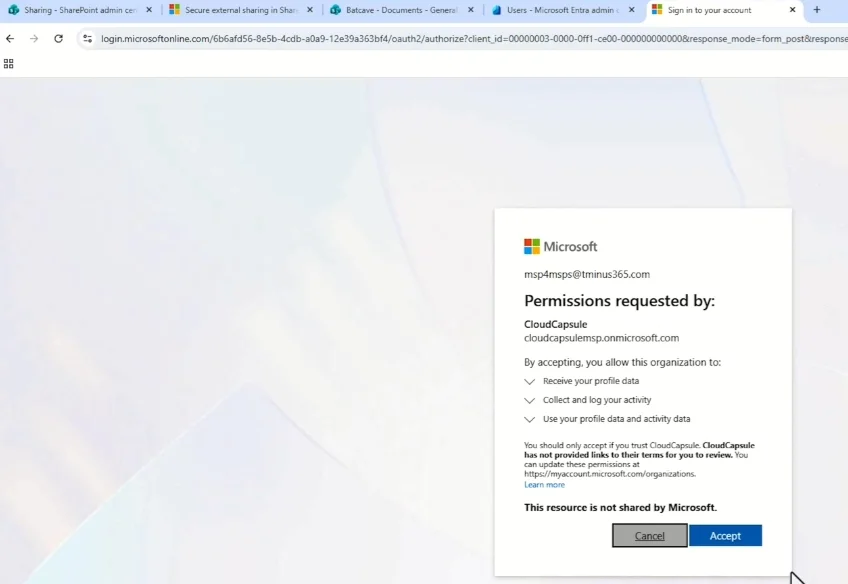
Once the user is created, they exist in the tenant directory and can be granted access to additional resources — exactly as if they had been invited directly to a team.
Why Understanding Guest Creation is Critical
The goal is not to eliminate external collaboration — it is essential for modern businesses. The goal is to understand three key elements:
- Who is authorized to create guest users
- Which Microsoft 365 services can automatically create them
- Whether these accounts are reviewed and deleted when no longer needed
Reality of incidents
During security incidents involving a guest account, the question is rarely whether external sharing was enabled, but rather why that person still had access years later.
Governance Best Practices
To maintain secure external collaboration, implement:
- Regular access reviews of guest accounts
- Lifecycle management with automatic expiration
- Continuous monitoring of identity creation
- Naming policies to identify account origins
- User training on security implications
Useful Links
- Official Microsoft documentation on SharePoint external sharing
- Entra guest restriction configuration guide
- Security best practices for external identities
Glossary
Guest account: External identity created in a Microsoft 365 tenant to enable collaboration without creating a full internal account.
Microsoft Entra: Microsoft's identity and access management service, formerly Azure Active Directory.
SharePoint B2B Integration: Setting that allows SharePoint to automatically create guest accounts during external sharing.
Tenant: Isolated instance of Microsoft 365 belonging to a specific organization.
Graph Runner: Tool used by attackers to enumerate users and resources via Microsoft Graph API.