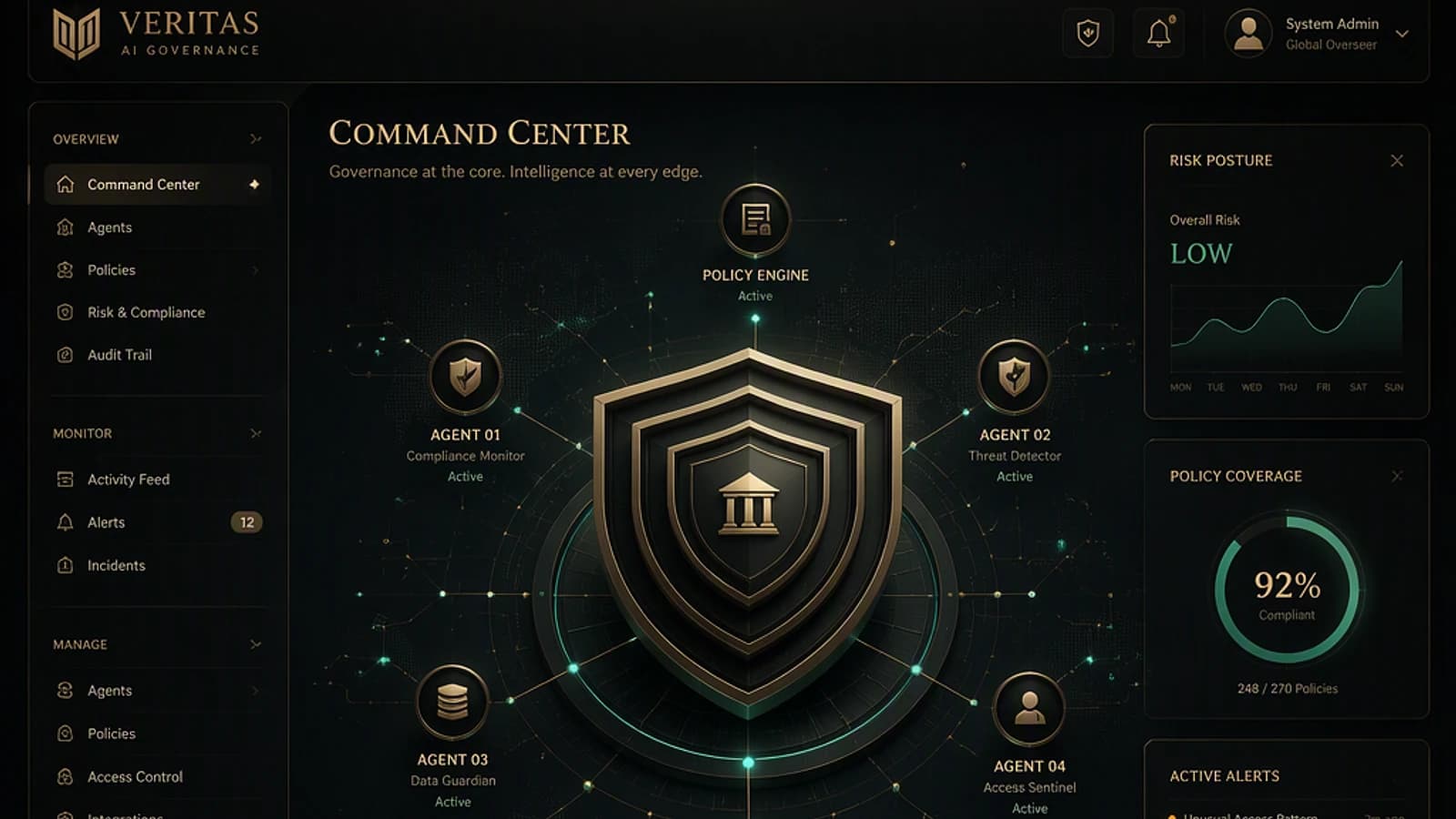
An agent may already be running in your tenant without anyone being officially responsible for it: an overly creative Copilot Studio maker, a Microsoft Foundry connector published with a shared project identity, or an old service principal that became autonomous through stacked automations. This article is for Microsoft Entra ID and Microsoft 365 administrators who need to regain control of this population before it becomes unmanageable. You will find the Microsoft Entra Agent ID model, the real place of Microsoft Agent 365, and a 30-day plan to transform a population of anonymous agents into governed identities.

Platform scope and maturity
Several components described here (Entra Agent ID integration in Copilot Studio, Identity Protection for agents) are documented by Microsoft as being in preview. Systematically validate current behavior on Microsoft Learn before making it an operational standard.
Why AI agents are an identity problem, not an application problem
Any discussion of AI agent governance eventually comes down to an obvious point that identity teams have known for ten years: what matters is not what software is, but what it can do. An agent that reads mailboxes, deposits documents, opens tickets and writes to customers is not an application in the classical sense. It is a collaborator—tireless, literal, without judgment or fear of consequences, and until recently, without its own identity.
This is precisely where the historical problem lies. Agents borrowed existing identities: a service principal here, an application identifier stored in a configuration file there, inheriting the permissions of whoever created it. Classic result: over-privileged, under-monitored, without an owner. Agents inherit this pathology and add autonomy to it. A service account with Mail.ReadWrite permission is already a risk; the same account with initiative becomes a new category of risk.
Microsoft's response, deployed between 2025 and 2026, consists of ceasing to treat agents as applications and instead treating them as full identities: directory objects with owner, lifecycle, scoped access and connection conditions.
What is already running in your tenant without your knowledge
Before the model, the uncomfortable inventory. In a typical tenant mid-2026, agents enter through at least five doors, most unmonitored:
| Entry point | What passes through | Who opened it |
|---|---|---|
| Microsoft 365 Copilot | Integrated and pinned agents, visible in the Copilot usage report (view of most-used agents) | Users, legitimately, via granted licenses |
| Copilot Studio | Custom agents created by business units. Entra Agent ID integration is in preview, but from July 2026 new agents should automatically receive an Entra Agent ID, with no option to disable for new agents | Any collaborator with Power Platform maker access |
| Microsoft Foundry / development platforms | Agents published with auto-provisioned identity; agents in pre-publication sharing the project's identity | Developers, sometimes on a subscription IT never visits |
| Historical automation disguised as agent | Service principals and application registrations piloting AI workloads with inherited permissions and no owner | A person who left two reorganizations ago |
| Workstations | Local AI agents installed by users, outside cloud identity | Your users, this month, without asking permission |
This table is not meant to frighten but to delimit scope. The first three doors are governable with the model described in this article. The fourth falls under hardening classic workload identities on service principals and application registrations. The fifth is a workstation problem—Microsoft Defender software inventory, Intune policy—that deserves separate treatment.
The Entra Agent ID model: four objects, one responsible human
Microsoft Entra Agent ID introduces four types of objects. The names are long, the underlying model is clean:
| Object | What it is | Equivalent in human identity |
|---|---|---|
| Agent identity blueprint | The model defined by an agent platform: inheritable permissions, applicable policies | The job description and standard contract |
| Blueprint principal | The blueprint's footprint in your tenant, like the local service principal of a multitenant application | The local registration of a temp agency |
| Agent identity | The account with which the agent actually authenticates, created from a blueprint, with its own scoped access | The employee |
| Agent user (optional) | A user-like status for agents that need it, with distinct access rights | The employee badge for staff-only areas |
Two properties carry most of the weight of governance. First, inheritance flows from the blueprint: permissions and Conditional Access policies applied at the blueprint level reach each agent identity derived from it. You thus govern an entire agent platform with a single policy, rather than chasing each individual. Next, each agent identity can have a sponsor: a named human responsible for its lifecycle and access decisions.
Platforms are already plugging into this model. Microsoft Foundry auto-provisions blueprints and identities on agent creation and publication. Copilot Studio automatically assigns agent identities, a capability documented as preview in Microsoft Learn documentation on using Entra identities in Copilot Studio. Teams developers manage their blueprints in the developer portal. The direction is unambiguous: agent identity becomes the default plumbing, and tenants that learn this model now will govern by policy when others govern by archaeology.
Where Microsoft Agent 365 sits and what it actually costs
If Entra Agent ID is the identity layer, Microsoft Agent 365 is the control plane above it: the inventory of agents across the environment, their permissions, their behavior and their activity in one place, with each agent carrying its own Entra Agent ID underneath. Microsoft announced the general availability of Microsoft Agent 365 in a Microsoft Security blog post published May 1, 2026.
The license, at this stage, reads by capability rather than as a single switch:
| Capability | Required license |
|---|---|
| Copilot, Agent 365 and Entra Suite grouped together | Microsoft 365 E7 |
| Agent 365 control plane (inventory, behavior) | Microsoft Agent 365, per-user license |
| Conditional Access for agents | Microsoft Agent 365 + Microsoft Entra ID P1 or P2 |
| Identity Protection for agents (preview) | Microsoft Entra ID P2 |
| ID Governance for agent identities | Microsoft 365 E7, or Agent 365 with at least Entra P1 or Microsoft 365 E3 |
Clearly: do not assume that "we have P1" unlocks the entire agent governance stack. Inventory and sponsorship take attention; automation, risk and control plane cost a license.
Honest SMB reading
Don't buy Microsoft Agent 365 for a handful of agents. The control plane deserves its price when the inventory no longer fits on a page. Below that threshold, manual discipline is free and the spreadsheet remains honest.
Sponsors and access: the discipline that holds it all together
Here is the design decision that deserves to be defended in an architecture review: an agent identity always carries a human sponsor, and when that sponsor leaves the organization, sponsorship is automatically transferred to their manager. Lifecycle Workflows can notify co-sponsors and managers around this transition, per Microsoft Learn documentation on agent identity sponsor tasks.
Anyone who has managed identities for more than a year knows why this matters. The most dangerous object in a directory is not the over-privileged account, it is the orphaned account: the automation no one owns, which does something no one remembers, that no one dares disable because the last person who understood it left long ago. The sponsor rule, applied at birth and transferred on departure, makes this state structurally impossible.
On the operational side, sponsors manage their agents from the My Account portal (enable, disable, view activity and lifecycle) and request access on their behalf from the My Access portal. Complete details on roles are described in Microsoft Learn documentation on administrative relationships of agent identities (owners, sponsors, managers).
Blueprints set the ceiling, access packages expire
Agent access works at two levels. At the blueprint level, agent identities are born with limited inherited permissions: this is the natural place to set a ceiling, for example what an agent from Copilot Studio in a given environment can touch. Treat the review of these inheritable permissions like a review of API permissions on an application registration, because that is functionally what it is.
At the identity level, individual grants go through entitlement management: the same access packages used for humans and guests, now assignable to agent identities, with an explicit scope "all agents". Microsoft Learn documentation on access packages for agent identities details the three possible request paths: the agent requests itself programmatically, the sponsor requests on its behalf (the operational balance point, with business context and audit trail), or an administrator assigns directly.
Expiration is not automatic by default
Access package assignments carry expiration dates, and as the deadline approaches the sponsor is notified to request an extension or let the access expire. But this discipline only works if you explicitly configure an expiration in the package policy: a package without an expiration date recreates exactly the permanent access problem this model aims to solve.
Conditional Access and Identity Protection extended to agents
Final layer: the conditions on how agents connect. Conditional Access policies can target agent identities, evaluate their context and risk—including agent identity risk surfaced by Entra ID Protection—and especially be applied at the blueprint level, so every identity created from that blueprint inherits the policy from birth. Details are in Microsoft Learn documentation on Conditional Access for agents and on Identity Protection for agents (risky agents).
For a small team, reuse your human Conditional Access baseline schema: start small, report-only mode where possible, scoping to blueprints rather than individual identities. If Identity Protection for agents is licensed (Entra ID P2 in preview), start with risk-based blocking in report mode before enforcement. Otherwise, set explicit boundaries of allow or block for approved identities and resources. Keep in mind a structural limit: policies scoped to a blueprint cover agent identities, not agent user accounts, and Conditional Access only protects access paths that actually go through Microsoft Entra ID. An agent that reaches a resource via an API key or non-Entra authentication remains outside this scope.
Tenant-wide impact
A Conditional Access policy applied at the blueprint level applies to all agent identities descended from it, including those created later. Systematically test in report-only mode before enforcement, exactly as for a policy targeting human users.
Implementation: inventory legacy service principals before Agent 365
For native Agent ID surfaces—blueprints and agent identities created by Copilot Studio or Foundry—the inventory remains today a portal operation, via the Entra admin center, because APIs are still in preview and too unstable for reliable production scripts. On the other hand, the fourth door in the table above—legacy service principals already piloting AI workloads without a dedicated agent identity—lends itself perfectly to scripted inventory via the Microsoft Graph PowerShell module.
Required module: Microsoft.Graph (submodule Microsoft.Graph.Applications), version 2.x or higher. Installation: Install-Module Microsoft.Graph -Scope CurrentUser.
Minimum permission: Application.Read.All read-only, with an Entra role like Global Reader or Cloud Application Administrator.
Output: a CSV file listing service principals without declared owner or carrying sensitive Microsoft Graph permission, starting point for the "legacy" column of your five-column inventory.
1# Connect with minimal scope needed for read-only2Connect-MgGraph -Scopes "Application.Read.All", "Directory.Read.All"3 4# Microsoft Graph permissions considered sensitive for an autonomous agent5$permissionsSensibles = @(6 "Mail.ReadWrite", "Mail.Send", "Sites.FullControl.All",7 "Files.ReadWrite.All", "User.ReadWrite.All", "Directory.ReadWrite.All"8)9 10# Get all service principals of type Application11$servicePrincipals = Get-MgServicePrincipal -All -Property "Id,DisplayName,AppId,ServicePrincipalType,Tags" |12 Where-Object { $_.ServicePrincipalType -eq "Application" }13 14$resultats = foreach ($sp in $servicePrincipals) {15 16 # Declared owners: their absence is a signal of potentially orphaned object17 $proprietaires = Get-MgServicePrincipalOwner -ServicePrincipalId $sp.Id -ErrorAction SilentlyContinue18 19 # Application permissions granted to this service principal as client20 $assignations = Get-MgServicePrincipalAppRoleAssignment -ServicePrincipalId $sp.Id -ErrorAction SilentlyContinue21 22 $permissionsAccordees = @()23 foreach ($assignation in $assignations) {24 # Resolves readable permission name from the app role of the target resource25 $ressource = Get-MgServicePrincipal -ServicePrincipalId $assignation.ResourceId -ErrorAction SilentlyContinue26 $role = $ressource.AppRoles | Where-Object { $_.Id -eq $assignation.AppRoleId }27 if ($role) { $permissionsAccordees += $role.Value }28 }29 30 [PSCustomObject]@{31 DisplayName = $sp.DisplayName32 AppId = $sp.AppId33 NumberOfOwners = ($proprietaires | Measure-Object).Count34 MissingSponsor = ($proprietaires | Measure-Object).Count -eq 035 SensitivePermissions = ($permissionsAccordees | Where-Object { $_ -in $permissionsSensibles }) -join ", "36 }37}38 39# Export only at-risk service principals: without owner OR with sensitive permission40$resultats |41 Where-Object { $_.MissingSponsor -or $_.SensitivePermissions -ne "" } |42 Export-Csv -Path ".\census-agents-legacy.csv" -NoTypeInformation -Encoding UTF843 44Write-Host "Inventory complete: $($resultats.Count) service principals analyzed, export in census-agents-legacy.csv"Troubleshooting: common errors
- Insufficient privileges to complete the operation: the connected account does not have
Application.Read.Allor sufficient role. Reconnect withConnect-MgGraph -Scopesadding the missing scope, or have a global admin consent. - 429 Too Many Requests on a large tenant: the SDK handles some retries automatically, but beyond a few thousand service principals, add a short
Start-Sleepin the loop if throttling persists. - $ressource.AppRoles empty for Microsoft first-party applications: normal behavior, these applications do not always publish their app roles in the same place. Filter on
$sp.TagsorAppIdto exclude them if they pollute the result. - Get-MgServicePrincipalOwner returns an error for a partially deleted (soft-deleted) object:
-ErrorAction SilentlyContinuecovers this, but these zombie objects are themselves a signal to log in the inventory.
30-day deployment plan for a small team
Week 1: the inventory
Conduct inventory across four surfaces (Entra admin center for Agent ID objects, Copilot usage report, Power Platform admin center, legacy service principals via the script above) in a five-column list: agent, platform, what it can reach, who sponsors it, how it dies. Expect a short list and an embarrassing sponsor column—that's normal.
Week 2: sponsors and decommissioning
Assign a named sponsor to each row, even where platform objects don't exist yet. Anything that attracts no sponsor after two weeks of follow-up is a decommissioning candidate by definition: if no one wants to own it, no one needs it.
Week 3: the access ceiling
Review inheritable permissions on existing blueprints and permissions on service principals assimilable to agents. Remove what is not used. Where licensing permits, shift individual grants to access packages with expiration dates; otherwise, set review dates in the calendar—a calendar reminder beats no lifecycle.
Week 4: conditions and written policy
Deploy the first Conditional Access policy for agents, scoped to blueprints where possible: risk-based in report-only mode if Identity Protection for agents is licensed, or explicit allow/block boundaries otherwise. Write the agent policy in one page: how an agent is created, who can sponsor it, what access requires approval, how it dies. Publish it before the next Copilot Studio experiment, not after.
The deliverable at day 30 is not a completed governance program. It is a counted population, one responsible human per agent, an access ceiling and a written rule for the next agent. That is enough to get ahead of nearly every other tenant.
Pitfalls to avoid and next steps
A few errors come up repeatedly with tenants discovering their agent population in 2026:
- Treating agent governance as application governance. The question is not "is this software safe", but "what can this collaborator do, who answers for it, and when does their access expire". Wrong frame, wrong controls, wrong owner.
- Waiting for the platform to stabilize before starting. The model is stable even where features are in preview: identity, sponsor, scoped access, expiration. Tenants adopting the discipline now will enable automation later; others will redo the inventory on a population ten times larger.
- Letting "IT" sponsor everyone. A sponsor who does not know what the agent does cannot make decisions about its lifecycle. Sponsorship belongs to the business owner; IT owns the framework.
- Ignoring legacy service principals. The riskiest agents in most tenants were born before the word "agent" existed. If it authenticates, holds permissions and acts autonomously, it belongs in the inventory.
- Granting permanent access because packages seem bureaucratic. The expiration-renewal loop is the best control on the entire platform; bypassing it to save five minutes recreates exactly the problem this model aims to solve.
- Forgetting the multitenant angle. Blueprint principals arrive in your tenant like multitenant applications. MSPs and any organization consuming third-party agents should review incoming blueprints with the same suspicion as application consents.
- Don't buy Microsoft Agent 365 for four agents, and don't block agent creation tenant-wide as a first step: business will work around it via personal accounts and shadow tools, turning a governance problem into a visibility problem.
Quick FAQ
No. The inventory, the sponsorship rule, blueprint permission review and a written agent policy cost nothing and are the starting point for any program. Buy automation when population exceeds the spreadsheet.
A service principal is the identifier of an application with permissions; an agent identity is a directory account designed for an autonomous actor, with sponsor, lifecycle, eligibility for access packages, Conditional Access targeting and Identity Protection risk scoring. The practical difference is accountability.
They continue to work. Do not assume they were retroactively given an Entra Agent ID: depending on creation date and method, validation or recreation may be needed. Check current behavior in Copilot Studio documentation before drawing a conclusion.
If your organization already exceeds a single spreadsheet page for its agent inventory, that is the signal to evaluate Microsoft Agent 365 as a control plane rather than continuing to govern by hand. Otherwise, launch the inventory of four surfaces this week and name a sponsor for each agent found before adding any new automation.