Introduction
The management of OneDrive storage spaces in the Microsoft 365 environment is taking a new turn. With recent changes introduced, organizations must reconsider their approach to unused or unlicensed OneDrive accounts. By ignoring these accounts, they expose themselves to unexpected recurring charges, compliance challenges, and permanent data loss. This article explores these issues and proposes practical solutions for proactive management.
What's changing
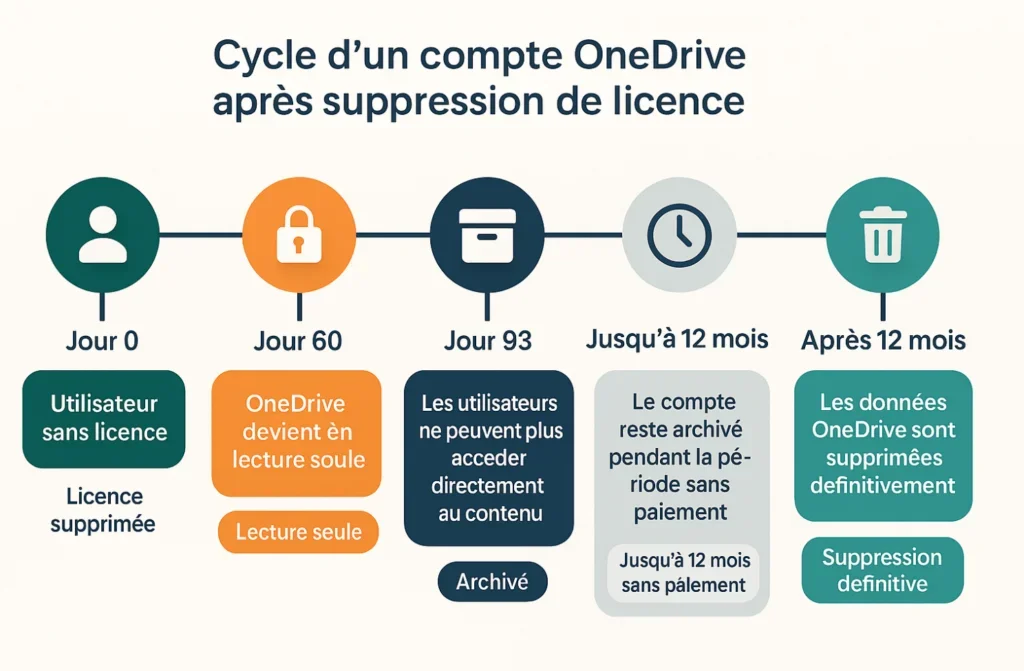
Microsoft is adopting a new approach for OneDrive accounts of users who no longer have licensed access to Microsoft 365. Going forward, when an employee leaves a company or a license is removed, their OneDrive space enters a structured transition process:
- 60 days after deactivation: the account enters read-only mode.
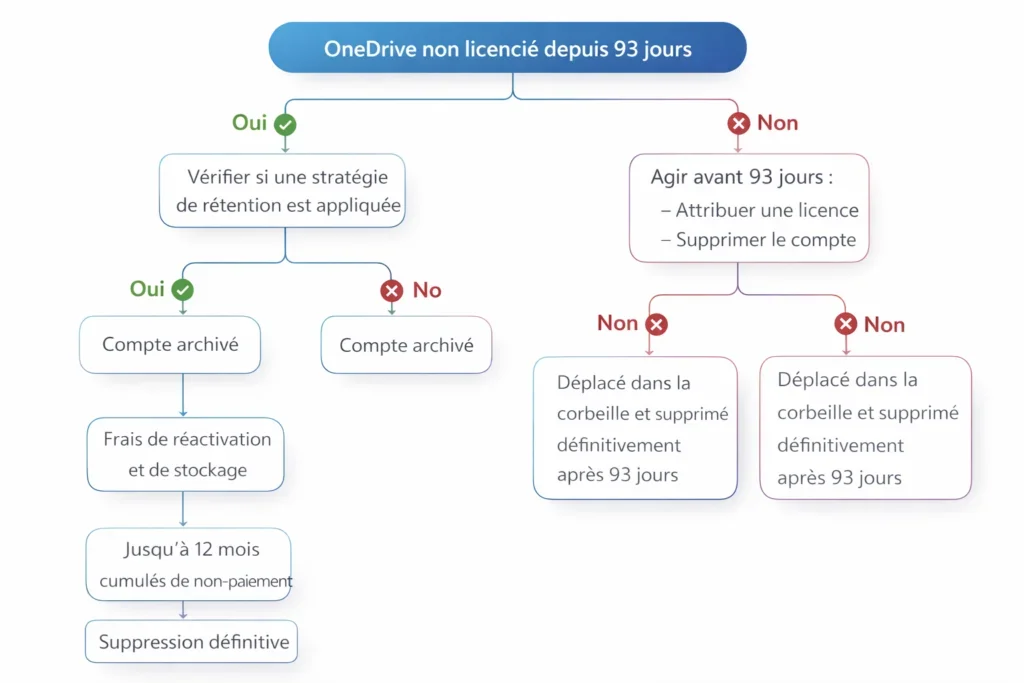
- 93 days after: the account is automatically archived.
- Data remains accessible for legal or compliance needs, but is blocked for any other use.
Good to know
These new rules will come into full effect starting July 2026, encouraging better data governance within Microsoft 365.
Challenges for organizations
Reactive management of inactive or archived accounts can lead to accumulation of indirect costs in the long term. Here are the main risks organizations face:
- Increased storage cost: Multiple terabytes of unused data can result in unexpected recurring charges.
- Unsupervised sensitive data: Some accounts contain strategic documents that are not subject to active security controls.
- Compliance risks: Data retention policies can be compromised.
Warning
Ignoring unlicensed OneDrive accounts could expose organizations to considerable legal and financial risks.
Cost estimation
Here are scenarios illustrating the impact of unused accounts on your finances:
| Number of accounts | Storage per account | Monthly cost | Annual cost |
|---|---|---|---|
| 100 | 25 GB | $125 | $1,500 |
| 750 | 50 GB | $1,875 | $22,500 |
| 1 | 100 GB (reactivation) | $60 | N/A |
Note: These figures are based on Microsoft pricing of $0.05/GB/month for archived storage and $0.60/GB for reactivation.
Invisible risks
Beyond financial costs, risks related to poor account governance include:
1. Loss of knowledge
Without proactive migration of relevant data, organizations lose strategic information when accounts are automatically deleted.
2. Compliance issues
Data retention regulations impose strict timelines. Inadequate management complicates audits.
3. Security risks
Unlicensed accounts increase the potential attack surface in Microsoft 365 if security policies are not followed.
Assessment of OneDrive accounts
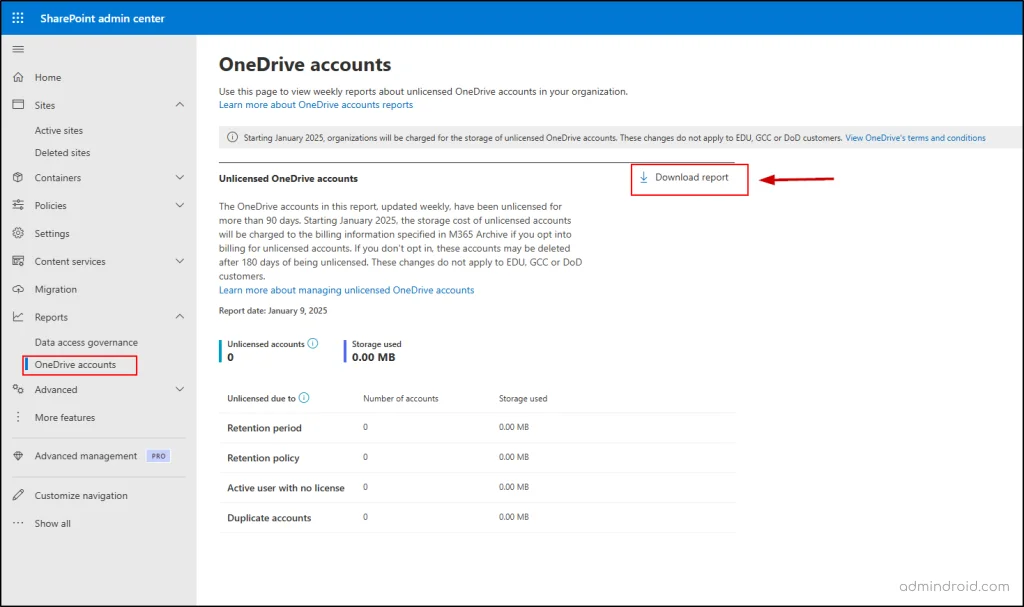
The SharePoint Admin Center provides reports on unlicensed OneDrive accounts. This analysis facilitates:
- Identifying users who have left the organization;
- Detecting duplicates;
- Locating large files or those subject to retention policies.
Strategies for proactive management
Reactivate key accounts
In some cases, account reactivation is necessary, particularly for audits, ongoing projects, or returns of former employees.
Migrate important data
Transfer documents with strategic value to SharePoint or another designated owner to avoid loss of organizational knowledge.
1Move-SPUserOneDriveData -User "employee@example.com" -Target "SharePoint_URL"Delete unused data
When documents no longer have business value, delete them in accordance with internal retention policies.
Tip
Integrate a OneDrive data management step into your standard employee offboarding processes to avoid accumulation of unused accounts.
Conclusion
The new Microsoft rules regarding unlicensed OneDrive accounts require organizations to adopt a more mature approach to data management. This change is an ideal opportunity to review offboarding processes, improve governance, and control costs. Use it to take inventory of inactive accounts, limit legal risks, and secure your company's strategic information.