Introduction
The Microsoft Copilot Studio agents revolutionize the way enterprises automate and integrate artificial intelligence-based interactions. However, these powerful solutions come with new security challenges. This article explores how to protect these agents by leveraging the capabilities of Microsoft Defender and Defender for Cloud Apps.
Understanding the risks of Copilot Studio agents
Why are they vulnerable?
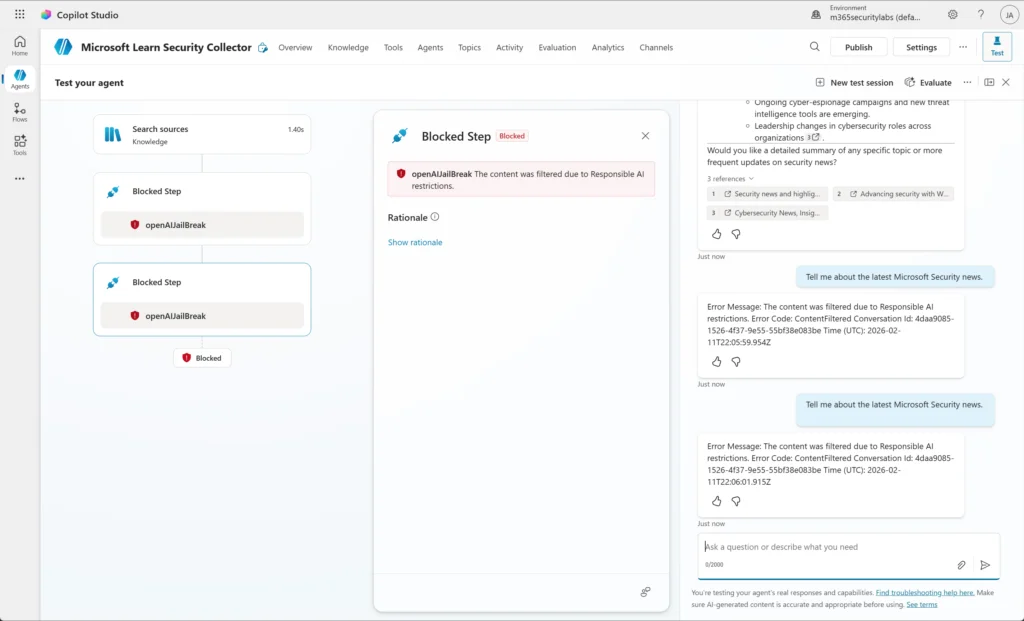
Once deployed, agents have permissions that allow them to access sensitive data and execute privileged actions. If a malicious actor interacts in natural language with these agents, they could manipulate their decisions and exploit their actions.
- Agents operate with permissions granted by the system.
- Traditional controls struggle to detect these malicious interactions.
Watch out for new attack vectors
Copilot agents introduce scenarios that require modern security approaches, particularly during their execution (runtime) phase.
Agent architecture: Defining critical points
Copilot Studio agents rely on three main components: topics, tools, and knowledge sources. Each plays an essential role in the agent's functionality and security.
Topics
Topics organize conversations with the user according to a succession of nodes. These nodes can perform actions such as asking questions, evaluating conditions, or calling tools.
From a security perspective:
- Misconfigured logic can allow users to bypass validations or trigger actions outside the expected context.
Tools
Tools represent the execution capabilities of agents. This includes Power Platform connectors, AI Builder models, and generative responses. These tools are often connected to external systems, making them a prime target for attacks.
Sensitive point
Risk increases with generative orchestration, as it allows agents to activate tools dynamically based on user inputs.
Knowledge sources
Knowledge sources allow agents to rely on reliable data to produce accurate responses. This can include internal documents, Dynamics 365 databases, or websites.
From a security perspective:
- Overly permissive configuration can expose sensitive data.
- Poor information filtering can favor malicious excerpts.
Protection strategies in Microsoft Defender
Agent visibility via Defender for Cloud Apps
The first step in securing agents is to obtain a comprehensive view of their environment. To do this:
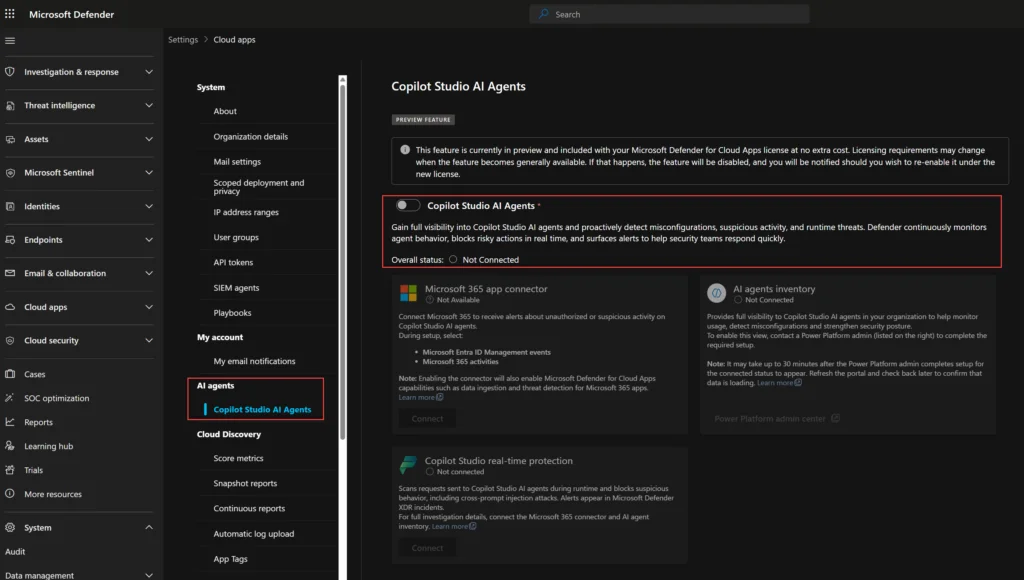
Enable Copilot agent inventory
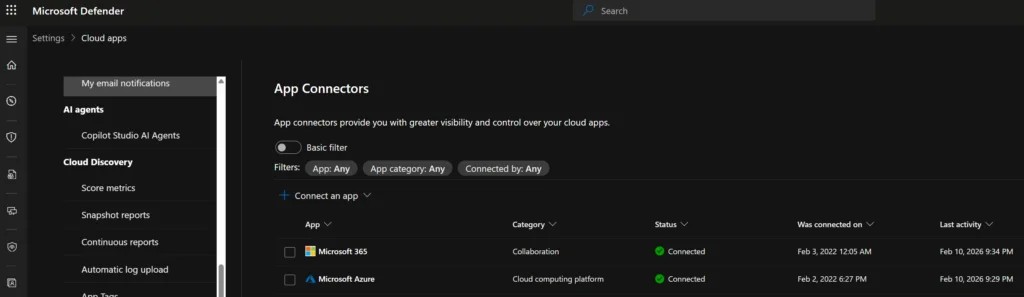
Log in to the Microsoft Defender portal and enable the feature via Settings > Cloud Apps > Copilot Studio AI Agents.
Verify connectors
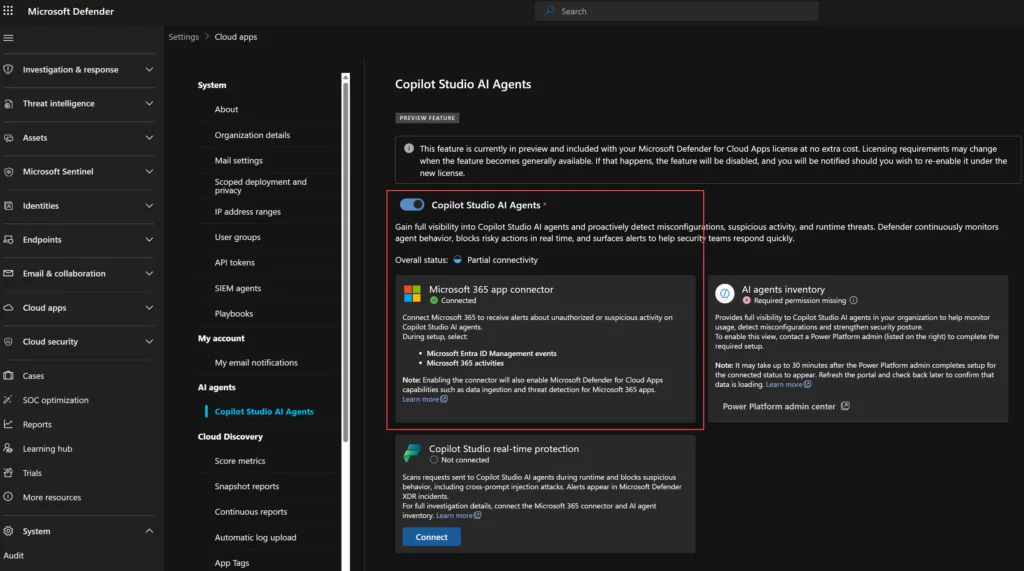
Ensure that the Microsoft 365 App Connector is configured with all audit events enabled for complete visibility.
Real-time protection
Real-time protection allows you to monitor and block malicious or non-compliant agent actions. This includes:
- Interception of suspicious prompts before execution.
- Automatic notifications to users.
- Alert generation in the Microsoft Defender portal.
Tip
Make sure the Microsoft 365 connector is properly enabled; otherwise alerts will not be displayed.
Configure an Entra ID application
To enable external threat monitoring:
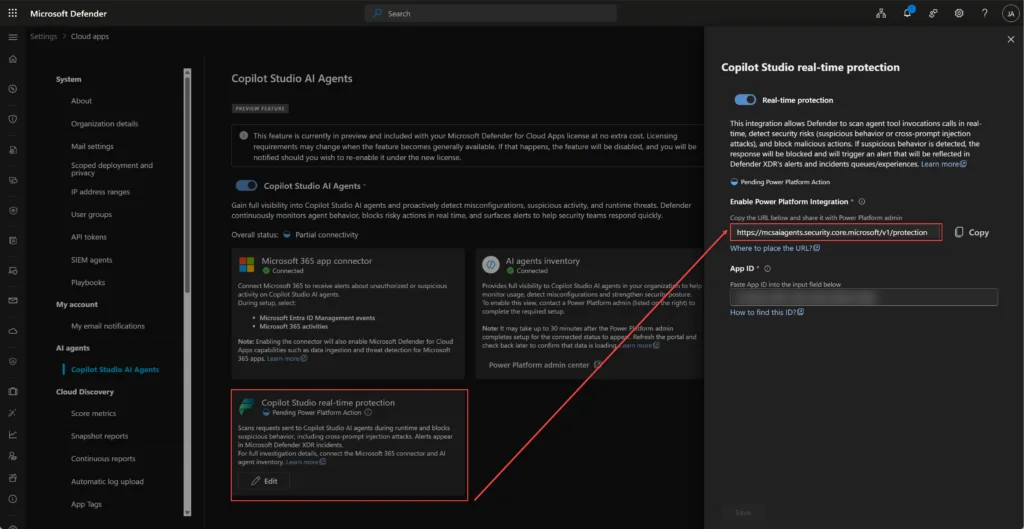
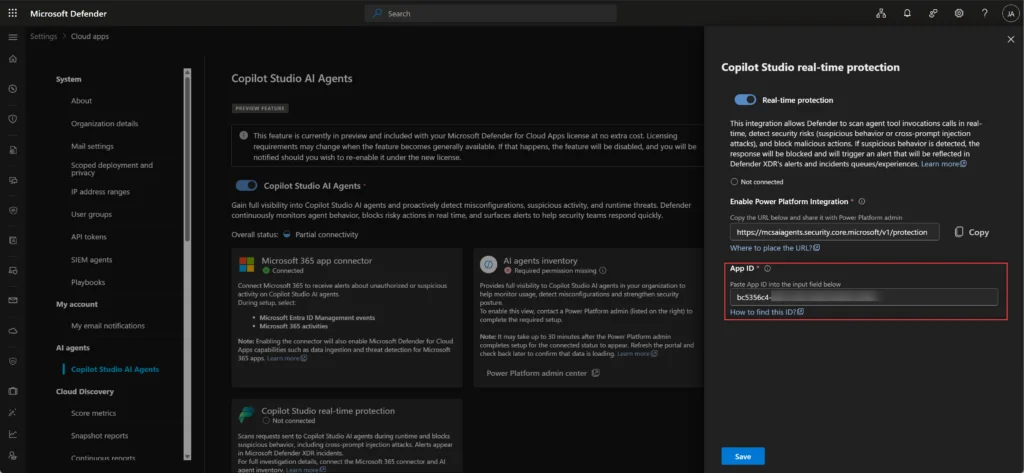
- Create an Entra ID application with Federated Identity Credentials (FIC).
1# Example PowerShell command2Install-Script -Name Create-CopilotWebhookApp.ps1- Connect the application to the Defender portal to configure agent inspection.
Filtering and protection features
Responsible AI filtering
Responsible AI filtering analyzes user interactions and blocks those that do not comply with security guidelines. This service is enabled by default in Microsoft Copilot Studio.
Real-time threat protection
Protection enabled by Defender for Cloud Apps monitors agent actions during their execution and blocks unauthorized access, as well as attempts to manipulate tools.
Conclusion
Microsoft Copilot Studio agents offer incredible flexibility to enterprises, but they pose security challenges. By combining Microsoft Defender and Defender for Cloud Apps, it becomes possible to protect these solutions while maintaining their execution power.
Important
Do not underestimate the new threats related to AI agents. Adopt a proactive approach to secure these technologies.