The Security Challenge of Teams Communications
Microsoft Teams has become the preferred communication platform for modern organizations. This massive adoption also makes it an attractive target for cybercriminals who exploit communication channels to deploy phishing attacks, distribute malware and orchestrate sophisticated social engineering campaigns.
Warning
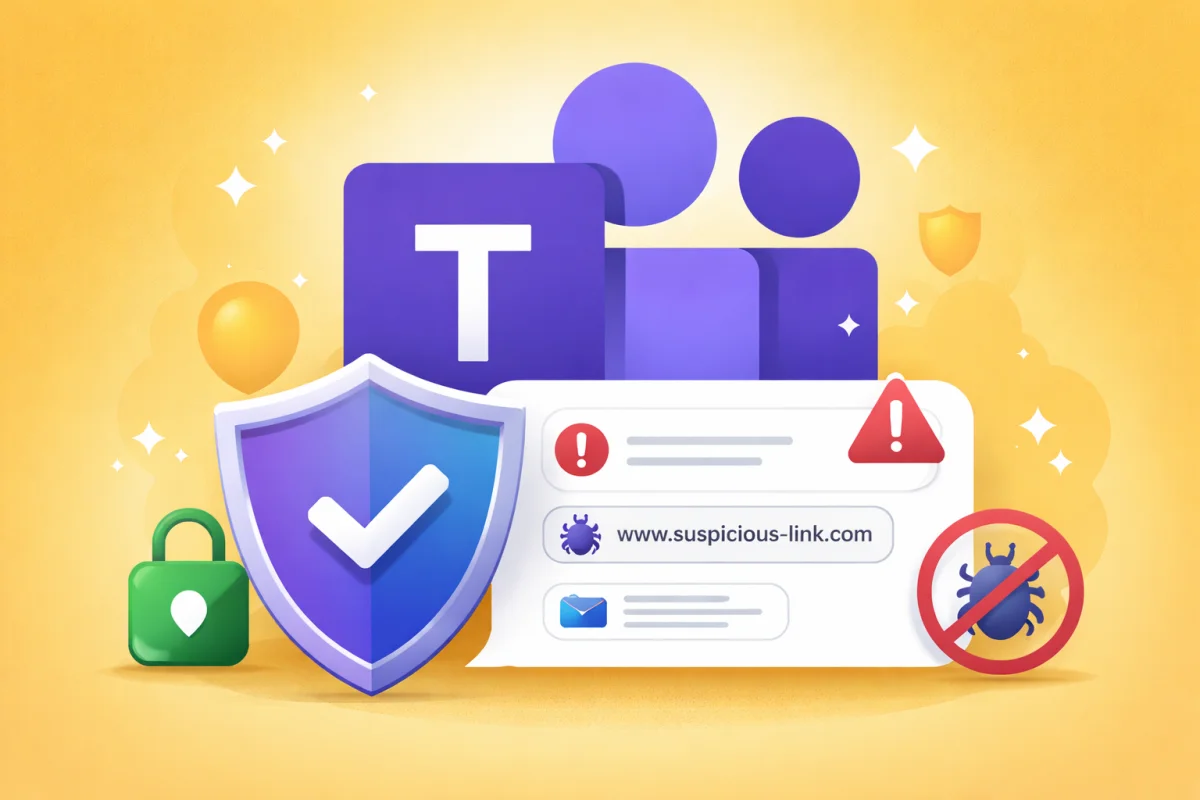
Users generally trust messages received via Teams more than emails, which significantly increases the risks of compromise.
Enabling Messaging Safety in Microsoft 365 therefore represents a security imperative, no longer just a recommendation. This feature constitutes an essential barrier against threats that transit through internal and external communication channels.
Configuring Message Security in Microsoft 365
Implementing message protection is done directly from the Teams administration center and requires only a few configuration steps.
Access the Teams Administration Center
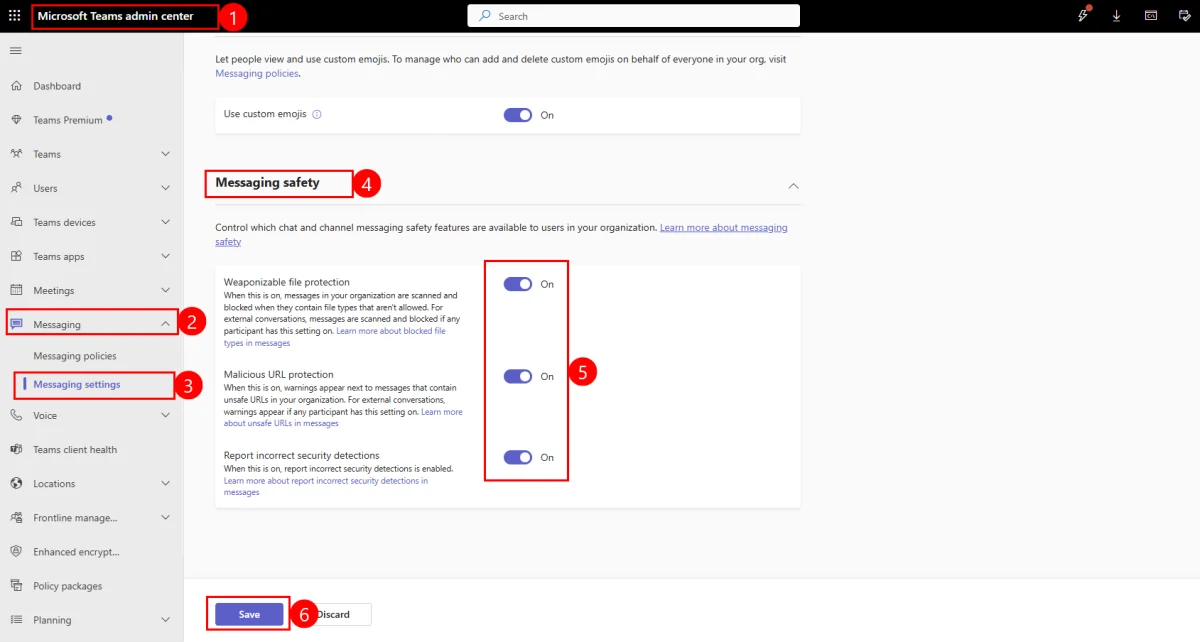
Go to the Teams administration portal at: https://admin.teams.microsoft.com/
Navigate to Messaging Settings
In the navigation menu, select "Messaging" then click on "Messaging Settings" to access the configuration options.
Activate Security Protections
Locate the "Messaging Safety" section and enable the three essential protection components:
- Weaponizable file protection (Protection against malicious files)
- Malicious URL protection (Protection against malicious URLs)
- Report incorrect security detections (Reporting incorrect detections)
Validate Settings
Click on "Save" to apply the configuration across your entire Teams environment.
Protection Mechanisms and Security Benefits
Advanced Protection Against Malicious Files
The malicious file protection automatically analyzes all files shared in Teams conversations and channels. This real-time analysis identifies potentially dangerous file types and blocks their delivery, creating an effective barrier against malware propagation within the organization.
Tip
This protection also applies to external conversations, significantly reducing the risk of infection from compromised partners or vendors.
Defense Against Malicious Link Attacks
The malicious URL protection provides a shield against phishing campaigns and credential theft attempts. When a suspicious link is detected in a conversation, the system alerts the user before any interaction, allowing them to make an informed decision.
This protection is particularly critical in exchanges with external contacts, where attackers frequently attempt to impersonate trusted partners.
Continuous Improvement Through User Feedback
Enabling report incorrect security detections transforms your users into actors in organizational security. This feature allows users to report false positives and undetected threats, creating a feedback loop that progressively improves the accuracy of Microsoft's detection mechanisms.
Reducing the Communication Attack Surface
Threat Evolution
Cybercriminals are progressively abandoning email in favor of chat platforms, exploiting the natural trust users place in these collaboration tools.
Email security alone is no longer sufficient in the current threat ecosystem. Attackers now focus their efforts on collaborative communication platforms, knowing that users generally give more credence to messages received via Teams than traditional emails.
Messaging Safety fills this gap by adding a layer of protection where the majority of daily professional exchanges occur.
Organizational Impact and Recommendations
Implementing these protections represents minimal configuration changes that generate major security impact. Seamless adoption by end users guarantees a smooth transition without disrupting established collaborative processes.
Best Practice
Complement this configuration with team awareness training on the new protection mechanisms to maximize their effectiveness.
Conclusion
Enabling Messaging Safety in Microsoft 365 significantly strengthens organizational security posture by directly protecting users at the heart of their collaborative work environment. This configuration represents a minimal time investment for maximum security benefit.
In a context where digital collaboration forms the foundation of business operations, securing communication channels becomes an essential prerequisite for maintaining the integrity and confidentiality of professional exchanges.