
Introduction
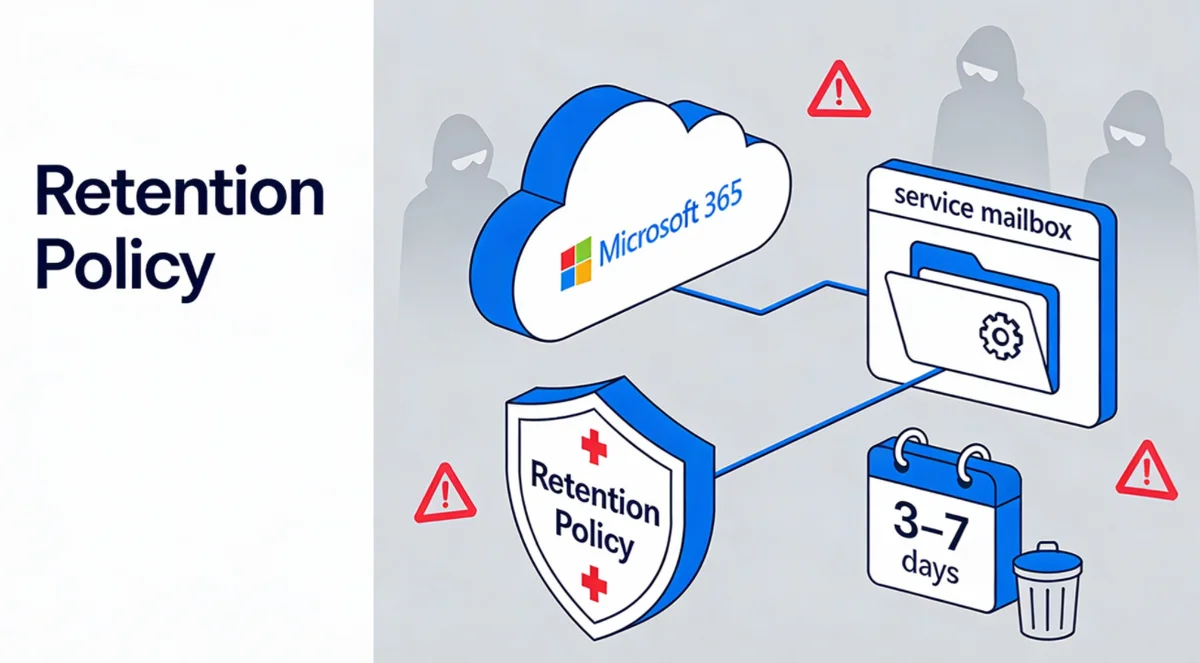
Service mailboxes, also called "scan-to-email", are a critical point for automating business processes. However, they also represent a privileged attack surface for cybercriminals due to the concentration of sensitive data they accumulate. Microsoft Purview offers an effective solution to mitigate these risks through automated retention policies.
Understanding risks inherent to automation mailboxes
Service accounts used for email automation present specific vulnerabilities that require particular attention from IT administrators.
Accumulation of sensitive data
These mailboxes regularly receive automated reports containing:
- User identifiers and account information
- Equipment names and inventory data
- Internal URLs revealing network architecture
- Attachment contents potentially confidential
- Telemetry data and operational metrics
Governance issues
Service mailboxes frequently suffer from gaps in their management:
- Over-assignment of privileges for operational convenience
- Insufficient monitoring of access and activities
- Exclusion from standard user governance processes
High risk
These non-human accounts become privileged targets for data exfiltration due to their low surveillance and the wealth of information they contain.
Short retention strategy: the 3-7 day approach
Microsoft Purview Data Lifecycle Management applies the fundamental principle "keep what you need, delete what is unnecessary". For service mailboxes, an approach of automatic deletion after a short period proves particularly effective.
Recommended configuration
Implementing a "delete only" retention policy with a duration of 3 to 7 days allows you to:
- Maintain operational continuity during the critical period
- Drastically reduce exposure to sensitive data
- Minimize attack surface available to malicious actors
Priority principle
Purview applies the "retention overrides deletion" principle. Any longer retention policy, label, or legal hold can prevent short-term deletion from being applied.
Step-by-step configuration in the Purview portal
Creating a targeted retention policy requires a methodical approach to ensure its effectiveness.
Access to Microsoft Purview portal
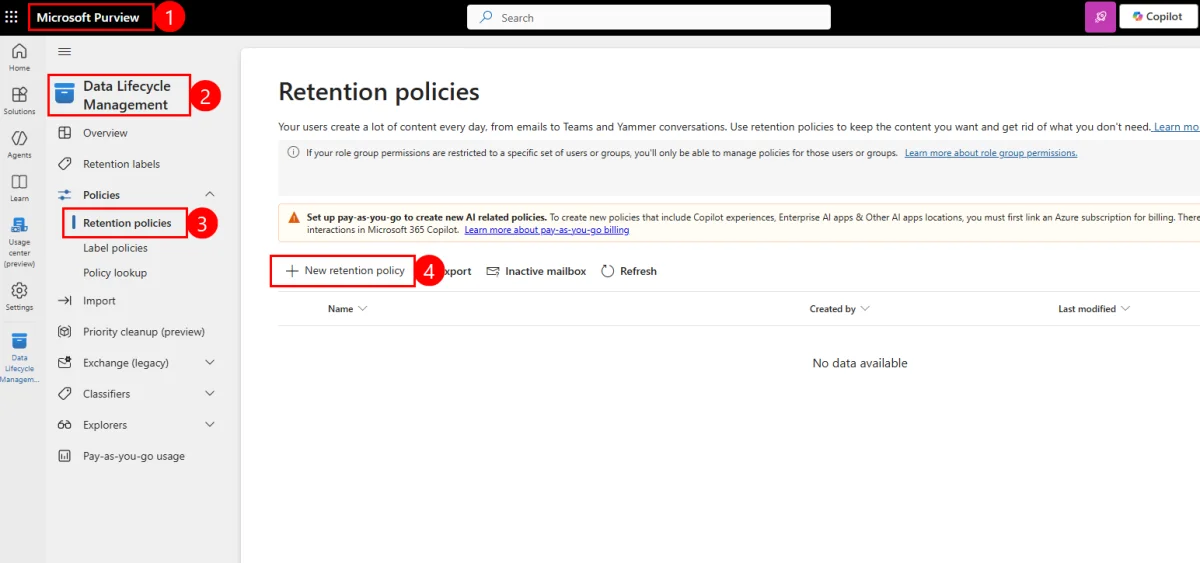
Open Microsoft Purview and navigate to the Data Lifecycle Management section from the main menu.
Policy initialization
In the Policies section, select Retention policies then click on New retention policy to launch the creation wizard.
Metadata definition
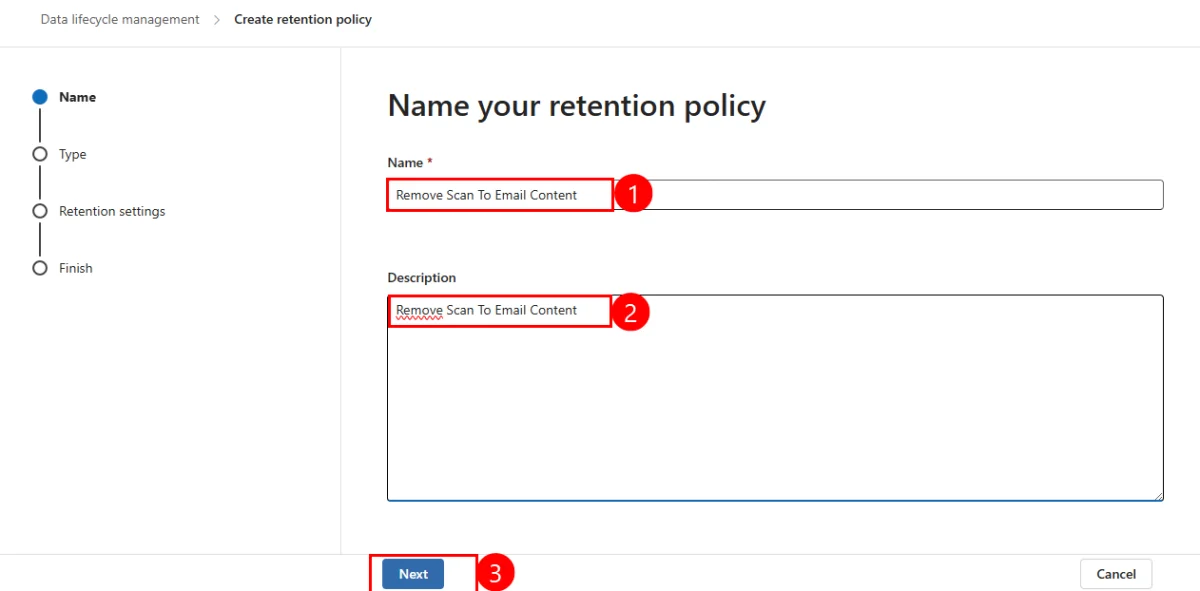
Enter an explicit name and detailed description of the policy. Use clear naming such as "Service-Mailboxes-AutoPurge-5days" to facilitate future management.
Selection of policy type
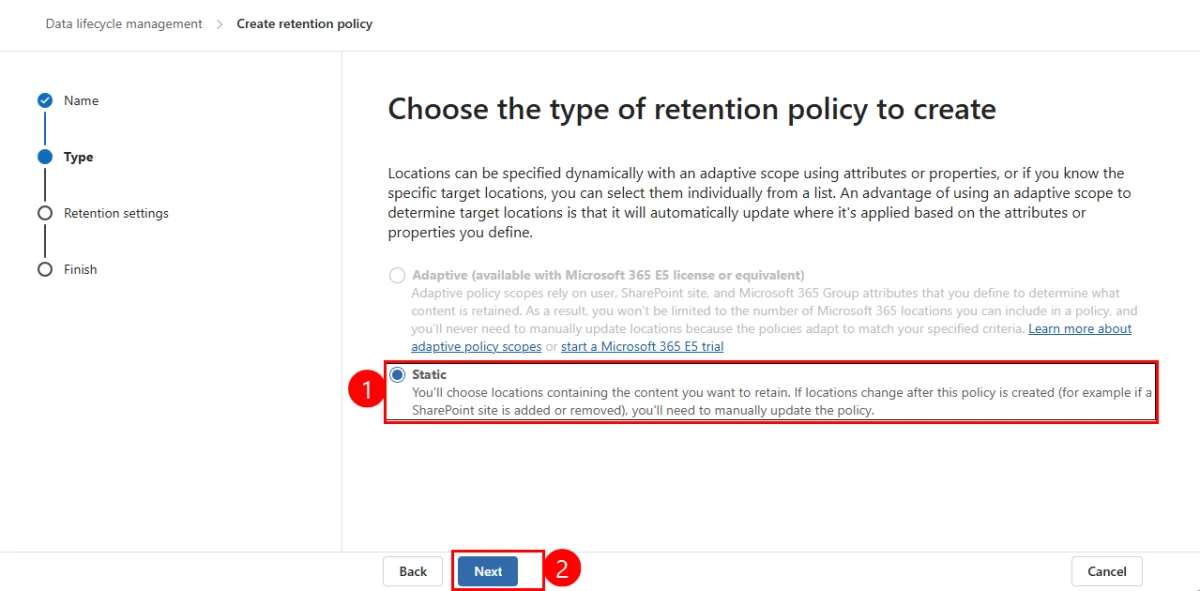
Choose Static as the retention policy type, then click Next to continue.
Configuration of locations
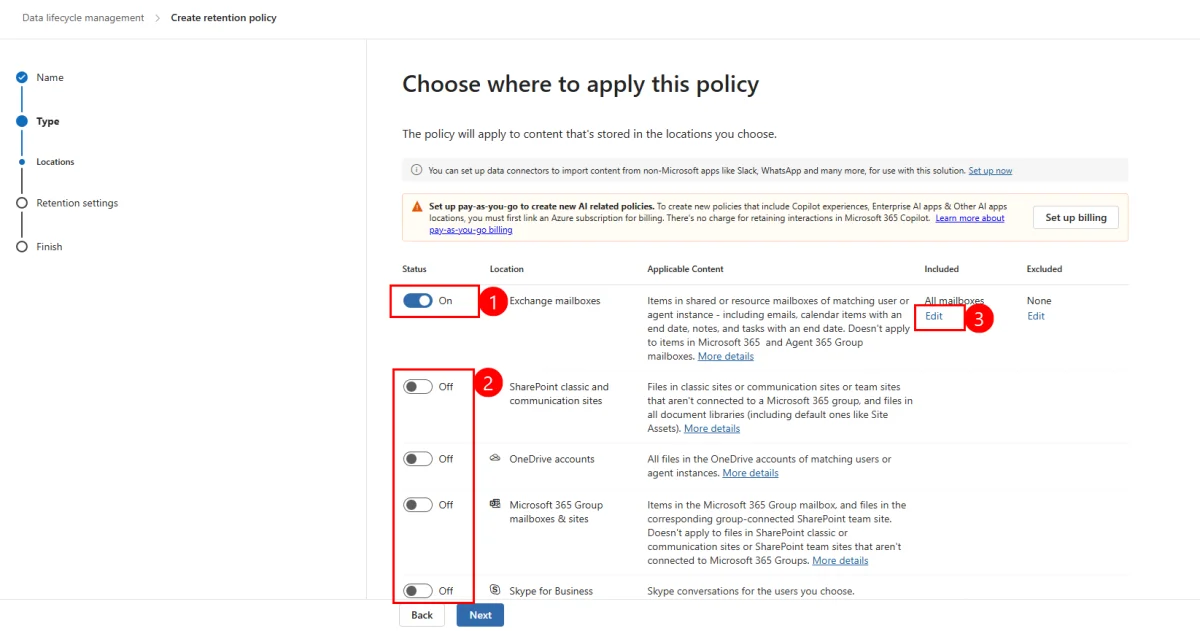
Enable only the Exchange mailboxes location by toggling the switch to On. Leave other locations (SharePoint, OneDrive, Microsoft 365 Groups) disabled to avoid side effects.
Scope definition
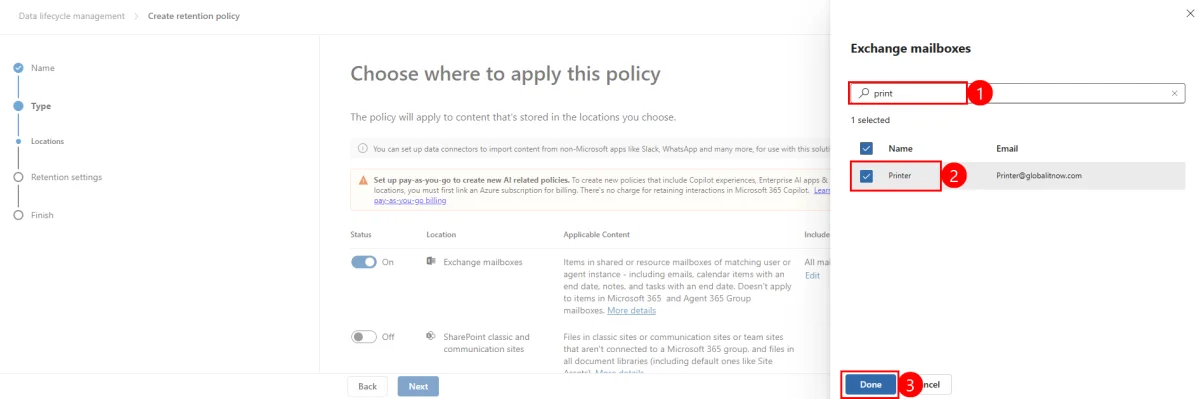
Click Edit under the Included section to modify the default scope "All mailboxes". Specifically select your service mailboxes for precise targeting.
Retention settings
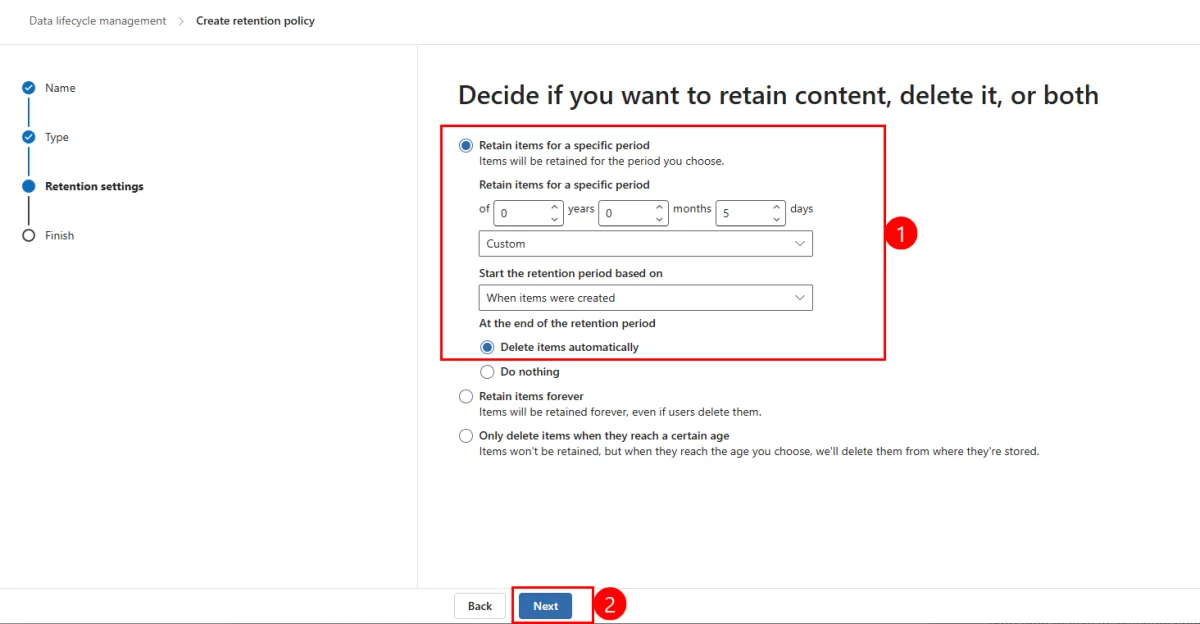
In the Decide if you want to retain content, delete it, or both section, select Retain items for a specific period. Configure the desired duration (example: 5 days with 0 years, 0 months, 5 days).
For triggering, choose When items were created as the starting point of the retention period.
At the end of the period, select Delete items automatically to enable automatic deletion.
Finalization and deployment
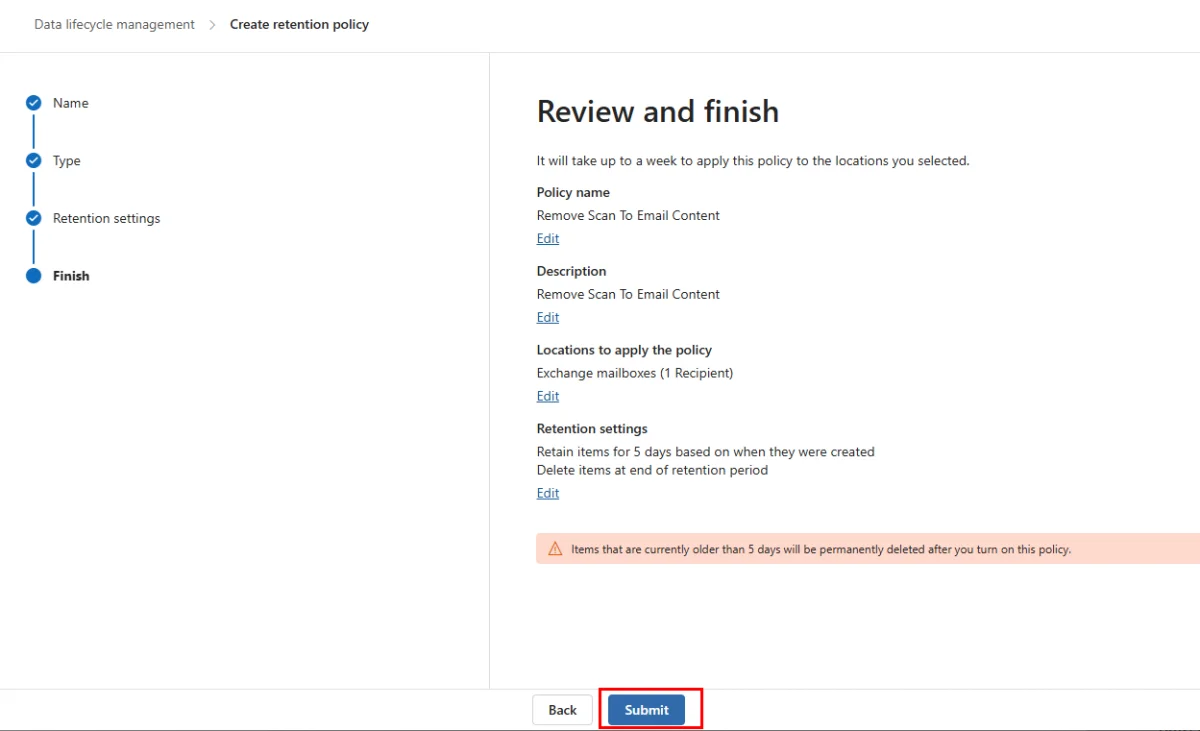
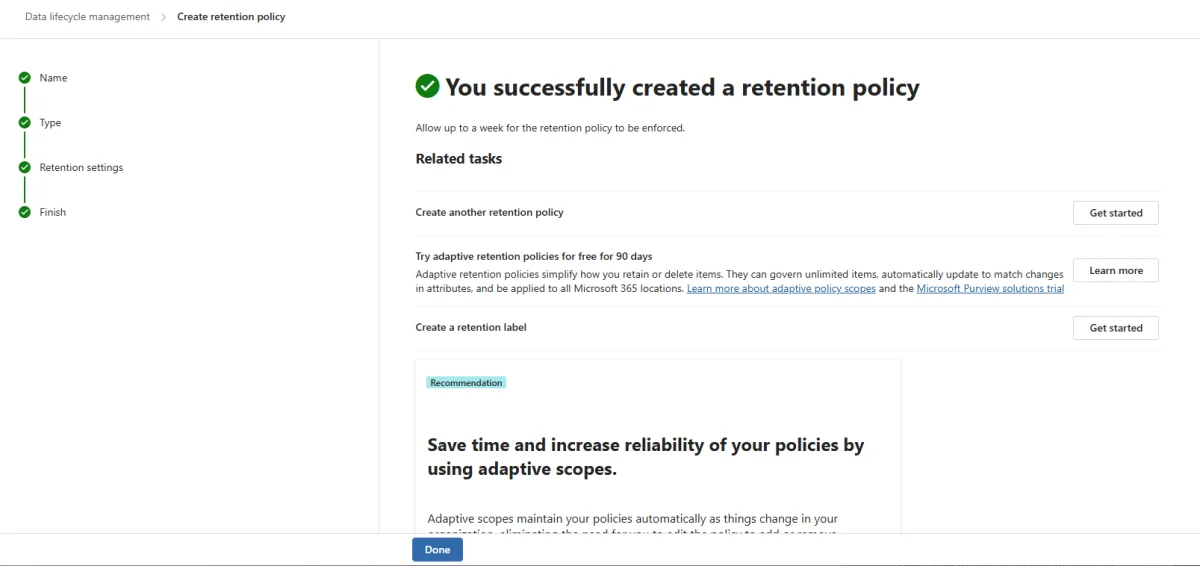
Validate the configuration and click Submit to definitively create the retention policy.
Critical operational considerations
Implementing retention policies requires particular vigilance on several technical aspects often overlooked.
Management of static scope
Static targeting with "include specific recipients" offers appreciable granularity, but presents a pitfall: deleting the last included recipient can cause a reversion to "All" for that location.
Mandatory validation
Always check the scope of application before saving changes to avoid unintended deployment across the entire tenant.
Policy activation threshold
An important technical limitation concerns Exchange mailboxes: a minimum of 10 MB of data is required before retention settings are applied. This constraint can affect testing phases on newly created mailboxes.
Monitoring and surveillance
Implement regular monitoring to:
- Verify effective application of policies
- Identify conflicts with other retention policies
- Monitor exceptions and processing failures
Best practices
Document deployed policies and plan quarterly reviews to adapt retention durations to business needs evolution.
Conclusion
Implementing short retention policies on service mailboxes is an essential proactive security measure. This approach makes it possible to reconcile operational efficiency and reduction of cybersecurity risks, while leveraging the native capabilities of Microsoft Purview to automate data governance.