
The Context: The Announced End of SMS as an Authentication Method
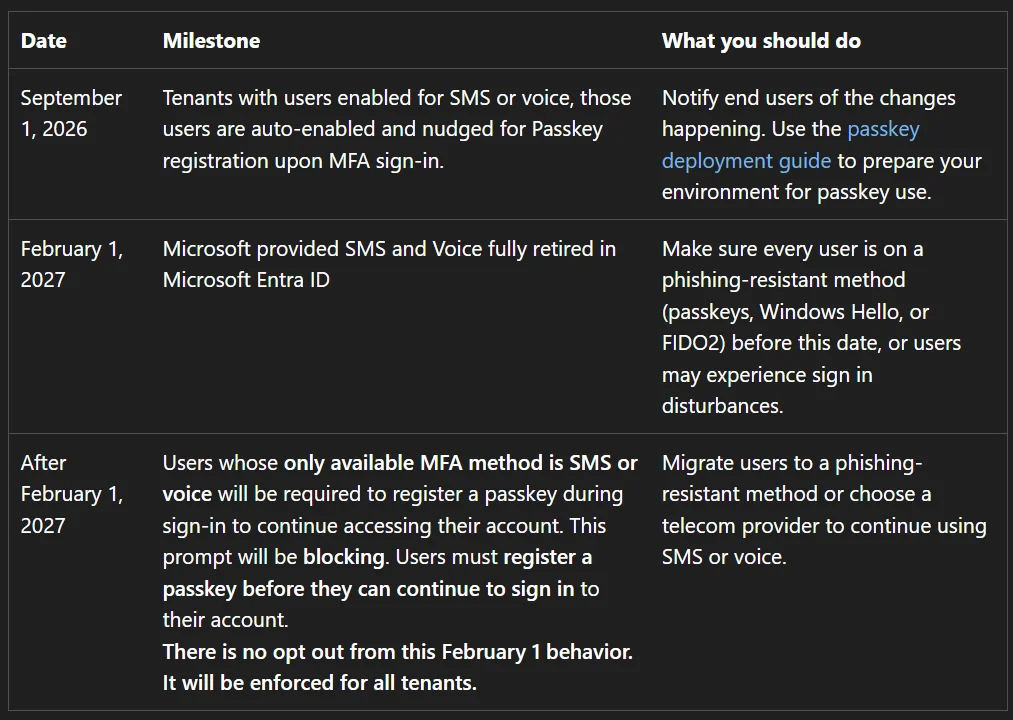
Microsoft is advancing its timeline for deprecating SMS as an authentication method in Microsoft Entra ID, in favor of Passkeys as the default method. This is not a surprise: the official roadmap has been published for some time, with details of the actions planned by Microsoft and notifications ('nudges') pushed to end users.
SMS is not disappearing overnight. It remains usable after deprecation, but only if the organization has its own telecom operator to manage message sending — an option that implies a direct cost, charged to the tenant.
What Microsoft's roadmap covers
The plan for withdrawing SMS as an authentication method, triggering user prompts, and a controlled Passkey deployment mechanism for organizations that want to anticipate rather than endure the change.
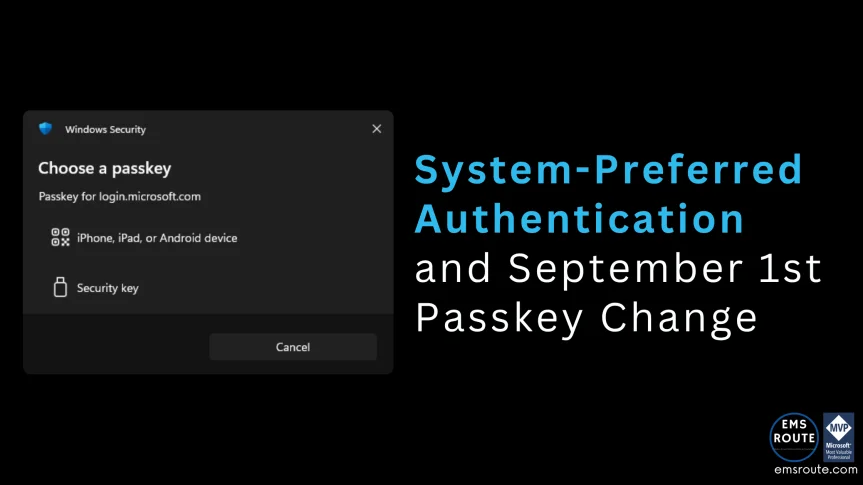
The Operational Trap: Passkey Takes Precedence Over Microsoft Authenticator
The typical scenario: you launch a Passkey registration campaign, the user receives the notification, and registers their Passkey. Nothing unusual so far.
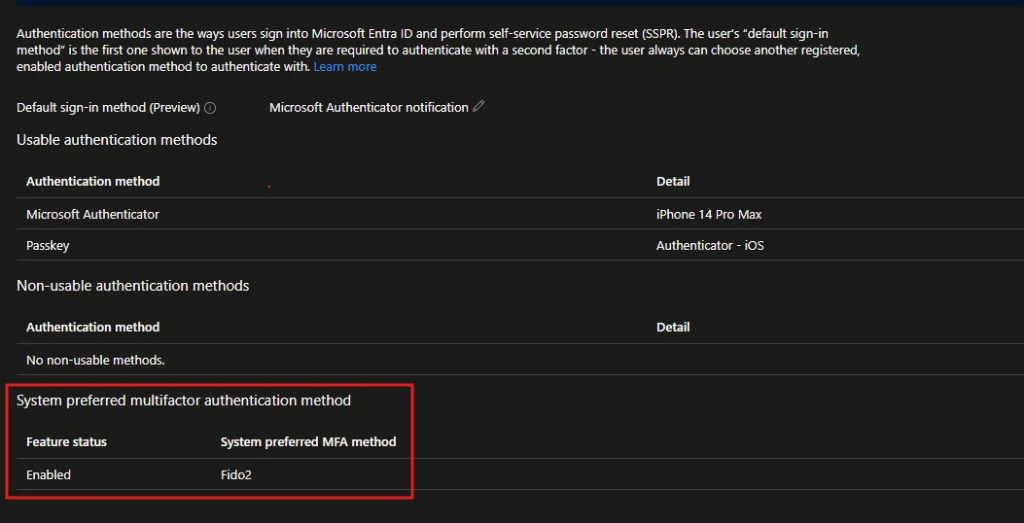
What surprises support teams: at the next login, the user is prompted to use the Passkey as a priority — no longer the method they were using before. This behavior applies even if Microsoft Authenticator was configured as the default method in their profile. The Passkey becomes the priority, without any explicit action by the administrator at the individual account level.
Without prior communication, this change generates unnecessary support tickets: the user doesn't understand why their usual application is no longer offered first.
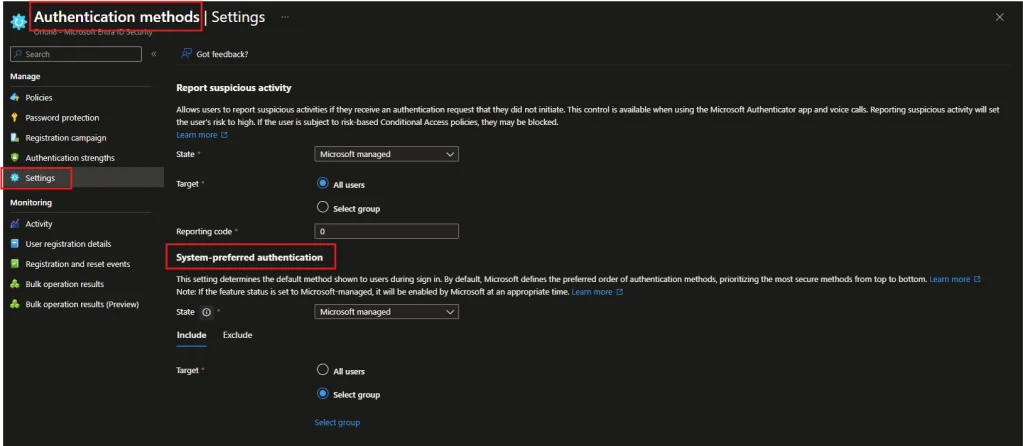
System-Preferred Authentication: The Mechanism Behind the Change
The observed behavior is not a bug: it is driven by the System-preferred Authentication parameter in Entra ID. This parameter determines which method is offered as a priority to the user to complete an authentication request.
There are three possible states for this parameter:
| State | Behavior | Impact on Microsoft Authenticator |
|---|---|---|
| Microsoft managed | Pushes the most secure available method as 1st factor — Passkey as soon as it is registered | Superseded, even if set as default method |
| Enabled | Pushes the most secure method as 2nd factor | Remains usable as 1st factor, the strong method intervenes as a complement |
| Disabled | Return to the default behavior defined by the user | No change in priority |
In Microsoft managed mode, the Passkey automatically becomes the priority authentication method as soon as it is registered, without manual intervention on the user profile. This is the behavior that explains the surprise on the helpdesk side.
Point of Caution
The switch to Microsoft managed mode is not symmetrical: it does not wait for the administrator to adjust each user's default method. The priority changes automatically as soon as the Passkey is registered.
Snapshot of registered authentication methods for a user in Entra ID.
What the User Can Still Do
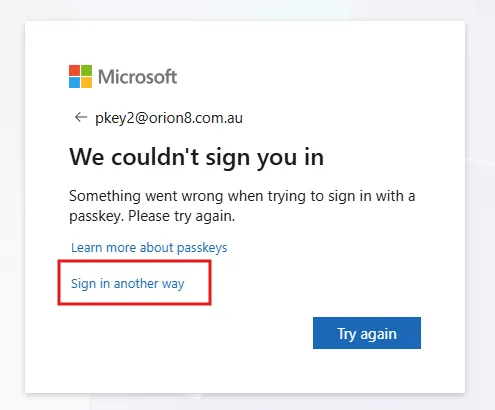
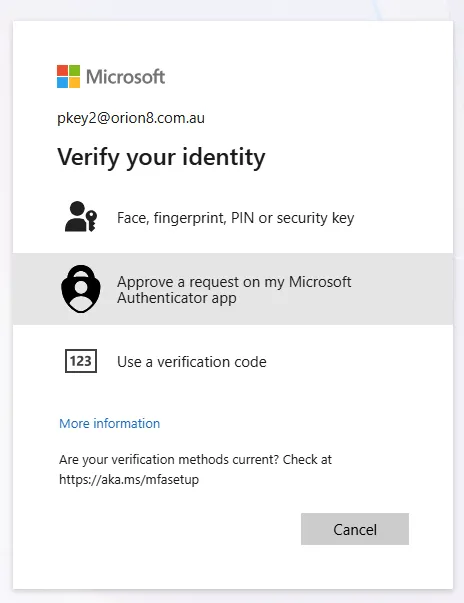
The switch to Passkey is not irreversible at each login. The user retains an escape route: they can dismiss the Passkey prompt, select "sign in with another method," and then choose an already registered method — typically Microsoft Authenticator.
This option exists, but it relies entirely on user awareness. Without clear prior communication, few employees will know it exists when the Passkey prompt appears on screen.
Scope the Deployment by Group Rather Than the Entire Tenant
Good news for progressive deployments: Microsoft managed and Enabled modes are not necessarily applied to the entire tenant. It is possible to scope them to all users or to a specific group.
- Users included in the targeted group switch to the chosen System-preferred behavior.
- Users outside the scope continue to use their usual default method, with no change in behavior.
This granularity allows for a true pilot before generalization, rather than switching the entire organization all at once.
Deployment Best Practice
First target a pilot group (IT, early adopters) with System-preferred in Microsoft managed mode. Measure the volume of support tickets before extending to all users.
Action Plan Before the September 1st Deadline
The September 1st date is the switching point to anticipate. Organizations that have not yet structured their approach should frame the following actions without delay:
- Launch a restricted pilot on a test group before any large-scale deployment.
- Document the exact behavior of the three System-preferred states for level 1 support teams.
- Communicate in advance with users about the change in prompts after Passkey registration, and about the option to switch to another method.
- Plan the full rollout before September 1st, or failing that, explicitly prepare teams for the behavior change that will occur on that date.
Important
Without action, the default behavior will change at the switch date. Organizations that do not actively control System-preferred Authentication will experience the change rather than control it.
Key Takeaways
- SMS is being deprecated as an authentication method in Entra ID, with a possibility of paid maintenance via a dedicated telecom operator.
- System-preferred Authentication drives the method offered as a priority, with three states: Microsoft managed, Enabled, Disabled.
- In Microsoft managed mode, Passkey automatically supersedes Microsoft Authenticator as soon as it is registered, even if the latter is configured as default.
- The user can always return to a registered method via "sign in with another method," but this requires being informed in advance.
- Group scoping allows for a pilot deployment before generalization to the entire tenant.
- The September 1st deadline requires choosing between a fully controlled rollout or actively preparing for the automatic change.