A Strategic Transformation of the Teams Event Ecosystem
Microsoft is undertaking a complete overhaul of its event strategy with the planned discontinuation of Teams Live Events in favor of a unified solution called Teams Events. This transition is spread over three years, from 2025 to 2027, allowing organizations to adapt without service disruption.
Transition Timeline
The migration spans until 2026-2027, providing organizations with sufficient time to reorganize their event processes.
This evolution reflects Microsoft's long-term vision: creating a consistent user experience while simplifying IT administration of large-scale events.
Analysis of Teams Live Events Limitations
The retirement of Teams Live Events is explained by several architectural and functional constraints identified by Microsoft:
Organizational Complexity
The current architecture imposes a strict separation between regular meetings and live events, creating a significant learning curve for organizers.
Fragmentation of User Experience
Participants navigate between distinct interfaces depending on the event type, causing confusion and reduced adoption.
Functional Redundancy
Teams Webinars already cover part of the use cases of Live Events, creating duplicates in the Microsoft 365 ecosystem.
Impact on Investments
Microsoft is discontinuing all development on Teams Live Events to concentrate its efforts on the evolution of Teams Events.
Teams Events: A Next-Generation Event Platform
Unified Architecture
Teams Events consolidates meetings, webinars, and massive events in a single interface. This approach eliminates technology silos and simplifies administrative management.
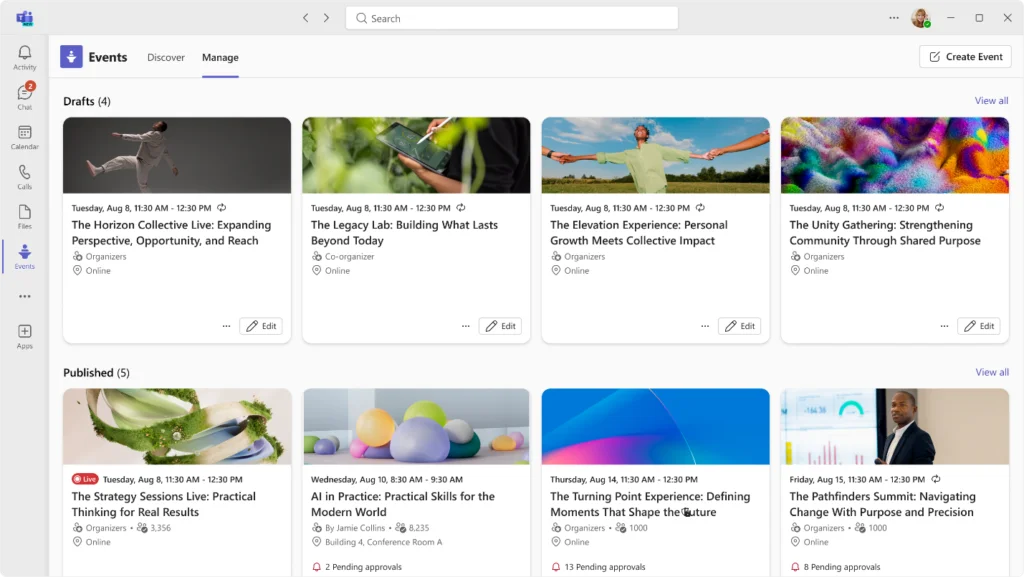
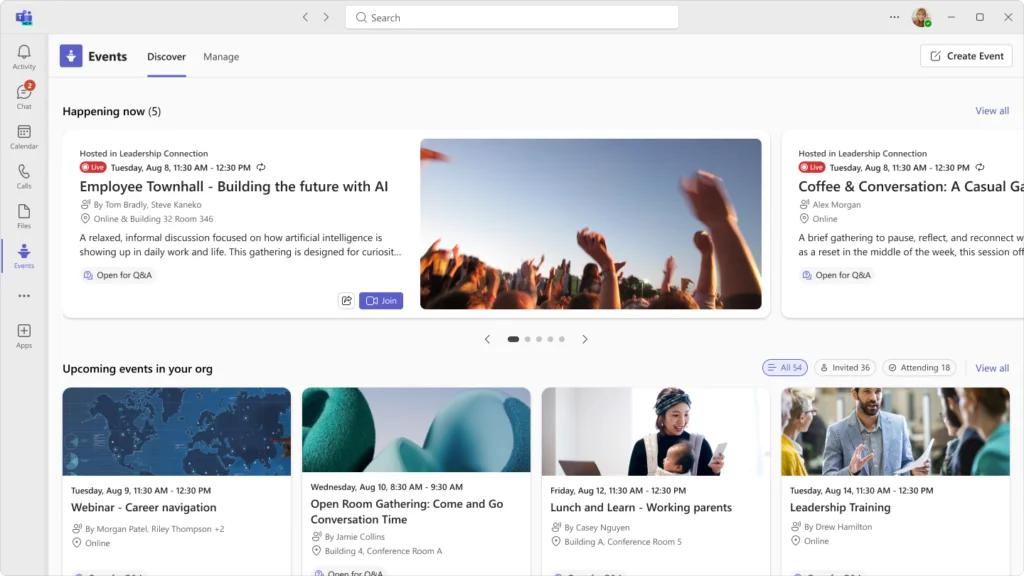
Centralized Discovery Experience
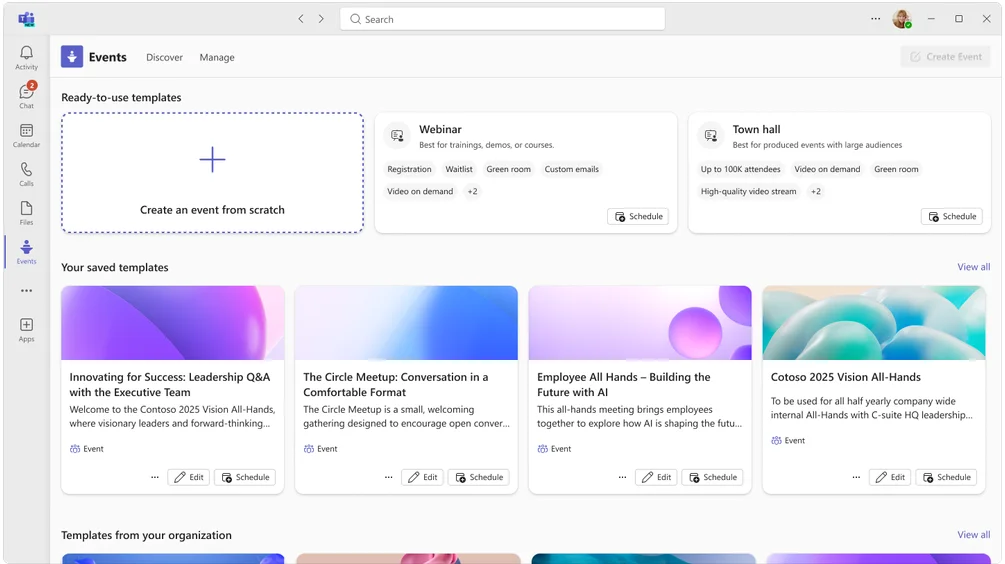
A dedicated space in Teams allows users to explore all available events, whether internal or open to external participants. This centralization significantly improves visibility of organizational events.
Simplified Creation Workflow
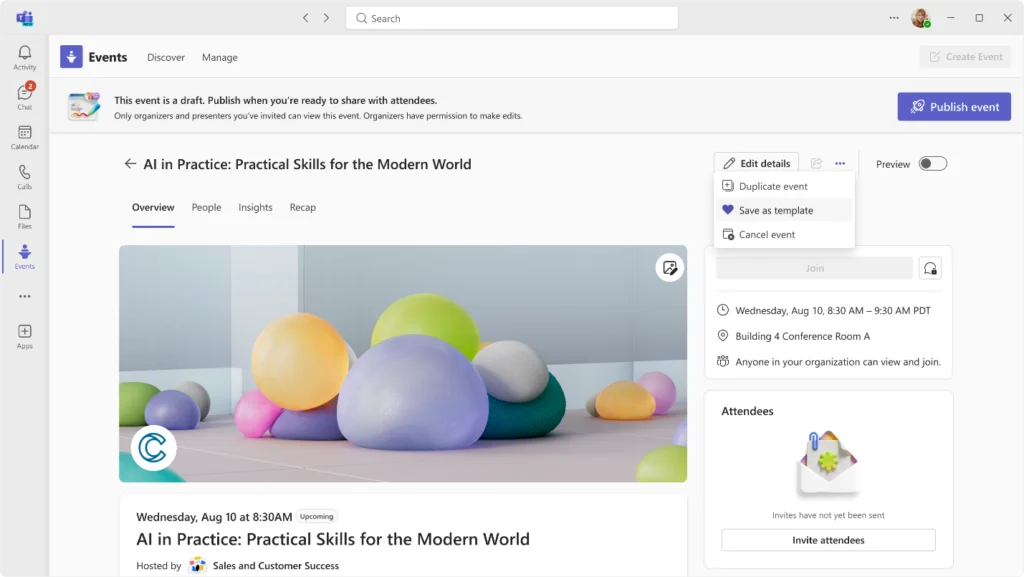
Organizers benefit from a unified process to configure their events:
Initial Configuration
Definition of basic parameters: audience, format, and accessibility.
Role Management
Assignment of permissions for presenters, moderators, and producers.
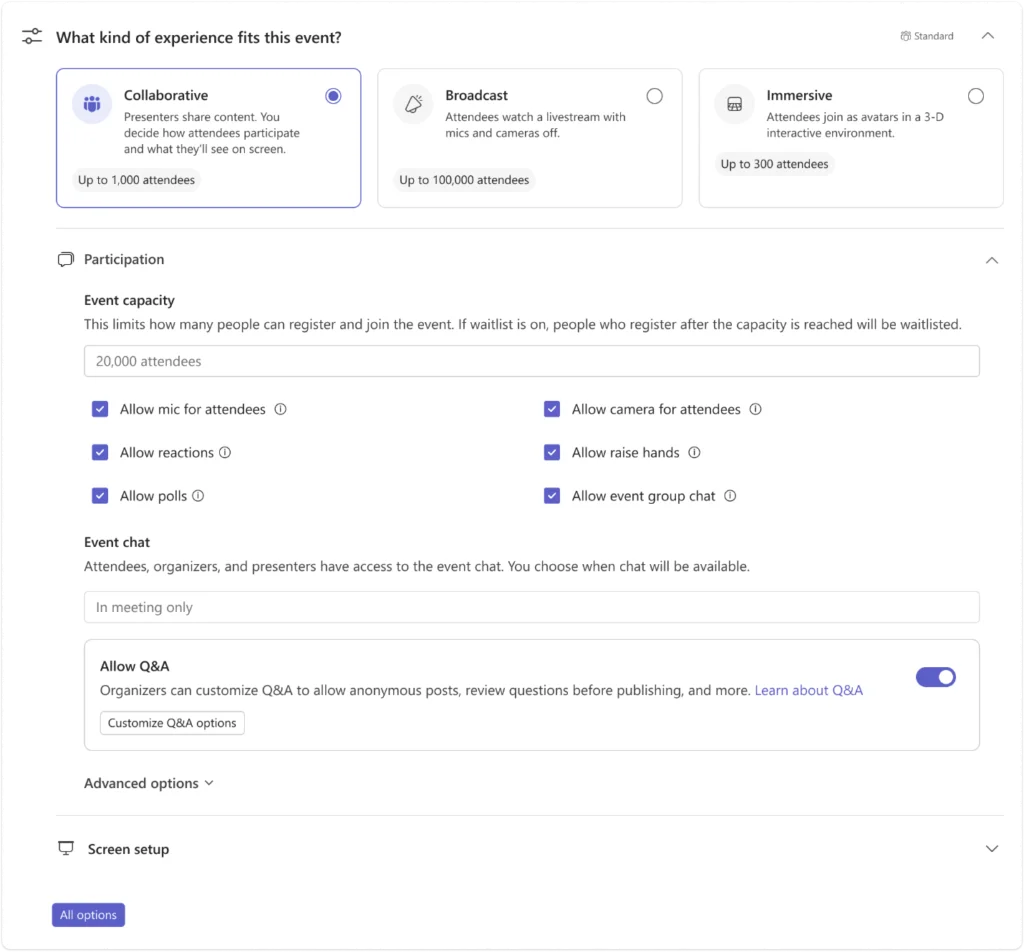
Engagement Options
Activation of interactive features based on event needs.
Broadcast Settings
Configuration of streaming and recording options.
Technology Roadmap 2025-2027
Extended Audience Capacity
Teams Events is architected to support significantly larger audiences than its predecessor, meeting the needs of multinationals and large-scale public events.
Innovation in Interactivity
The roadmap prioritizes engagement features:
- Multilingual automatic captioning
- Real-time translation for international audiences
- Enriched reactions system
- Interactive Q&A with advanced moderation
Competitive Advantage
These interactive features go beyond the traditional one-way broadcast model, transforming events into collaborative experiences.
Professional Production Tools
The evolution of production capabilities includes:
- Granular management of audio-video streams
- Real-time monitoring of technical performance
- Advanced staging options
- Native integration of external sources
Organizational Impact and Adaptation Strategies
Benefits for IT Administration
| Aspect | Teams Live Events | Teams Events |
|---|---|---|
| Governance | Multiple policies | Unified governance |
| User support | Specialized training | Single training |
| License management | Complex models | Simplified licensing |
| Security | Distinct configurations | Centralized security |
Optimization of User Experience
The convergence toward Teams Events standardizes the user interface. Employees find the same visual and functional touchpoints, whether it's a team meeting or a corporate event with thousands of participants.
Recommended Migration Strategies
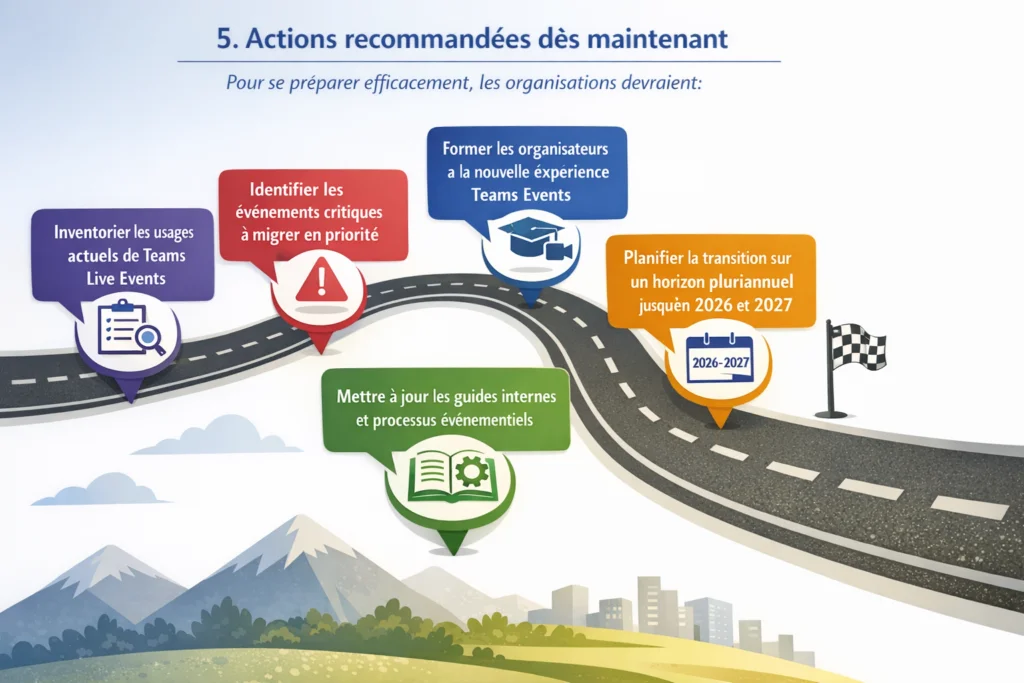
Audit of Current Usage
Inventory of recurring Live Events and analysis of specific needs.
Team Training
Build skills among organizers on the new Teams Events platform.
Pilot Migration
Testing on non-critical events to validate processes.
Progressive Deployment
Migration of strategic events with enhanced support.
Critical Deadline
Plan your migration now. Organizations that wait until 2026 risk a rushed transition.
Future Outlook for Enterprise Communications
This transformation is part of Microsoft's broader initiative to create a unified and scalable communication ecosystem. Teams Events becomes the foundation for innovation in the coming years, concentrating all R&D investments in virtual and hybrid events.
Organizations that anticipate this migration position their teams to take advantage of future innovations while streamlining their Microsoft 365 technology stack. This proactive approach transforms a technical constraint into an opportunity to improve internal and external communication processes.