
Introduction to Global Application Administrator Privilege Risks
Assigning the built-in Application Administrator role in Microsoft Entra ID is a common but potentially dangerous practice in many organizations. This simplistic approach exposes the tenant to significant security risks by granting extended privileges across all enterprise applications.
Critical Risk
A compromised Application Administrator account can modify SSO settings, hijack application traffic, or transform legitimate applications into attack vectors to access sensitive organizational data.
This article details the implementation of custom roles with limited scope assignments to rigorously apply the principle of least privilege in your Azure AD infrastructure.
Architecture of Default Application Administrator Privileges
The built-in Application Administrator role grants extended permissions on:
- All App Registrations in the tenant
- All Enterprise Applications
- Global Application Proxy settings
- Application creation, modification, and deletion
This architecture presents major vulnerabilities:
Potential Attack Vectors
- SSO Hijacking: Modifying redirect URLs to phishing pages
- Data Exfiltration: Adding unauthorized client secrets to app registrations
- Lateral Movement: Exploiting access tokens to compromise other resources
- Persistence: Creating backdoor applications to maintain access
Security Impact
An attacker with Application Administrator privileges can compromise your entire tenant's application ecosystem, rendering most perimeter security controls ineffective.
Licensing Prerequisites for Custom Roles
Implementing this security strategy requires specific licenses:
| Feature | Required License | Capabilities |
|---|---|---|
| Entra Custom Roles | Microsoft Entra P1 | Creation and management of custom roles |
| Scoped Assignments | Microsoft Entra P2 | Restriction of roles to specific resources |
Technical Implementation of Scoped Custom Roles
Creating a custom role with scoped assignment requires a methodical multi-phase approach.
Phase 1: Custom Role Creation
Access to Administration Portal
Sign in to the Microsoft Entra Admin Center with Global Administrator or Privileged Role Administrator privileges.
Navigate to Identity > Roles & administrators in the navigation menu.
Initiating Role Creation
Click New custom role in the top toolbar.
Fill in the role metadata:
- Name:
Custom Application Admin - Specific Apps - Description:
Limited application administration rights for designated enterprise applications
Configuring Granular Permissions
In the Permissions section, select the specific permissions required:
microsoft.directory/servicePrincipals/appRoleAssignments/updatemicrosoft.directory/servicePrincipals/credentials/updatemicrosoft.directory/servicePrincipals/properties/update
Permission Granularity
Favor the most specific permissions possible. Avoid generic permissions like microsoft.directory/servicePrincipals/allProperties/allTasks which would reintroduce the risks we are trying to eliminate.
Finalizing the Role
Review the configuration and click Create to instantiate the custom role in your tenant.
Phase 2: Scoped Assignment
Selection of Created Role
In the All roles list, locate and select your newly created custom role.
Initiating Assignment
In the Assignments tab, click Add assignments to start the scoped assignment process.
Configuring Application Scope
Configure scope parameters:
- Scope type: Select Service Principal (Enterprise App) for enterprise applications
- Selected scope: Choose the specific application (e.g.,
DemoApp-Production)
Scope Types
App registration is suitable for applications in development, while Service Principal applies to production-deployed applications.
User Assignment
Select the members who will receive these limited privileges:
- Individual users
- Security groups (recommended for governance)
Configure assignment settings:
- Assignment type:
ActiveorEligible(if PIM is enabled) - Duration: Set a limited duration if applicable
Validation and Deployment
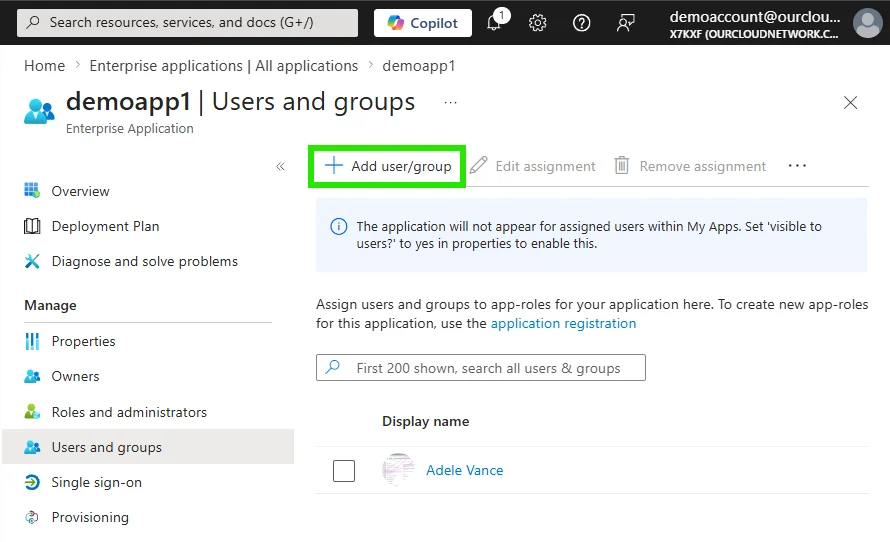
Review all parameters and click Assign to perform the scoped assignment.
Configuration Validation and Testing
Verification of Granted Permissions
To validate the effectiveness of your implementation, perform the following tests:
Test 1: Authorized Access
- Sign in with an account having the custom role
- Navigate to the application in scope
- Verify that modifications are possible
Test 2: Effective Restrictions
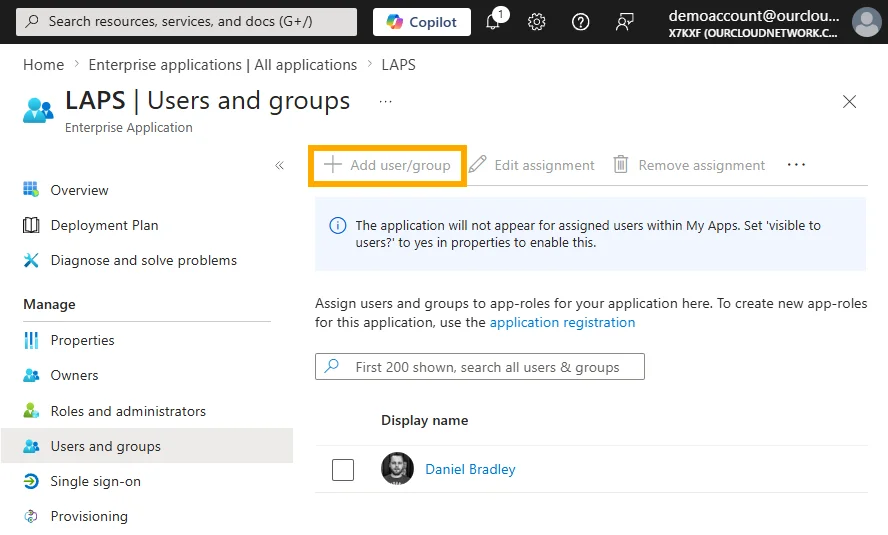
- Attempt to access an application outside the scope
- Confirm that modification access is denied
PowerShell Validation Script
1# Connect to Azure AD tenant2Connect-AzureAD3 4# Retrieve custom roles5$customRoles = Get-AzureADDirectoryRole | Where-Object {$_.DisplayName -like "*Custom Application Admin*"}6 7# Check scoped assignments8foreach ($role in $customRoles) {9 $assignments = Get-AzureADScopedRoleMembership -ObjectId $role.ObjectId10 Write-Host "Role: $($role.DisplayName)"11 foreach ($assignment in $assignments) {12 Write-Host " Member: $($assignment.RoleMemberInfo.DisplayName)"13 Write-Host " Scope: $($assignment.AdministrativeUnitObjectId)"14 }15}Governance and Monitoring of Custom Roles
Activity Auditing
Implement continuous monitoring of activities related to custom roles:
1# Search for audit events related to custom roles2$auditLogs = Get-AzureADAuditDirectoryLogs -Filter "category eq 'RoleManagement'" -Top 1003 4$customRoleActivities = $auditLogs | Where-Object {5 $_.TargetResources.DisplayName -like "*Custom Application Admin*"6}7 8foreach ($activity in $customRoleActivities) {9 Write-Output "Date: $($activity.ActivityDateTime)"10 Write-Output "Activity: $($activity.ActivityDisplayName)"11 Write-Output "Initiated by: $($activity.InitiatedBy.User.UserPrincipalName)"12 Write-Output "Target: $($activity.TargetResources.DisplayName)"13 Write-Output "---"14}Governance Best Practices
Operational Recommendations
- Periodic Review: Audit assignments every 3 months
- Documentation: Maintain a registry of business justifications
- Automation: Use workflows for access requests
- Monitoring: Configure alerts on suspicious activities
Recommended Security Architecture
For robust implementation, consider the following architecture:
Role Stratification
- Tier 0: Global Administrator (emergencies only)
- Tier 1: Privileged Role Administrator (role management)
- Tier 2: Custom Application Admin (specific applications)
- Tier 3: Application User (standard usage)
Integration with Azure PIM
1# PIM Configuration for custom roles2$pimConfig = @{3 RoleDefinitionId = $customRole.ObjectId4 MaximumActivationDuration = "PT8H"5 RequireJustification = $true6 RequireApproval = $true7 ApproversRequired = 28}9 10Set-AzureADPIMRoleSettings @pimConfigTroubleshooting and Problem Resolution
Common Issues
Error: "Insufficient privileges to complete the operation"
- Verify that you have Entra P2
- Confirm that the user has permissions on the scoped application
Assignment not visible in portal
- Wait up to 15 minutes for propagation
- Check display filters in the portal
Diagnostic Script
1# Diagnosis of effective permissions2function Test-CustomRoleAccess {3 param(4 [string]$UserPrincipalName,5 [string]$ApplicationId6 )7 8 $user = Get-AzureADUser -ObjectId $UserPrincipalName9 $app = Get-AzureADServicePrincipal -ObjectId $ApplicationId10 11 $roleAssignments = Get-AzureADUserAppRoleAssignment -ObjectId $user.ObjectId12 13 $hasAccess = $roleAssignments | Where-Object {14 $_.ResourceId -eq $app.ObjectId15 }16 17 if ($hasAccess) {18 Write-Output "✓ User has access to application: $($app.DisplayName)"19 } else {20 Write-Output "✗ User does NOT have access to application: $($app.DisplayName)"21 }22}Evolution Toward Zero Trust Architecture
Implementation of scoped custom roles is a fundamental step toward a complete Zero Trust architecture:
- Verify explicitly: Continuous validation of permissions
- Use least privilege access: Maximum restriction of rights
- Assume breach: Limitation of impact in case of compromise
Evolution Perspective
This approach naturally integrates with other Zero Trust components such as Conditional Access, Identity Protection, and Microsoft Defender for Cloud Apps for a holistic security posture.
Conclusion
Abandonning global Application Administrator privileges in favor of scoped custom roles represents a significant improvement to your Azure AD tenant's security posture. This technical approach, while requiring Entra P2 licenses, considerably reduces the attack surface by rigorously applying the principle of least privilege.
Implementation of this strategy, combined with appropriate governance and continuous monitoring, constitutes an essential pillar of a modern and resilient security architecture in the face of current threats.