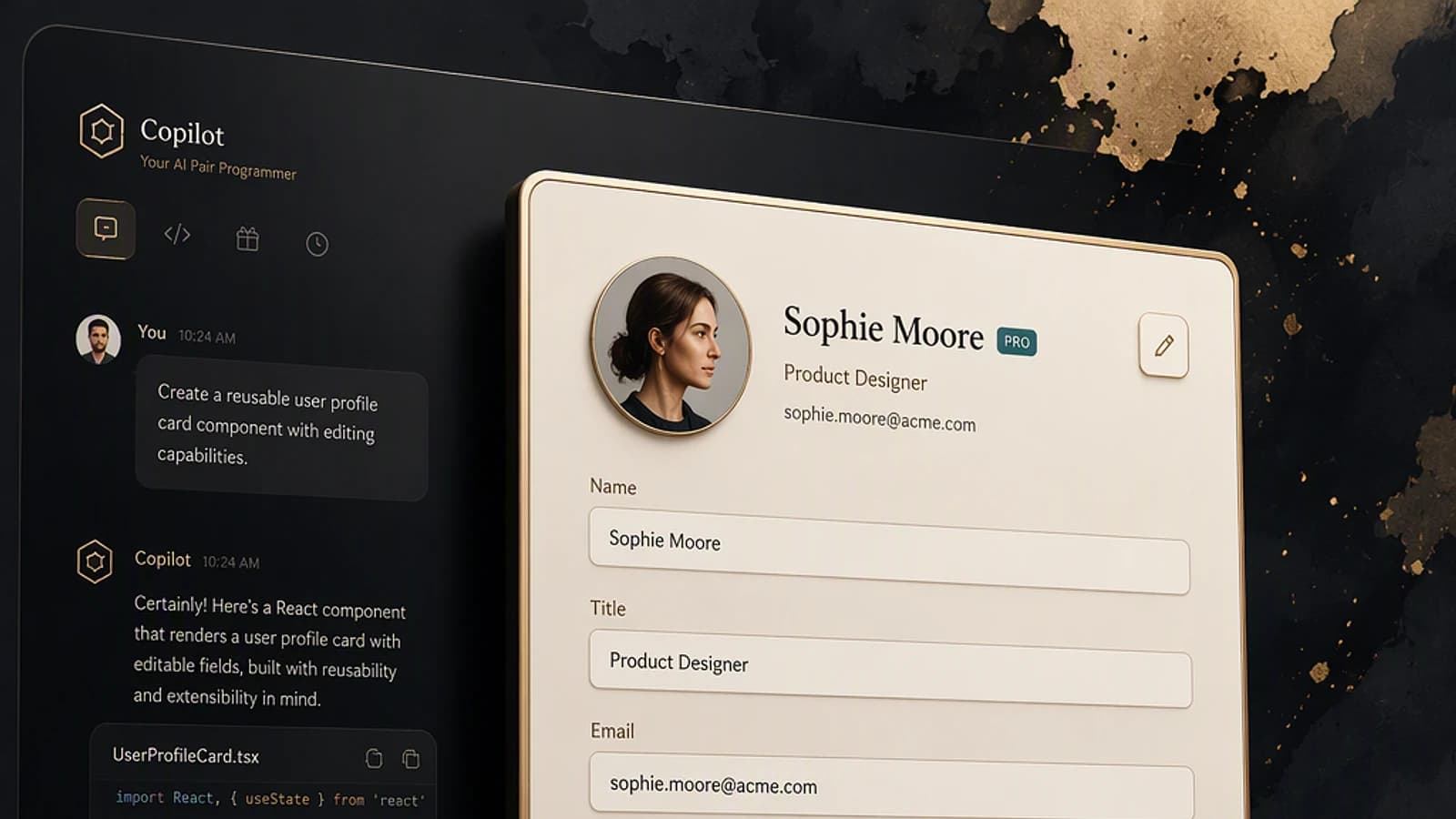
Copilot UX components turn a conversational answer into an interactive interface: a form, chart, approval or dashboard appears directly in Microsoft 365 Copilot. With the Zava HR sample, you will test this model locally, deploy its SPFx package and verify the routing of a leave request.
Prerequisites
Since October 28, 2026, Copilot UX components are generally available with SharePoint Framework 1.24. This name replaces the working names SharePoint Copilot Apps and Copilot Components used during the preview.
A component ships with a declarative agent in a single SPFx solution. It implements the MCP Apps model, but Microsoft hosts it and registers it automatically in the tenant: no external MCP endpoint or Azure hosting is required to run the interface itself.
Before downloading the Zava sample
- A Microsoft 365 tenant with a working SharePoint app catalog
- An account that your organization allows to upload and deploy packages in that catalog
- A Microsoft Copilot add-on license for each user who needs to see the component in general availability
- Microsoft 365 Copilot in the browser or on the desktop, including access from Teams
- Node.js 24 or 26 and npm to create or migrate a solution based on SPFx 1.24
- SharePoint Framework 1.24 for any new version intended for production
- The code or package available on the Zava Employee Agent page of the PnP gallery
- No PowerShell module required for the local test presented in this guide
The Zava sample was published for the preview with SPFx 1.24.0-beta.2 and React 17. New SPFx 1.24 solutions use React 18 by default, so do not treat this sample as a final production package without checking its dependencies and manifest.
Deploying and testing the Zava HR agent
The scenario contains 20 HR components routed according to the detected intent. The data is simulated: the expected functional result is an interactive interface in Copilot, not the creation of a request in your human resources management system.
Download the Zava sample
Open the Zava Employee Agent – PnP sample, then get the source code or the precompiled package offered by the project. Extract the code into a working folder if you want to start with the local test bench.
You should end up with a project containing a package.json file. For deployment to Microsoft 365, also check that the download includes a file with the .sppkg extension.
Check the Node.js environment
Open a terminal in the project folder and display the installed versions:
1node --version2node --version3npm --versionFor a finished solution with SPFx 1.24, use Node.js 24 or 26. If the package.json file of the preview sample requires a different range, do not change its dependencies at random: first run the test bench with the environment declared by the project, then plan its migration.
Start the local test bench
Install the dependencies and start the review mode dedicated to Copilot components:
1npm install2npm run start:ux-reviewThe npm run start:ux-review command works without a tenant. You should see the local test bench and be able to browse the HR components; if the process stops before it opens, see the troubleshooting section.
Review the components before deployment
Test at a minimum the leave form, the absence calendar, the approval requests and the extended HR view. Check that fields, buttons and states display correctly in the available size.
This step lets you tell a component defect apart from a licensing or publishing issue in Microsoft 365 Copilot. The displayed values remain fictitious, even when the buttons seem to carry out an approval.
Upload the package to the app catalog
Go to SharePoint admin center > More features > Apps > Open > Distribute apps for SharePoint. Upload the .sppkg file provided or generated after your migration.
A deployment dialog should open and show the solution information. If SharePoint immediately rejects the package, do not force its installation: check its SPFx version and the validity of the declarative agent manifest.
Deployment affects the targeted tenant
Check the tenant name and the signed-in account before confirming. Use a pilot tenant first, because an SPFx package can be distributed to several users and reused across several tenants.
Confirm the solution deployment
Select the deployment action offered by the catalog, then wait for processing to finish. The declarative agent and its components are delivered together in this SPFx solution.
The solution should appear in the catalog without a deployment error. The sample does not require any additional permission to access a real HR system, since it uses only simulated data.
Open the agent in Microsoft 365 Copilot
Go to Microsoft 365 Copilot > Agents pane > Zava Employee Agent, then select the HR agent. Depending on your organization's distribution policy, you may need to search for it before pinning it to the side pane.
You should see the agent in Microsoft 365 Copilot on the web or the desktop client. If it does not appear, first check the user's Microsoft Copilot license and the status of the package in the catalog.
Request leave in natural language
Enter an explicit request, for example:
1I would like to take leave from August 4 to 12 for a family trip in the Alps.Copilot should recognize the intent, select the matching component and fill in the request type, dates and reason from the text. You should be able to review the form and use its actions without leaving the conversation.
Open the extended HR view
From the component or the agent, open the mode that offers more context. This React interface can bring together leave, benefits, fictitious compensation data, training and HR actions on a single canvas.
You should get an interactive, resizable application in Microsoft 365 Copilot, not a SharePoint page or a simple static HTML card.
Verifying the result
A successful installation should validate agent distribution, intent routing and component rendering separately. Use several phrasings: Copilot must not depend on a sentence typed word for word.
| Check | Expected result | Likely failure |
|---|---|---|
| Agent discovery | Zava is visible in the Agents pane | License or deployment to check |
| Leave request | Form prefilled with dates and reason | Intent not recognized or component missing |
| Team calendar | View adapted to the requested period | Time properties passed incorrectly |
| Interactive action | Buttons usable in the canvas | JavaScript error or component state |
| Extended HR view | Full interface rendered in Copilot | Extended component not registered |
| Write to an HRIS | Not included in this sample | Normal behavior with simulated data |
The main criterion is not how attractive the form is, but the continuity of the journey: the user expresses an intent, Copilot passes the useful properties, then the component lets them act without opening another application. This model complements the possibilities described in our overview of MCP Apps in Microsoft 365 Copilot.
Implementation
The following script automates the check and launch of the local test bench. It is useful before reusing the same package for several tenants, because it immediately detects an incorrect folder, missing Node.js or the disappearance of the start:ux-review script.
Prerequisites: no PowerShell module; Node.js and npm must be installed. The npm install command installs the dependencies declared by the project. No Microsoft 365 role or Graph scope is required, because the script does not connect to any tenant. It displays the detected versions, then launches the test bench when $DryRun is $false.
1param(2 [Parameter(Mandatory = $true)]3 [string]$SourcePath,4 5 [bool]$DryRun = $true6)7 8Set-StrictMode -Version Latest9$ErrorActionPreference = 'Stop'10 11# Vérifie que le dossier et le manifeste npm du projet existent.12$projectPath = (Resolve-Path -Path $SourcePath).Path13$packageJsonPath = Join-Path -Path $projectPath -ChildPath 'package.json'14 15if (-not (Test-Path -Path $packageJsonPath -PathType Leaf)) {16 throw 'Le dossier ne contient pas de fichier package.json.'17}18 19# Vérifie la présence des exécutables nécessaires sans modifier le poste.20if (-not (Get-Command node -ErrorAction SilentlyContinue)) {21 throw 'Node.js est introuvable dans la variable PATH.'22}23 24if (-not (Get-Command npm -ErrorAction SilentlyContinue)) {25 throw 'npm est introuvable dans la variable PATH.'26}27 28$nodeVersion = & node --version29$npmVersion = & npm --version30$packageJson = Get-Content -Path $packageJsonPath -Raw | ConvertFrom-Json31$reviewCommand = $packageJson.scripts.'start:ux-review'32 33if ([string]::IsNullOrWhiteSpace([string]$reviewCommand)) {34 throw 'Le script npm start:ux-review est absent du projet.'35}36 37Write-Host "Projet : $projectPath"38Write-Host "Node.js : $nodeVersion"39Write-Host "npm : $npmVersion"40Write-Host "Commande de revue : $reviewCommand"41 42if ($DryRun) {43 Write-Host 'Simulation terminée. Relancez avec -DryRun $false pour installer et démarrer.'44 return45}46 47Push-Location -Path $projectPath48try {49 # Installe les dépendances déclarées par le projet.50 & npm install51 if ($LASTEXITCODE -ne 0) {52 throw 'Échec de npm install.'53 }54 55 # Démarre le banc de revue local des Copilot UX components.56 & npm run 'start:ux-review'57 if ($LASTEXITCODE -ne 0) {58 throw 'Échec du banc de revue local.'59 }60}61finally {62 Pop-Location63}Run the simulation mode first, then allow the launch:
1./Test-ZavaUx.ps1 -SourcePath '/chemin/vers/zava' -DryRun $true2./Test-ZavaUx.ps1 -SourcePath '/chemin/vers/zava' -DryRun $falseDeployment to each tenant is deliberately kept separate from the local test. This separation prevents a preview or insufficiently checked package from being automatically propagated to several environments.
Securing the connection to a real HR system
The Zava sample provides neither a business authorization model nor a ready-to-use integration with a human resources information system. To move to production, treat the component as a client interface: a visible action must never be enough to authorize a sensitive operation.
Apply at least the following controls:
- verification of identity and permissions on the API side, not only in React;
- separation between viewing, submitting and approving;
- server-side validation of the dates, amounts and identifiers received;
- logging of sensitive operations and denials;
- no unnecessary personal data in the properties passed to the component;
- testing of error, session expiry and insufficient authorization states.
Copilot UX components do not themselves generate consumption charges. However, a pay-per-use API, such as Work IQ, may add costs: inventory the services called before rolling out more widely.
Frequently asked questions
Is a Microsoft Copilot license mandatory?
Yes, in general availability, the user must have a Microsoft Copilot add-on license. Without this license, the component does not display and a message indicates the corresponding requirement.
Is React required to create a Copilot UX component?
No. SPFx 1.24 offers the Minimal, No framework and React templates, with React 18 by default for new React solutions. Any compatible web framework can be used to build the interface.
Do I need to host an MCP app in Azure?
Not for this SPFx model: Microsoft hosts the component and registers it automatically in the customer tenant. A separate infrastructure is still needed, however, if your solution calls a business system or an API that you operate yourself.
In which clients can the component appear?
General availability covers Microsoft 365 Copilot in the browser and on the desktop, including access to Copilot from Teams. Additional native surfaces in Teams, Word, Excel, PowerPoint and Outlook follow a separate roadmap.
Deploy to a pilot tenant first
Do not start by connecting Zava to real HR data. Use the sample to validate rendering, choose two or three measurable business intents, then gradually replace the simulated data with a protected API.
Before going to production
- Migrate or rebuild the sample with the final version of SPFx 1.24
- Check the declarative agent v1.8 manifest during the build
- Test licenses with a representative pilot user
- Have the security or compliance team validate each sensitive action
- Plan a rollback mechanism for the SPFx package
- Document pay-per-use APIs likely to generate costs
To scope the project beyond the demonstration, also use our model of the four levels of control for Microsoft 365 Copilot agents.
Troubleshooting
The Zava agent does not appear in Microsoft 365 Copilot
Check that the solution is deployed in the catalog of the tenant where the user is signed in. Then check their Microsoft Copilot add-on license and test in a supported client; a missing license prevents the component from displaying.
npm install or the test bench fails
The PnP sample was created with SPFx 1.24.0-beta.2 and React 17, whereas the final SPFx 1.24 relies on React 18 by default and supports Node.js 24 and 26. Check the Node range declared in package.json, restore the dependencies expected by the sample or migrate the project to the final version before rebuilding it.
The buttons work, but no HR data changes
This is the expected behavior of the sample: its data is simulated and no connection to an HR system is configured. You need to develop a business API, its authentication and its authorization controls before a submission or approval has any real effect.
Going further
- General availability announcement for Copilot UX components — licenses, supported clients and distribution architecture.
- SharePoint Framework 1.24 release notes — versions, manifests, development resources and troubleshooting.
- Zava Employee Agent in the PnP gallery — code, package and local test bench for the HR scenario.
- SPFx roadmap, September 2026 — history of the names and evolution of Copilot surfaces.