
Introduction
Microsoft Defender for Identity plays an essential role in securing on-premises infrastructures by detecting identity-related threats. By capturing specific events and alerting on anomalies, this tool ensures complete visibility. However, incorrect configuration of Windows audit policies can significantly limit sensor effectiveness. In this article, we examine how to automatically configure event auditing on Windows for Defender for Identity V3.x sensors.
Good to know
The new V3.x version of Defender for Identity unifies Defender for Endpoint and Defender for Identity sensors, simplifying their deployment and management.
Why configure event auditing?
Event auditing is essential for effectively detecting identity-related attacks. Microsoft Defender for Identity uses specific Windows security events to identify threats. However, it is common for administrators to neglect audit settings configuration or consider default settings as sufficient.
Required audit policies
To capture critical security signals, the following categories must be configured:
| Audit Category | Policy / Subcategory | Event IDs |
|---|---|---|
| Account Logon | Credential Validation | 4776 |
| Account Management | Computer Account Management | 4741, 4743 |
| Distribution Group Management | 4753, 4763 | |
| Security Group Management | 4728, 4729, 4730, 4732, 4733, 4756, 4757, 4758 | |
| Directory Service Access | Directory Service Modifications | 5136 |
| System Access | Security System Extension | 7045 |
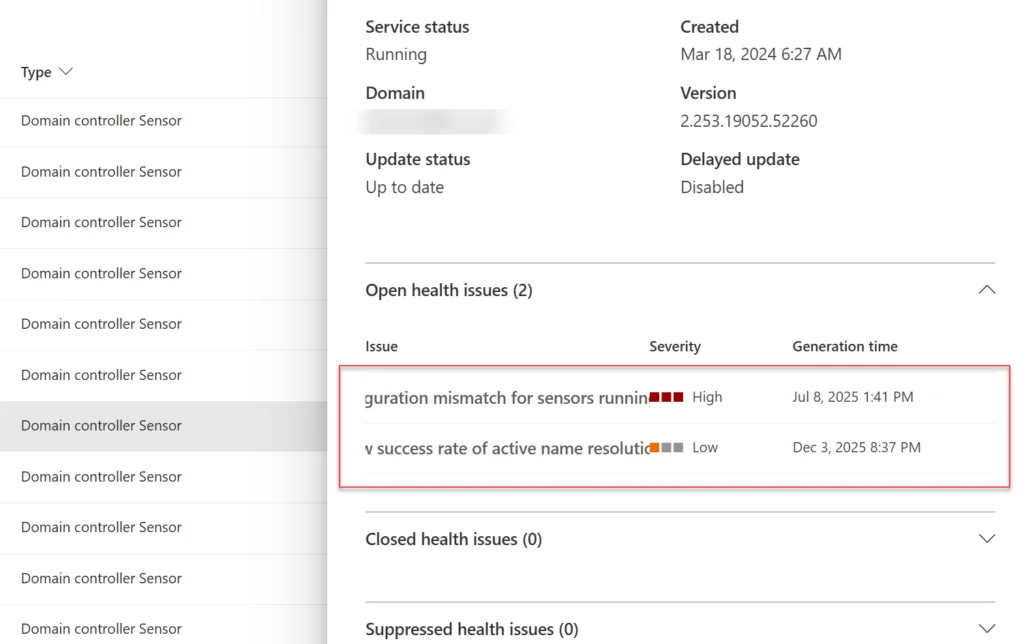
When health issues appear in the portal, they typically indicate incorrect configuration of audit settings. These issues can be identified directly via the "Health Issues" tab in Defender.
Differences between V2.x and V3.x versions
V2.x vs V3.x: a comparison
Version V2.x of the Defender for Identity sensor functions as a separate agent, requiring manual configuration for each system. In contrast, version V3.x leverages the Defender for Endpoint EDR sensor, enabling centralized integration and configuration.
Attention
V3.x version cannot be activated on servers where V2.x version is already deployed.

Automatic configuration and SenseIdentity.exe
The V3.x sensor introduces the "SenseIdentity.exe" file which replaces "svchost.exe" for initialization processes. Incorrect group policy configuration can cause conflicts. Check the following file if malfunction occurs: C:\Windows\System32\GroupPolicy\Machine\Microsoft\Windows NT\Audit\audit.csv.
Enabling V3.x sensors
Prerequisites to follow
- Defender for Endpoint deployment: The sensor requires Microsoft Defender Antivirus to be active or in passive mode.
- Minimum server configuration: Windows Server 2019 or later with October 2025 CU installed.
- Current limitations:
- Does not support VPN or ExpressRoute integrations.
- V2.x sensor must be uninstalled before deployment.
[Composant bloque: powershell]
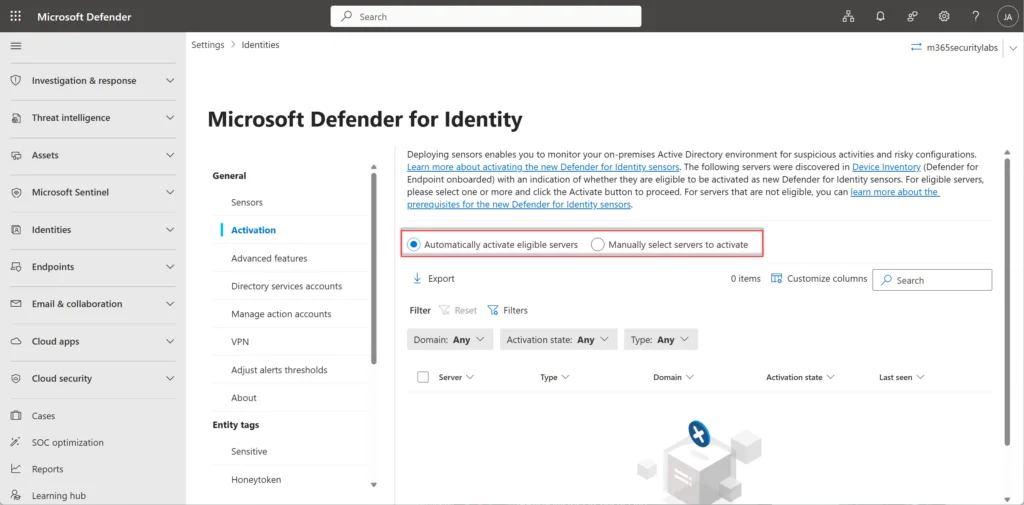
In the Microsoft Defender portal, enable the V3.x sensor via: Settings -> Identities -> Activation.
Automatic audit configuration
Automatic process with V3.x
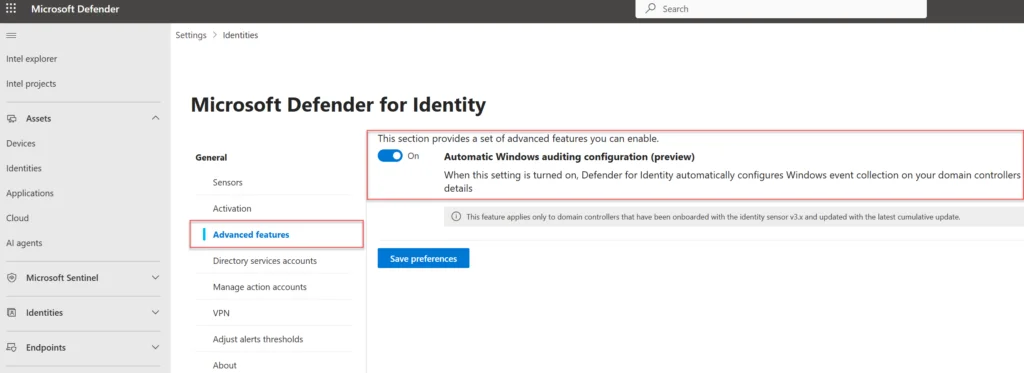
Automatic configuration simplifies administrative tasks by directly applying required audit settings to the domain controller's local policy. Unlike V2.x versions, it is no longer necessary to manually configure GPOs.
Automatic actions include:
- Verification of current Windows event configuration.
- Application of necessary changes, such as:
- Advanced directory service auditing.
- NTLM configuration via Windows registry API.
- Modification of SACL settings for domain configuration partitions.
Tip
With V3.x version, local policies are automatically configured. No additional GPO is required.
Enabling RPC auditing
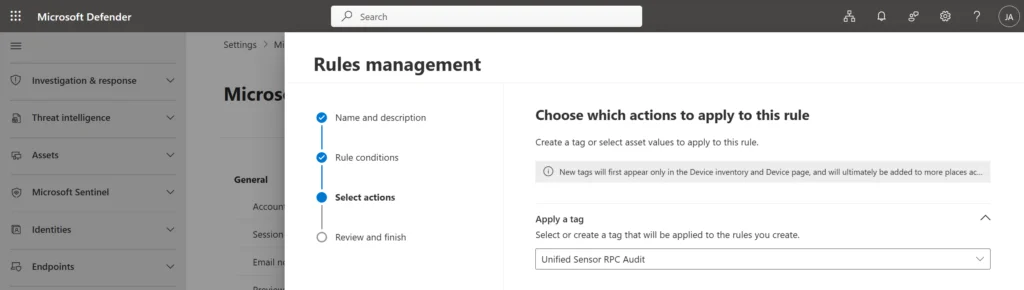
RPC auditing provides better security visibility and unlocks additional detections. Although disabled by default, it can be enabled via device rules or tags.
Device rules
In the Defender portal, go to: System -> Settings -> Asset Rule Management. Create a rule to automatically assign the "Unified Sensor RPC Audit" tag to targeted devices.
Glossary of technical terms
- SACL (System Access Control List): List controlling access to system objects.
- NTLM (NT LAN Manager): Microsoft network authentication protocols.
- EDR (Endpoint Detection and Response): Endpoint detection solution.