Introduction
Microsoft recently launched the first version of APIs for managing Agent 365 agents on the Microsoft Graph beta channel. This evolution promises better governance and management of agents at scale, although the current APIs are still limited in their functionality.
Good to know
Agent 365 is a solution that allows you to deploy, manage, and administer your Microsoft Copilot agents within your organization.
Overview of Available APIs
The API provides several endpoints that allow you to get a list of agents, retrieve details about a specific agent, but currently limits management actions. Here's what you need to know:
- Delegated and application permissions are compatible, contrary to some information mentioned in the current documentation.
- For read method usage, you need the CopilotPackages.Read.All scope.
- Write operations require the CopilotPackages.ReadWrite.All scope.
However, application permissions only work for the LIST method, while methods such as GET currently return a "424 Failed Dependency" error in the application context.
Retrieving a List of Agents
To get a list of all available agents in your tenant, you must include an explicit filter in your Graph API request. Here's an example:
1GET https://graph.microsoft.com/beta/copilot/admin/catalog/packages?$filter=supportedHosts/any(x:x eq 'Copilot')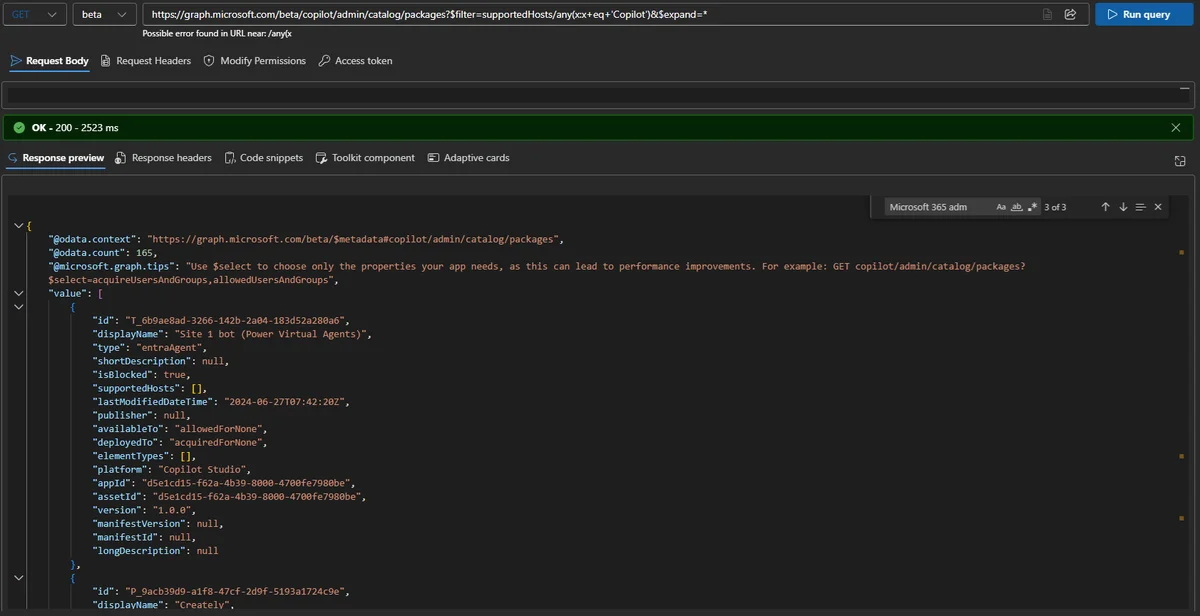
When comparing the results obtained via the API request with those presented in the Agent 365 user interface (UI), discrepancies are sometimes noted. For example, the number of agents listed may differ.
Warning
Be careful of differences between the data exposed by the API and that visible in the user interface.
Retrieving Details on a Specific Agent
To get detailed information about a particular agent, use a GET API request with its unique ID. Example:
1GET https://graph.microsoft.com/beta/copilot/admin/catalog/packages/P_13001d9b-2af4-bd2f-5458-ffa544bc62b7The results include several properties of interest such as:
- isBlocked: To enable or disable the agent
- Publisher: The agent's provider
- allowedUsersAndGroups and acquireUsersAndGroups: List of authorized users and groups.
Practical Examples with PowerShell
You can also use PowerShell to interact with these APIs, as shown below:
1# Get agent details via Graph API2$res = Invoke-MgGraphRequest -Method Get -Uri "https://graph.microsoft.com/beta/copilot/admin/catalog/packages/P_e3d64609-7a28-6de6-3093-402c20bb96ce?`$select=id,allowedUsersAndGroups,availableTo"3 4# Display results5$res | select id,displayName,allowedUsersAndGroups,availableTo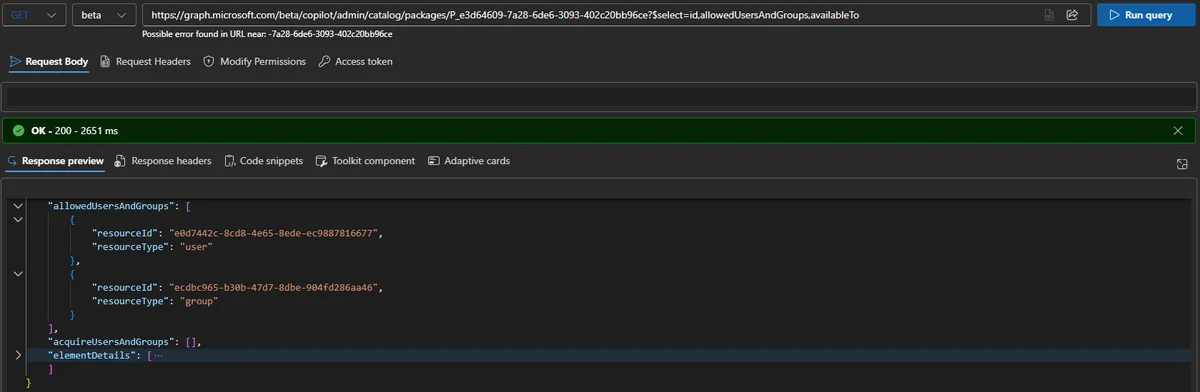
Missing Features
For now, methods such as "block", "unblock", or "reassign" mentioned in the official documentation are not operational. Microsoft will need to make improvements to provide in-depth agent management via API.
Tip
Monitor updates to the Microsoft Graph beta channel to benefit quickly from new features.
Conclusion
The first iteration of Agent 365 APIs provides initial visibility of available agents, but their capabilities remain limited for management actions. You will need to wait for a future update for Microsoft to add advanced capabilities that promise true "at scale" governance.
Useful Links
Glossary
- Microsoft Graph: Development platform integrating Microsoft 365 data.
- CopilotPackages.Read.All: Scope required to read agent data via the API.
- Agent 365: Solution for administering Copilot agents.
Tags
Copilot, Microsoft Graph, PowerShell, Agent 365, API, Microsoft 365