Introduction to Intune Device Actions
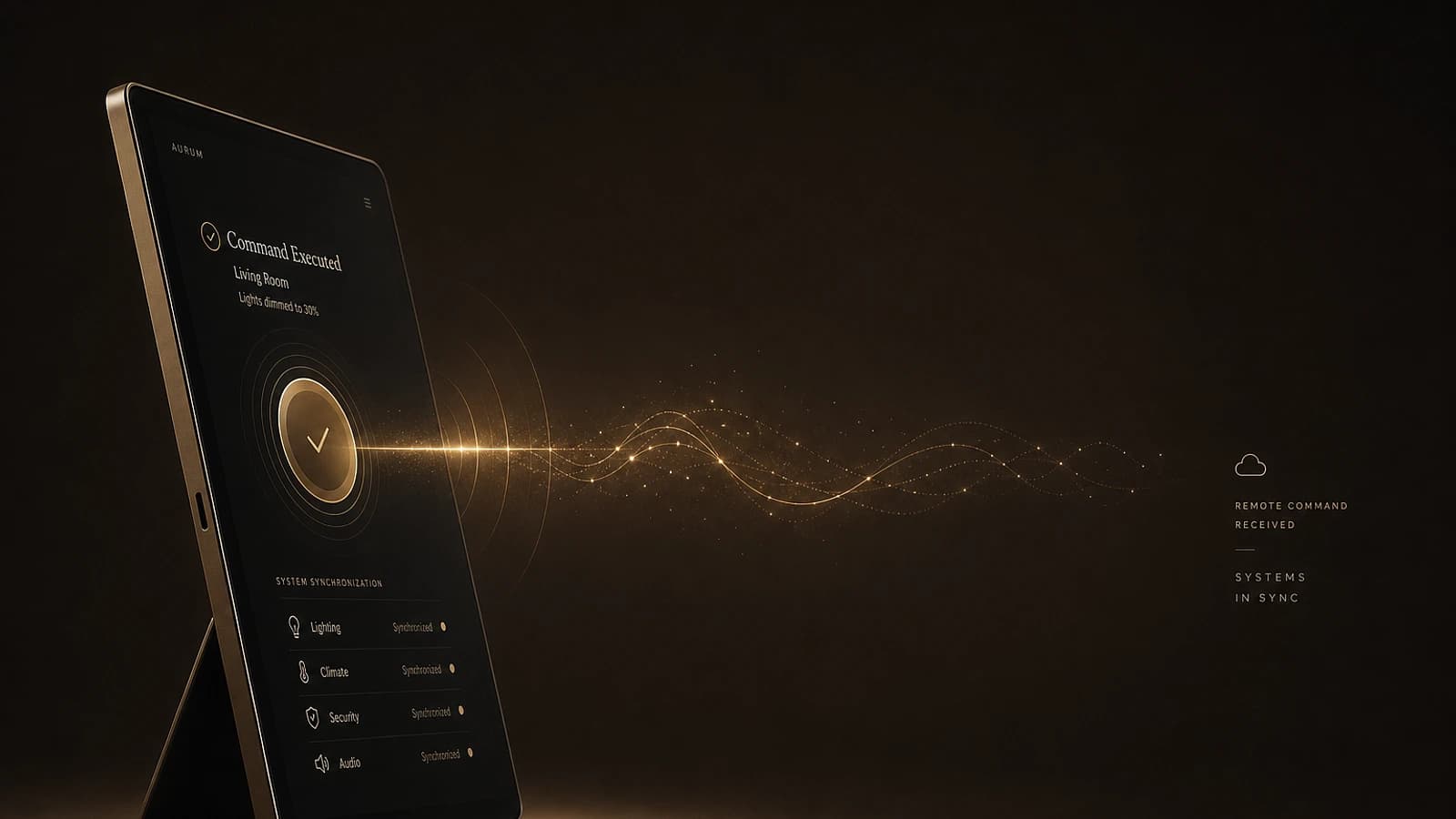
Historically, the execution of remote Intune device actions (synchronization, reset, EPM approval) followed a direct and predictable behavior. When an administrator triggered a synchronization or modified a policy assignment, the device immediately received the corresponding push notification.
How push notifications work
The push notification itself contains no specific instruction. It serves only as a wake-up signal indicating to the device that it should contact the service to retrieve the latest policies and settings.
This approach ensured a responsive user experience. The OMA-DM client systematically processed these notifications as critical messages, thus bypassing any deferred execution logic for immediate processing.

Evolution of Behavior: The Emergence of the 5-Minute Delay
Initial Phase: Permanent Critical Classification
In earlier versions of the OMA-DM client, all sessions initiated by push notification were automatically classified as critical operations. This classification via the IsCriticalMsg function ensured that an Intune push notification triggered a management session immediately rather than being queued.

The process was structured as follows:
Receiving the notification
The device receives the push notification and wakes up immediately.
Invoking the OMA-DM client
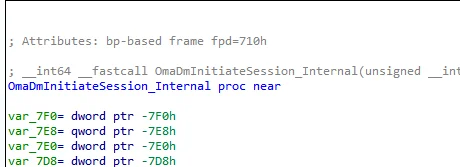
The OmaDmInitiateSession_Internal function is invoked directly without delay.
Starting the session
The OMADM session begins instantly, with no queuing or scheduling logic.
Architectural Change: Introduction of Queue Logic
Later, Microsoft introduced new execution logic in the OMA-DM client. The platform gained the ability to defer Intune synchronization instead of systematically executing it immediately.
Impact of the change
This change modified the classification of push-initiated sessions: they are no longer automatically treated as critical and now follow a queued execution model.
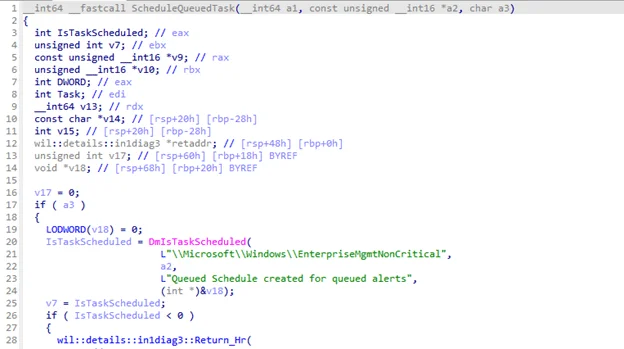
This queue is managed via ScheduleQueuedTask, which creates a scheduled task in the EnterpriseMgmtNonCritical folder.
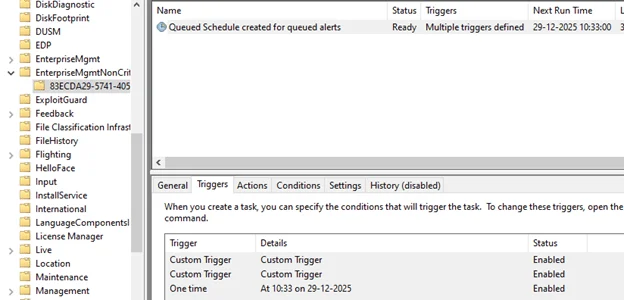
Consequences of the 5-Minute Delay
Impact on User Experience
This modification introduced a fixed five-minute delay window for device actions. Synchronization sessions that took this path no longer executed instantly but waited within this time window before being relaunched when conditions permitted.
Understanding the behavior
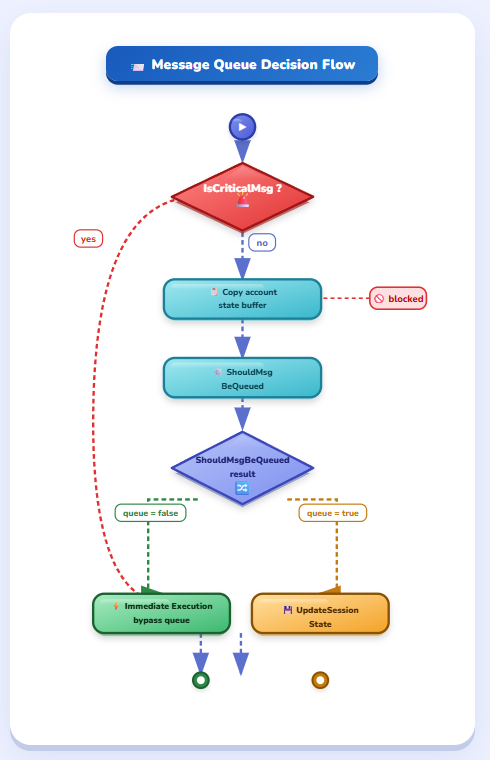
The key change was not the introduction of the queue itself, but the modification of the classification logic in IsCriticalMsg. OMADM sessions initiated by push were no longer automatically treated as critical.
Affected Scenarios
This delay impacted several types of critical actions:
- Device synchronization: 5-minute delay instead of immediate execution
- Remote reset: inappropriate delay for an urgent action
- EPM approvals: problematic delay for privilege escalation requests
- Policy refresh: increased latency for configuration changes
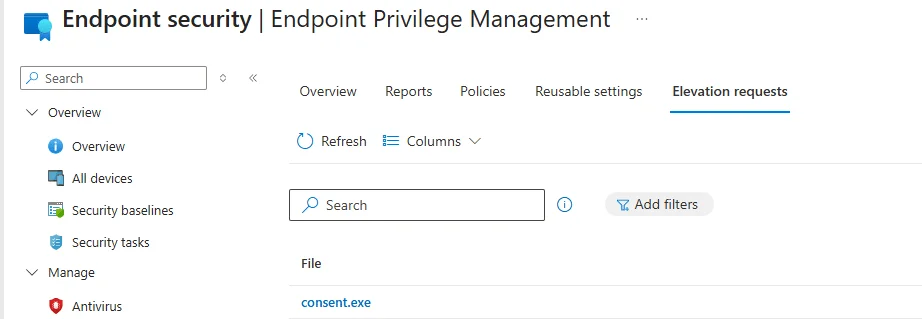
Manifestation of Delay After 8 Hours
Behavior identified in previous research revealed that remote actions seemed fast shortly after enrollment but became noticeably slower the next day. What appeared to be time drift turned out to be the moment when the client stopped treating push notifications as critical.
Microsoft Solution: Restoration of Critical Execution
Development of Selective Bypass
Microsoft recognized that certain scenarios required immediate execution rather than passing through the deferred pipeline. The company therefore introduced a selective bypass in the updated IsCriticalMsg logic.
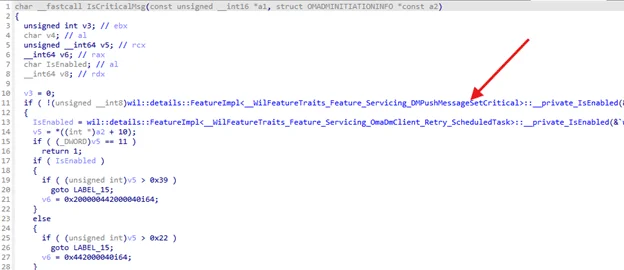
This mechanism allows certain push messages to be marked as critical again, thus restoring the immediate execution path in cases where the delay was problematic.
Restored Execution Process
When a push message is marked as critical, the OMA-DM session bypasses ShouldMsgBeQueued and is launched directly, reproducing the original behavior.
Feature Flag Control
To control the application of this bypass, Microsoft placed the mechanism behind a maintenance feature flag: Feature_Servicing_DMPushMessageSetCritical.

Gradual Deployment
This flag allows Microsoft to deploy the change gradually via a "Controlled Feature Rollout" rather than enabling the behavior globally all at once.
Final Architecture: Balanced Approach
The resulting architecture offers a more balanced model:
- Queuing by default: remains the safe solution for most scenarios
- Restored critical path: reintroduced only when the delay is recognized as harmful or disruptive
- Granular control: ability to observe impact and selectively enable the critical path as needed
Implications for Administrators
This technical evolution brings several benefits to Intune environments:
Improved Responsiveness
- Urgent actions: reset and synchronization become instant again
- EPM approvals: immediate processing of privilege escalation requests
- User experience: return to predictable and responsive behavior
Maintaining Stability
- Background workloads: retain the benefits of queuing
- Prevention of retry storms: deferred logic maintained for non-critical operations
- Network stability: sessions still adapted to connectivity conditions
Conclusion
The evolution of Intune device actions perfectly illustrates the challenges of optimizing large-scale management systems. The initial introduction of queue logic addressed legitimate needs for stability and efficiency, but inadvertently impacted scenarios requiring immediate responsiveness.
Update Required
To benefit from the restoration of instant execution, ensure that your environments have the February 2026 update and that the appropriate feature flag is enabled.
Microsoft's solution, with its selective bypass controlled by a feature flag, demonstrates a cautious and measured approach to resolving these architectural challenges while preserving the stability improvements gained.
Useful Links
- Microsoft Intune Official Documentation
- Intune Device Actions Troubleshooting Guide
- OMA-DM Architecture in Windows
- Managing Push Notifications in Intune
Glossary
OMA-DM (Open Mobile Alliance Device Management): Standard protocol for mobile device management used by Intune to communicate with Windows devices.
Push Notification: Wake-up signal sent by Intune to devices to trigger a check of policies and configurations.
Critical Session: Management session that bypasses queue logic to execute immediately.
EPM (Endpoint Privilege Management): Intune feature allowing management of privilege escalation on endpoints.
Feature Flag: Mechanism allowing specific features to be enabled or disabled in a controlled manner.
Controlled Feature Rollout: Process of gradually deploying a feature to observe its impact before full activation.