Introduction
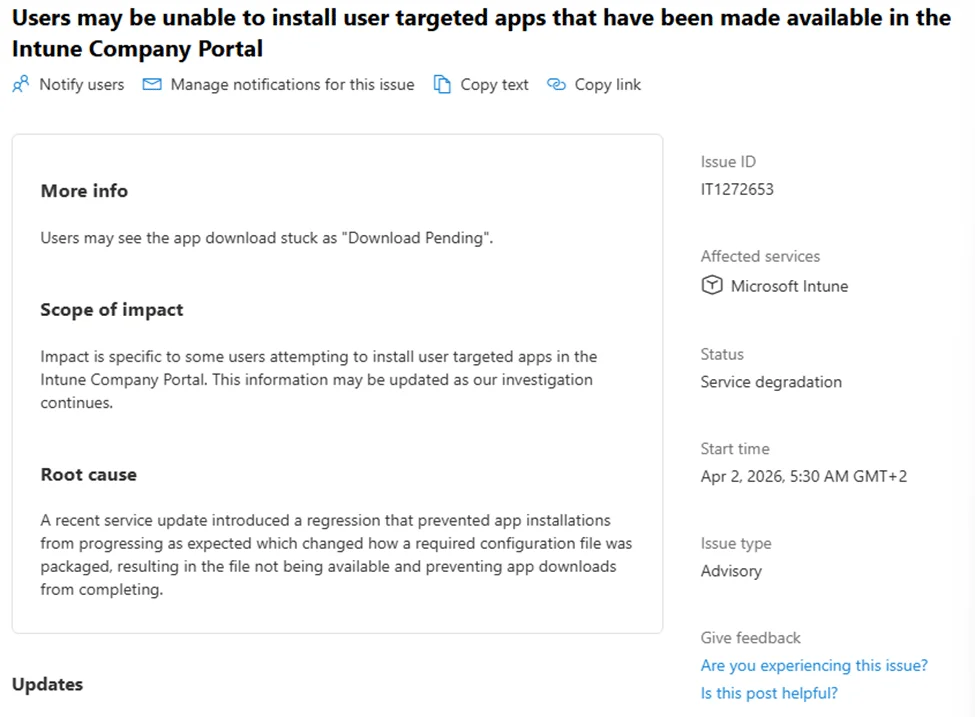
In the Intune professional environment, configuration issues can have major implications on application functionality. The IT1272653 error is a striking example, having caused applications to be blocked in the Company Portal, due to unavailable configuration files. This article explores in detail the origin of this error, the changes introduced in different versions of the Intune Management Extension (IME), and the solutions provided by Microsoft to resolve this issue.
Origin of Error IT1272653
The initial problem: unversioned config files
In older versions of IME, the Microsoft.Management.Services.IntuneWindowsAgent.exe.config file was not versioned. This posed a problem because Windows Installer treats unversioned files as user data. Thus:
- If the file is modified by the user (such as for more detailed logs), it is not automatically overwritten during an update.
- If other binary files evolve without the config file being updated, this can lead to synchronization failures such as IDX12729 and 0x80131040, blocking the user flow.
Transition to the companion file model
With version 1.101.103.0, Microsoft changed the logic for administering the config file. It became a companion file linked to the main executable Microsoft.Management.Services.IntuneWindowsAgent.exe. This means the companion file now follows the versioning rules defined by the main executable.

However, this change introduced a new pitfall. During cross-installation between old and new models, RemoveExistingProducts could delete the config file right after its installation by the new model.
Good to know
Companion files are not automatically deleted. However, a poorly managed transition between models can cause their disappearance during a major update process.
Resolution under IME 105
Improved companion file model behavior
Version 1.101.105.0 of IME improved the management of companion files, notably by restoring the missing config file. This was made possible through MSI logic that recreates absent companion files when the parent executable is installed.

Here are the two main new features introduced by this version:
- APDP/APv2 security reinforcement: EmsAgentService mechanisms were updated to handle provisioning recovery and restarts.
- Recovery of missing config file: As a companion file, the config file could be recreated during installation.
Limitations of version 105
However, version 105 does not protect against existing but altered config files. This means that config file not synchronized with other binaries could still cause problems.
Improvements under IME 109
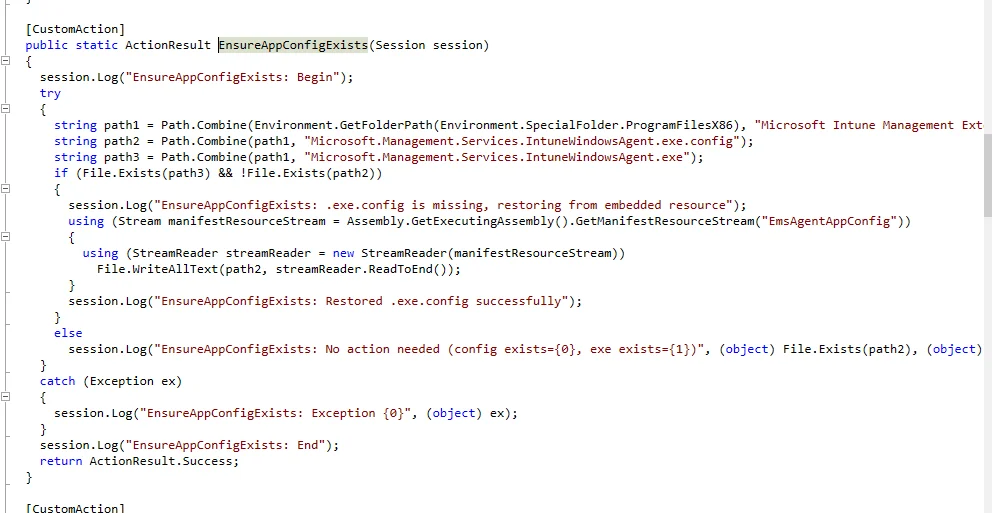
Introduction of EnsureAppConfigExists
Version 1.101.109.0 introduced a custom action called EnsureAppConfigExists, which directly verifies:
- The presence of the main executable file Microsoft.Management.Services.IntuneWindowsAgent.exe.
- The absence of the associated configuration file.

If the config file is missing, it is restored from an embedded resource named EmsAgentAppConfig.
Technical tip
Although this solution resolves the issue of missing config files, it does not validate or overwrite existing but altered files. Manual auditing may be necessary to verify their integrity.
Conclusion
Microsoft found ways to resolve issues related to unversioned config files by moving to the companion file model and introducing proactive correction mechanisms in versions 1.101.105.0 and 1.101.109.0 of IME. However, adjustments remain necessary for complete validation of existing configurations.
Related articles
- How to manage applications on Microsoft Intune
- Configure MSI packages with Intune
- Best practices for Intune updates
Important
Configuration updates in Intune have a direct impact on application availability for users. Proactive management is essential.