Key takeaways this month
August 2026 brings a dense set of changes to Microsoft 365: new structural features for Microsoft Teams and Microsoft Copilot, end-of-life dates not to miss in Exchange Online and Intune, and significant advances in passwordless authentication in Microsoft Entra ID. Here's the product-by-product breakdown, with dates, license impacts and key considerations.
Microsoft Teams
Mandatory consent before joining a meeting
Administrators will soon be able to configure a pre-meeting consent screen in the Teams admin center. Before entering a meeting, participants will need to accept custom terms — recording notice, responsible AI usage charter, sector-specific legal notice.

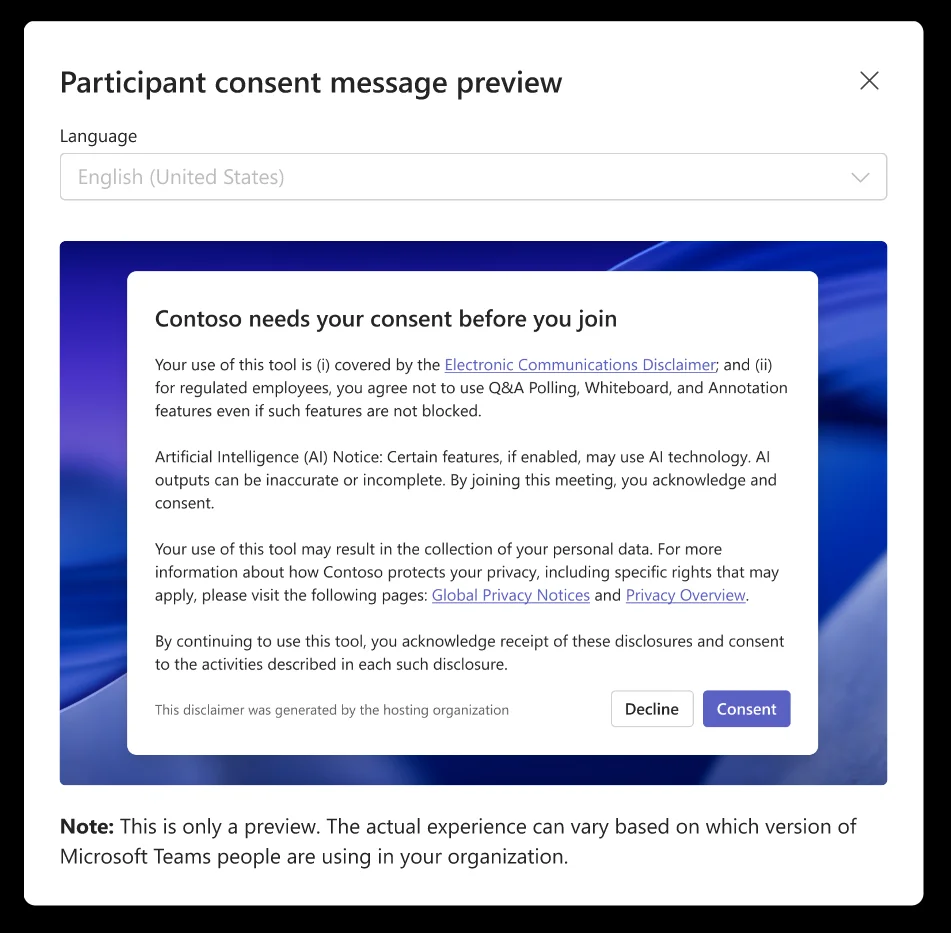
This mechanism addresses regulatory compliance requirements that certain sectors (healthcare, finance, defense) already impose. Rollout is planned between mid-October and mid-November 2026.
Use case
Ideal for organizations that systematically record their meetings and must inform participants before they enter the virtual room.
Live captions: new right-side panel
Live captions will move to a right-side panel and have their settings consolidated in a single menu. Rollout is expected in mid-September 2026.
Reporting suspicious behavior in meetings
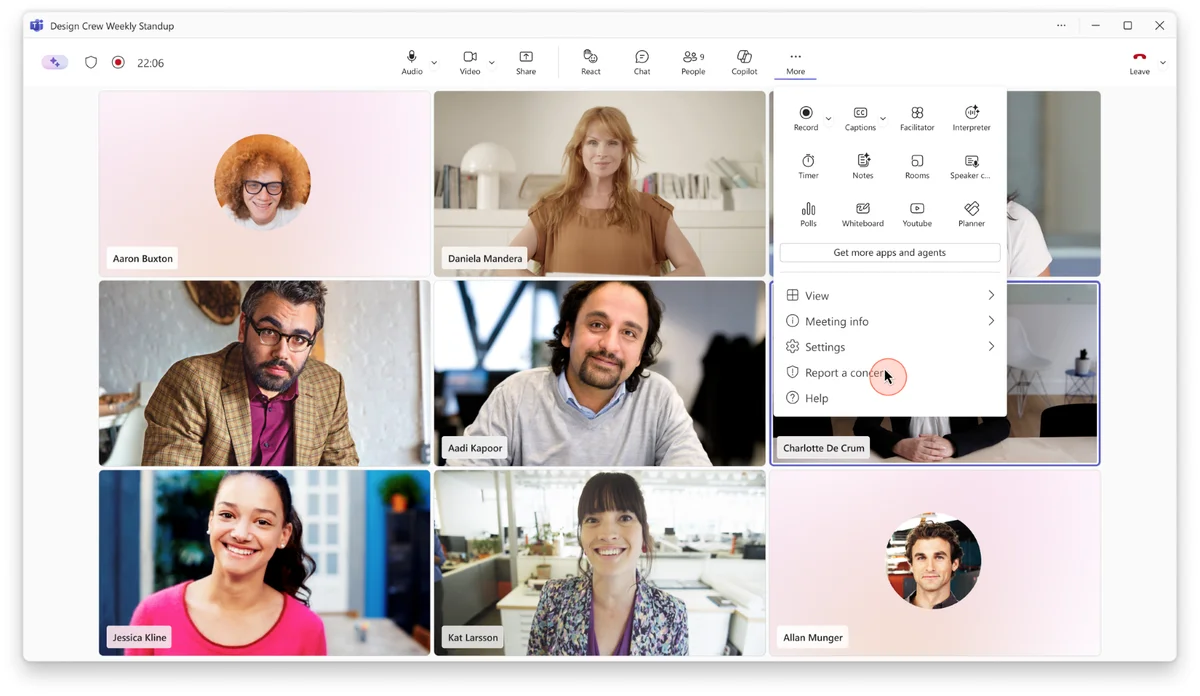
A Report a meeting button will appear for participants who detect suspicious or potentially fraudulent activity during a Teams meeting. Reports will be viewable in the Teams admin center under Protection reports > User-reported security submissions. Available from early October 2026.
Unified dashboard for meeting and call monitoring
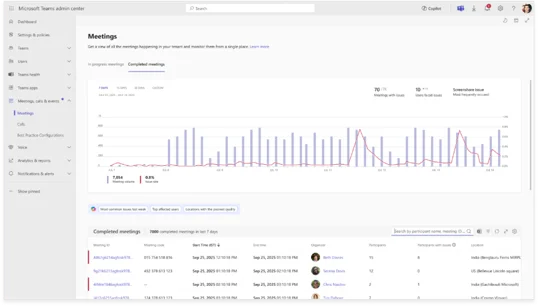
The Teams admin center will host a consolidated view under Meetings & Calls to monitor and diagnose ongoing or completed meetings and calls. Filters, data export and Microsoft 365 Copilot integration for analysis will be available. Rollout between late September and mid-October 2026.
End-of-life dates to plan for in Teams
EOL — Action required
Two retirements are confirmed for October 2026:
- Microsoft Teams live chat: no new customers from August 2026; complete message relay shutdown in October 2026.
- Teams / Google Calendar sync: calendar synchronization between Teams and Google Workspace will be removed in October 2026. Anticipate migration of affected workflows.
Microsoft Outlook
"Events" filter in the inbox
Outlook will add an Events filter to quickly isolate invitations and messages related to calendar events. Rollout between late August and late September 2026.
Drag-and-drop to reschedule events
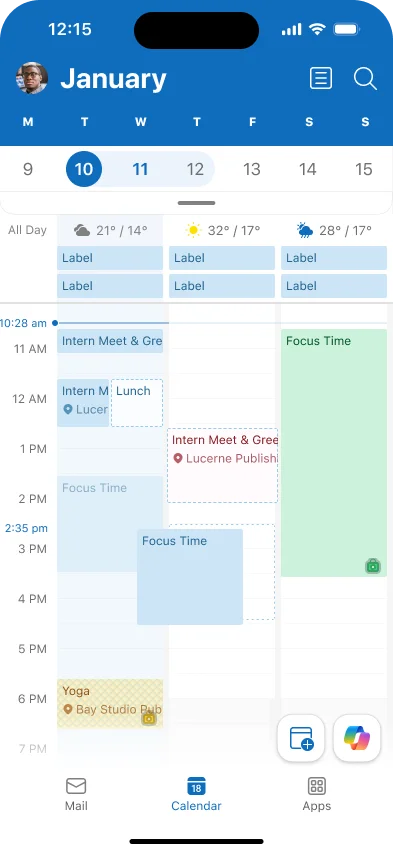
The Outlook calendar now supports drag-and-drop to move an event to another time slot. Feature deployed between mid-August and late August 2026.
EWS retirement and migration to Cross-Tenant Access Policy
EOL — Critical date
Exchange Web Services (EWS) in Exchange Online begins retirement on October 1, 2026, with complete end-of-life on April 1, 2027. Cross-tenant features that relied on EWS — Free/Busy, MailTips and Calendar Sharing — are migrating to Microsoft 365 Cross-Tenant Access Policy. Verify your cross-tenant collaboration configurations now and plan the transition.
Migration details are available in the official Tech Community announcement.
Business mailboxes increase to 100 GB
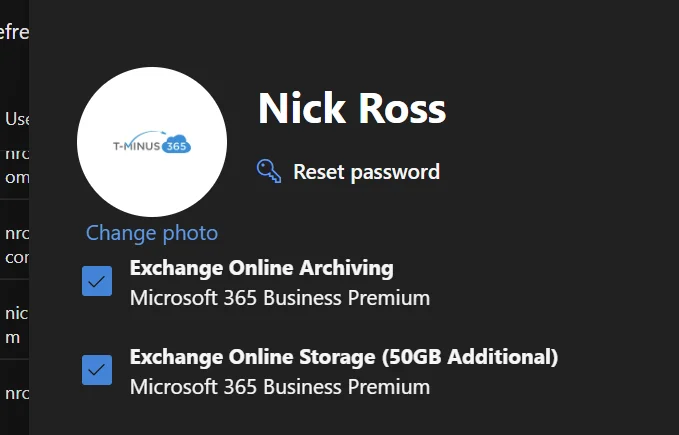
Microsoft 365 Business Basic, Business Standard and Business Premium subscriptions now include an additional 50 GB of primary storage, bringing the quota to 100 GB per eligible user. Rollout is ongoing between June and September 2026.
More details in the Exchange Tech Community announcement.
Microsoft 365 Apps — SharePoint and OneDrive
New sharing model: the hero link
The third generation of the Microsoft 365 sharing experience introduces the concept of hero link: a single link that concentrates all access controls for a file or folder. By default, this link is configured to Only people added to the file — it grants access to no one until a person is explicitly added.
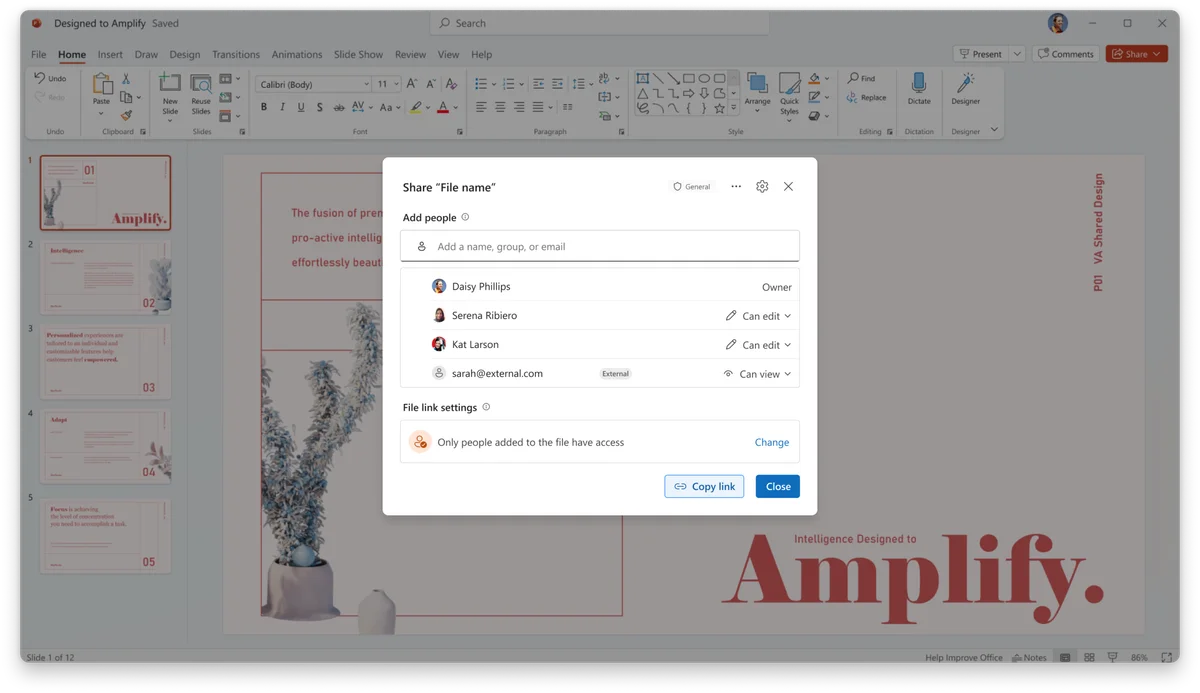
This link is editable after sending, eliminating the need to regenerate and redistribute a new link each time permissions change. Rollout planned between mid-September and late October 2026. The full announcement is available on the OneDrive blog.
OneDrive on macOS: new native sync engine
Microsoft is replacing the OneDrive sync engine on macOS with a native implementation, promising better speed, reliability and resource efficiency. Rollout begins in September 2026, with completion expected by late November 2026. See the technical announcement for system requirements.
SharePoint: visibility report on Everyone groups
A new report in the SharePoint admin center allows administrators to precisely identify files and items exposed via the special Everyone and Everyone except external users groups, at the level of each individual item.
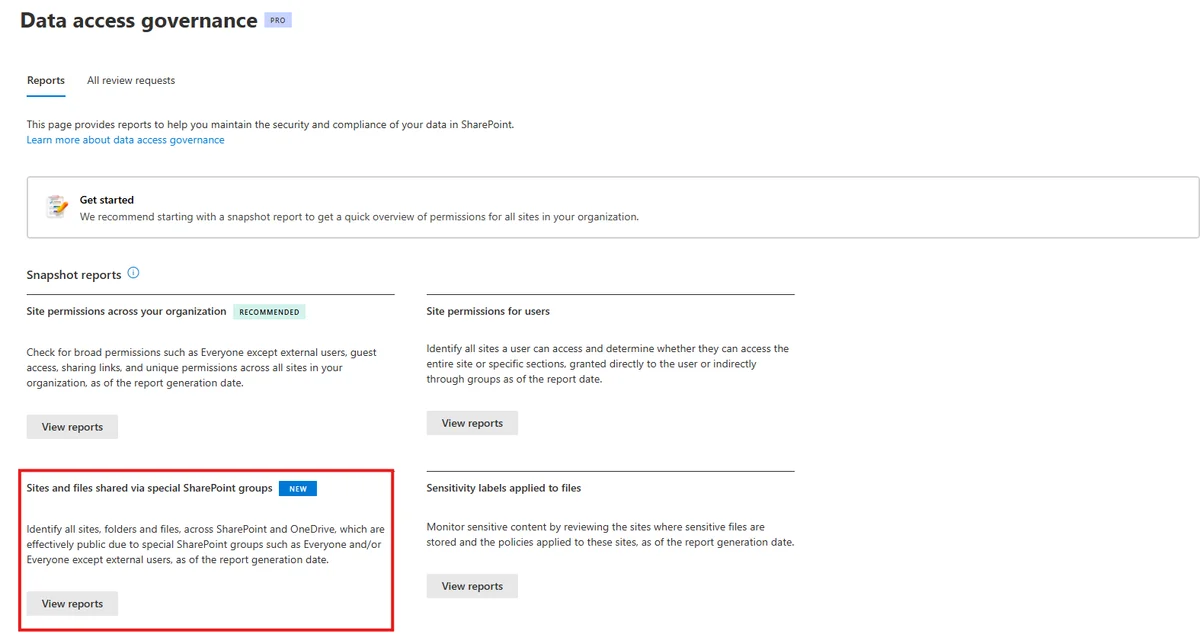
This report is particularly useful for security audits and reducing data exposure surface area. Deployed between early and mid-August 2026.
Microsoft Intune
Remote Help: unattended access with remote sign-in
Now generally available (GA), this new Remote Help capability allows helpdesk to access a physical Windows device without the user being logged in or present. The support agent uses their own credentials to open a remote session.
License requirements
Remote Help requires the Remote Help add-on or a license that includes this feature (Microsoft Intune Plan 2 or Microsoft Intune Suite). Verify user eligibility before deployment.
Details in the dedicated Tech Community article.
Windows registry inventory in Intune
Since Intune version 2607 (July 2026), device inventory includes Windows registry data. Administrators can now verify the actual configuration of a device — not just the policies assigned to it — closing a historical gap between declared policy and actual device state.
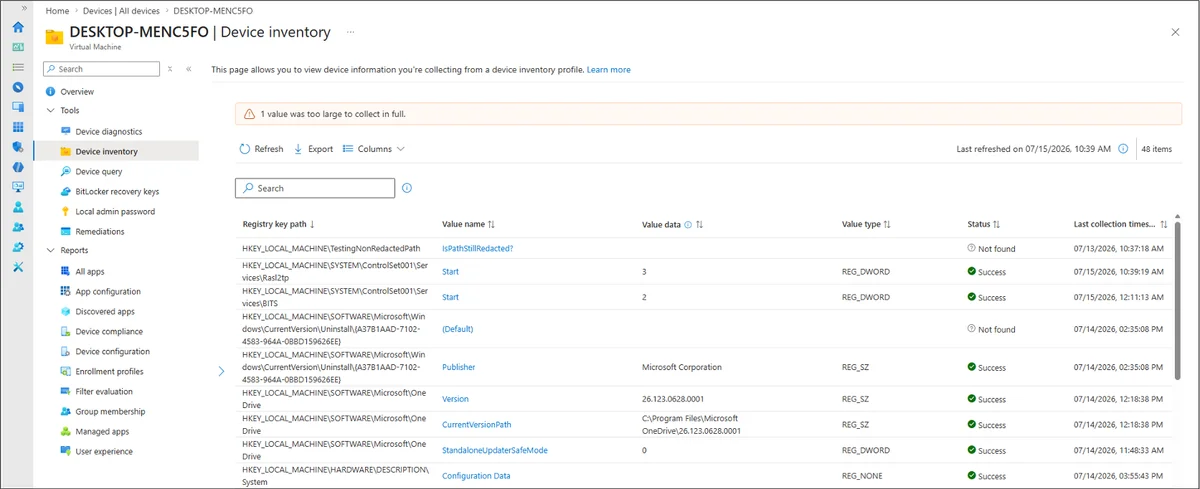
Already available in GA. Reference: Tech Community article.
End-of-life for legacy targeting in App Protection Policies
EOL — Action required before January 2027
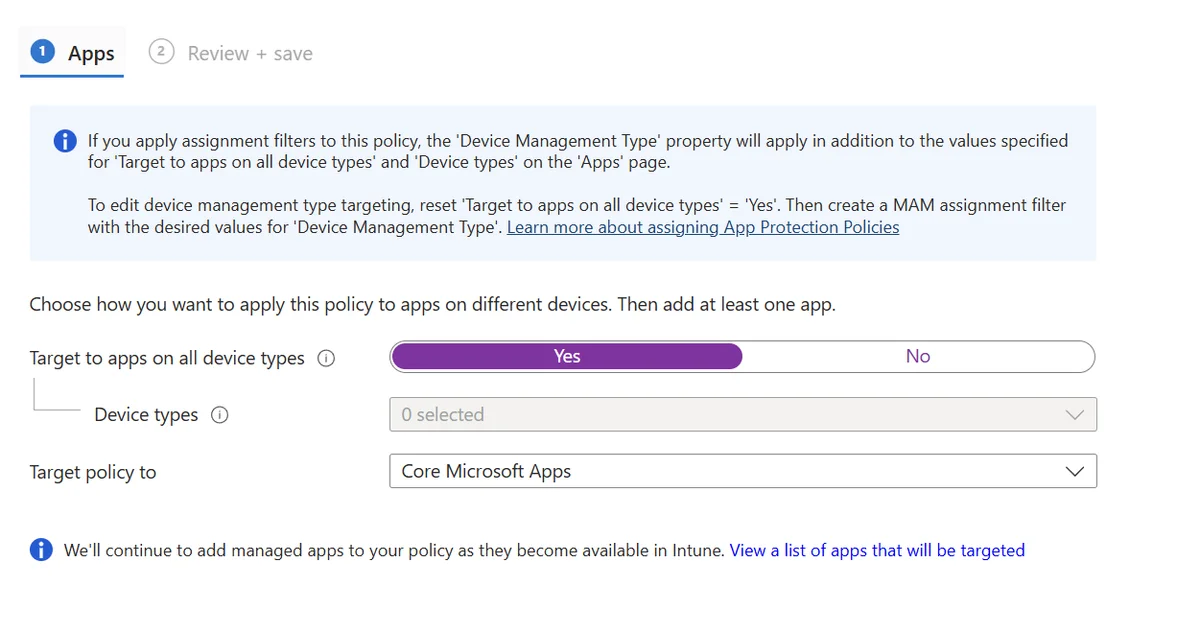
Beginning January 11, 2027, the "Target to apps on all device types" parameter in Intune's App Protection Policies (APP) will no longer be supported. Affected policies must be migrated to assignment filters.
Critical point: do not delete the existing legacy configuration before assigning the new filter to the policy — this could create a coverage interruption.
Filter creation guide: Microsoft Learn — Filters overview.
Microsoft Entra ID
Passkeys as first enrollable MFA method
A structural evolution of the MFA enrollment process: users can now register a passkey as their first — and only — strong authentication method, without first going through SMS or voice.
This eliminates the friction that pushed users toward weaker methods during initial enrollment. The Authenticator app in passwordless mode will benefit from the same relaxation.
Rollout is happening in two phases:
| Phase | Methods covered | GA availability (Worldwide, GCC) |
|---|---|---|
| Phase 1 | Synced passkeys, Microsoft Entra passkeys on Windows, FIDO2 keys | Mid-October to mid-November 2026 |
| Phase 2 | Windows Hello for Business, macOS Platform SSO, Authenticator App passkey, Authenticator App passwordless | Early January 2026 to late February 2027 |
Windows Hello for Business and macOS Platform SSO as standalone MFA factors
Today, Windows Hello for Business (WHfB) and macOS Platform SSO (PSSO) can satisfy the MFA requirement at primary sign-in, but certain re-authentication prompts (step-up, Authentication Strength policies, sign-in frequency) still require an additional method.
After this rollout, these two methods will be sufficient for supported cases, without requiring an additional passkey. Deployment between early October and late November 2026.
Passkey support for B2B users
Microsoft Entra ID will allow B2B users — internal guests and external users — to register and use passkeys issued by the resource tenant to satisfy its MFA requirements. Rollout between early October 2026 and late February 2027.
Microsoft Copilot
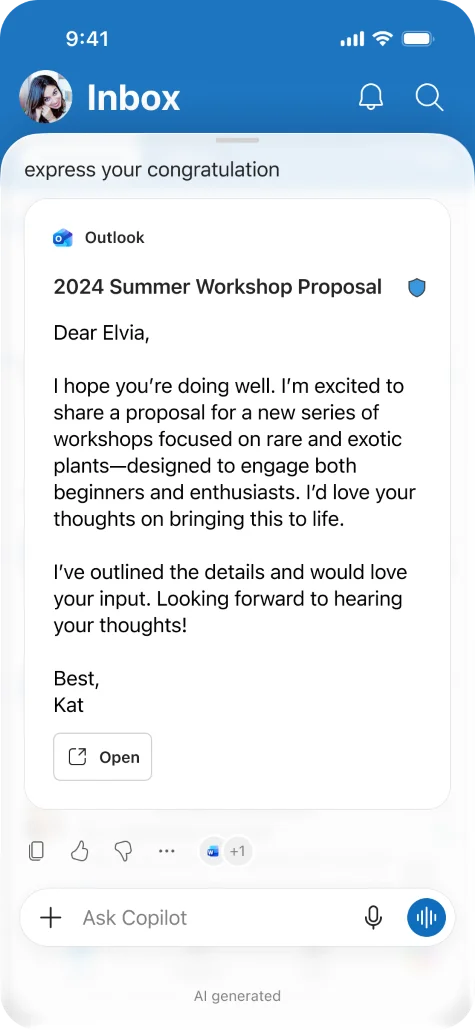
Draft Outlook emails directly in mobile Copilot Chat
When Copilot detects an intent to draft an email, an Outlook draft appears directly in Copilot Chat on mobile. The user can open it in Outlook Mobile to finalize and send. Rollout between mid-August and mid-September 2026.
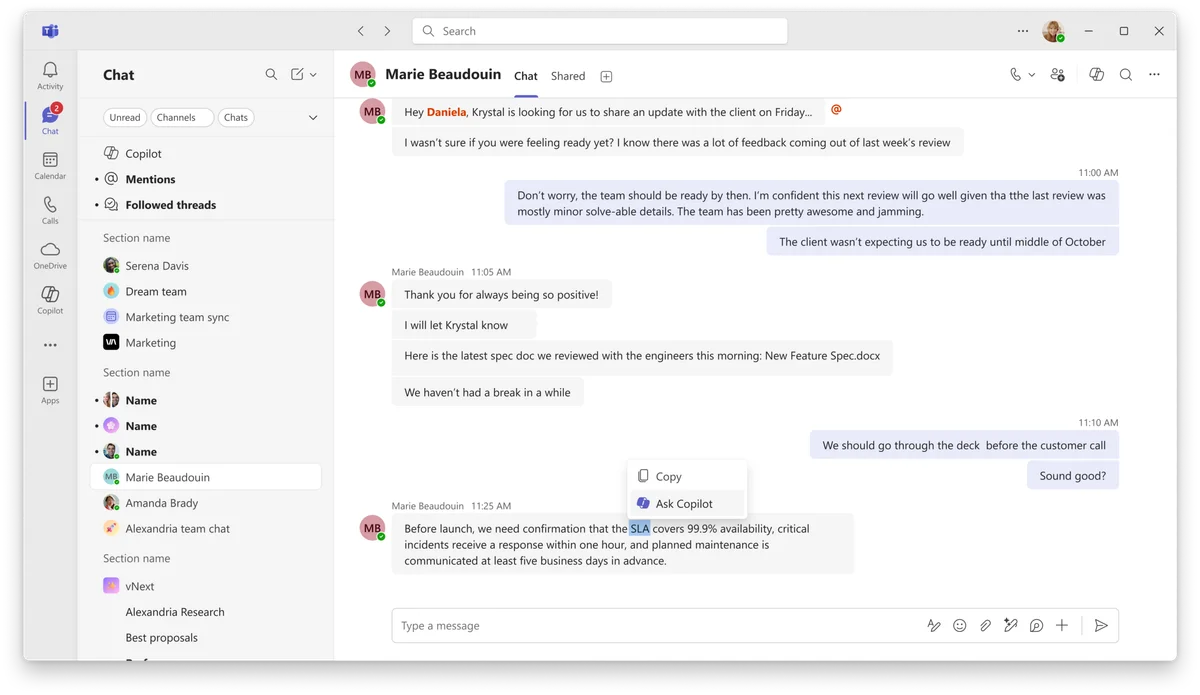
Ask Copilot in Teams from a message
By selecting a message or text snippet in Teams, users will be able to open the Copilot panel with this content automatically loaded in context, without copy-pasting. Rollout between late August and late September 2026.
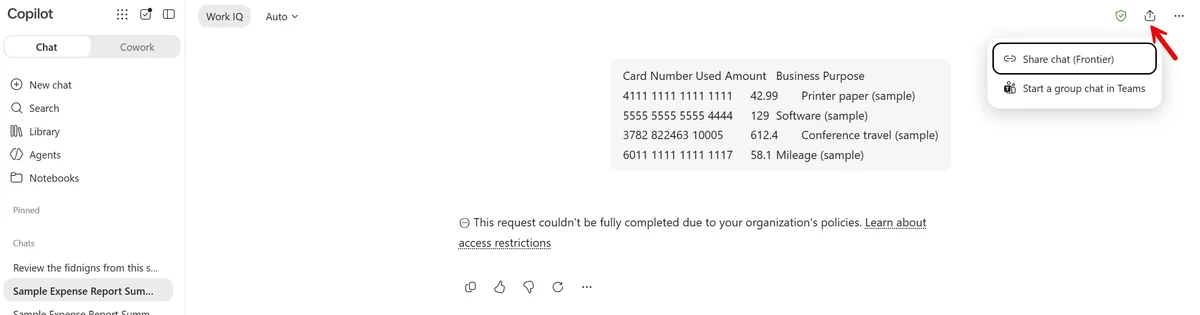
Sharing Copilot sessions and responses
Users will be able to share a complete Copilot session or individual response via a link, limited to members of the same organization. Available between late August and early September 2026.
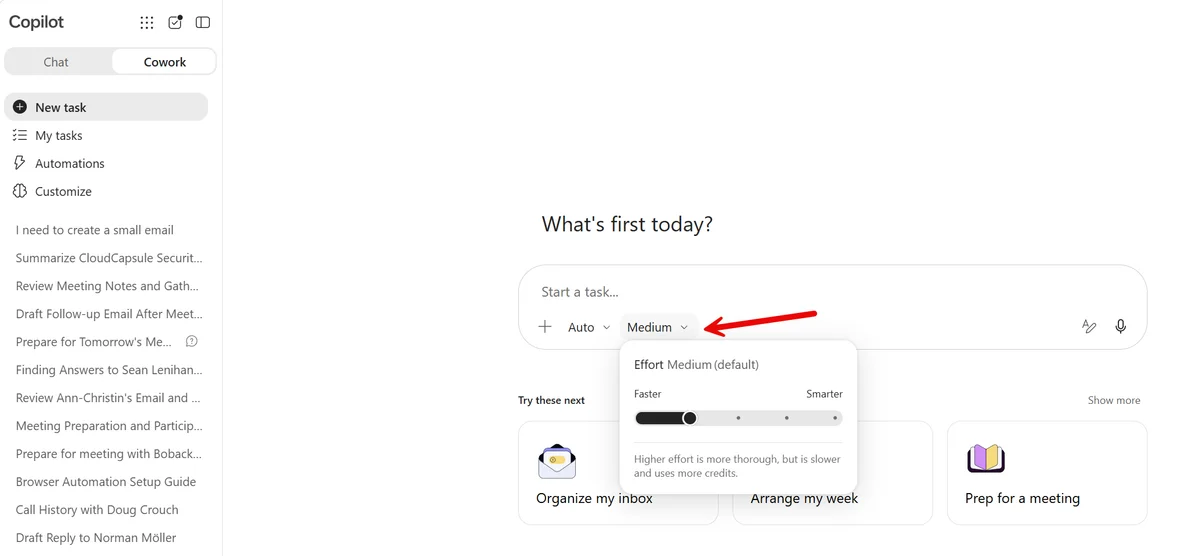
Effort control in Copilot Cowork
Microsoft Copilot Cowork integrates an effort level selector (Light, Medium, High) in the model selector, allowing trade-offs between response quality, speed and consumption. Rollout late August 2026.
Copilot Studio: end of grace period for GitHub Copilot agents
Billing impact — September 1, 2026
Starting September 1, 2026, agents and workflows built with the GitHub Copilot harness in Copilot Studio consume Copilot Credits under the pay-as-you-go billing model. The grace period for existing agents ends. Verify your agent inventory before this date.
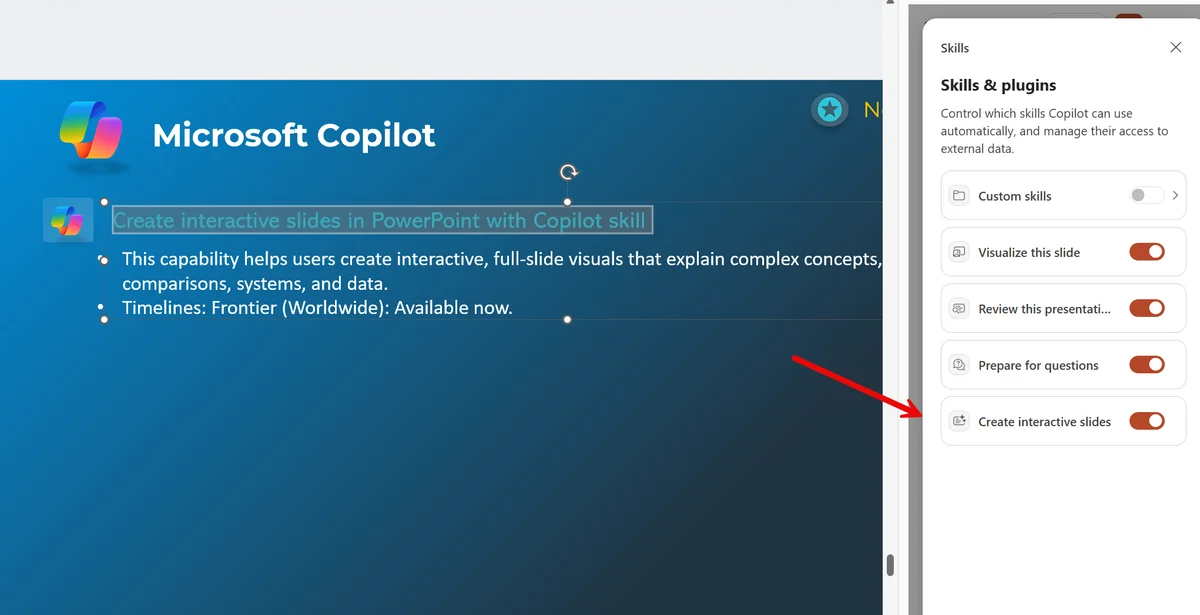
Interactive slides in PowerPoint with Copilot
A new Copilot capability generates interactive and visually rich slides to illustrate complex concepts, timelines, comparisons or data. Available now for members of the Frontier program (Worldwide).
Microsoft 365 Copilot application: unified experience and new URL
The Microsoft 365 Copilot app adopts a single experience for personal and work accounts, with clear visual indicators to distinguish the active account, simplified name and icon, and a web URL aligned with Copilot. Security, compliance, privacy and enterprise governance controls remain unchanged. Global rollout on Windows and Mac starting mid-September 2026.

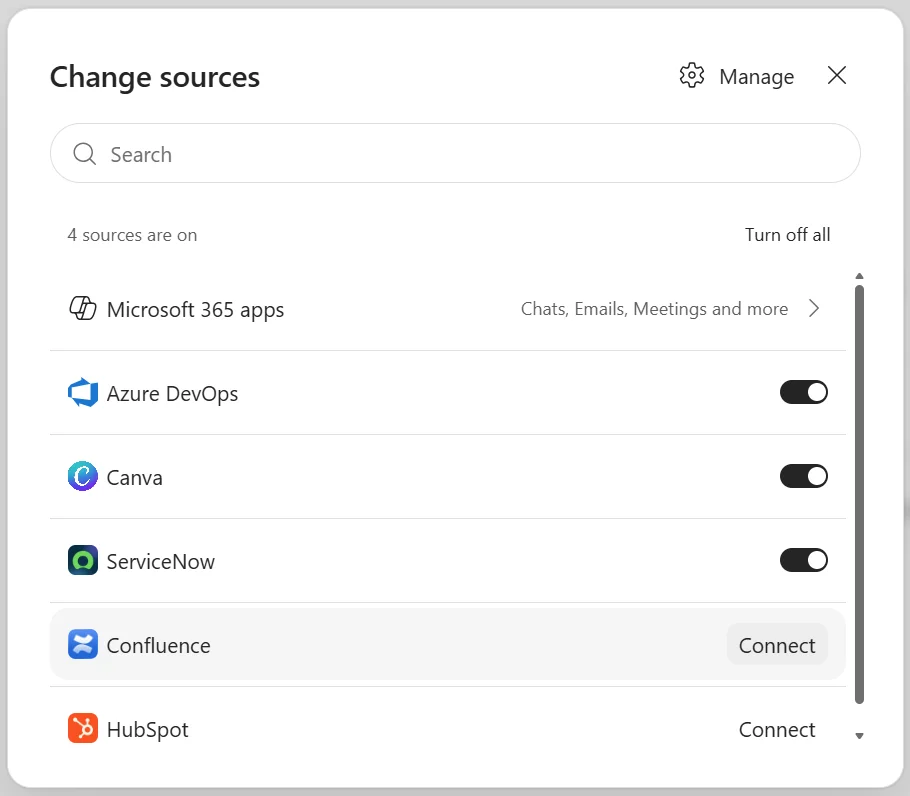
Self-service Copilot connectors
Microsoft 365 Copilot now offers self-service connectors: users can sync external sources like Jira or Confluence with their own credentials, without IT intervention. Administrators retain control over connector availability and deployment. Rollout between mid-September and mid-October 2026.
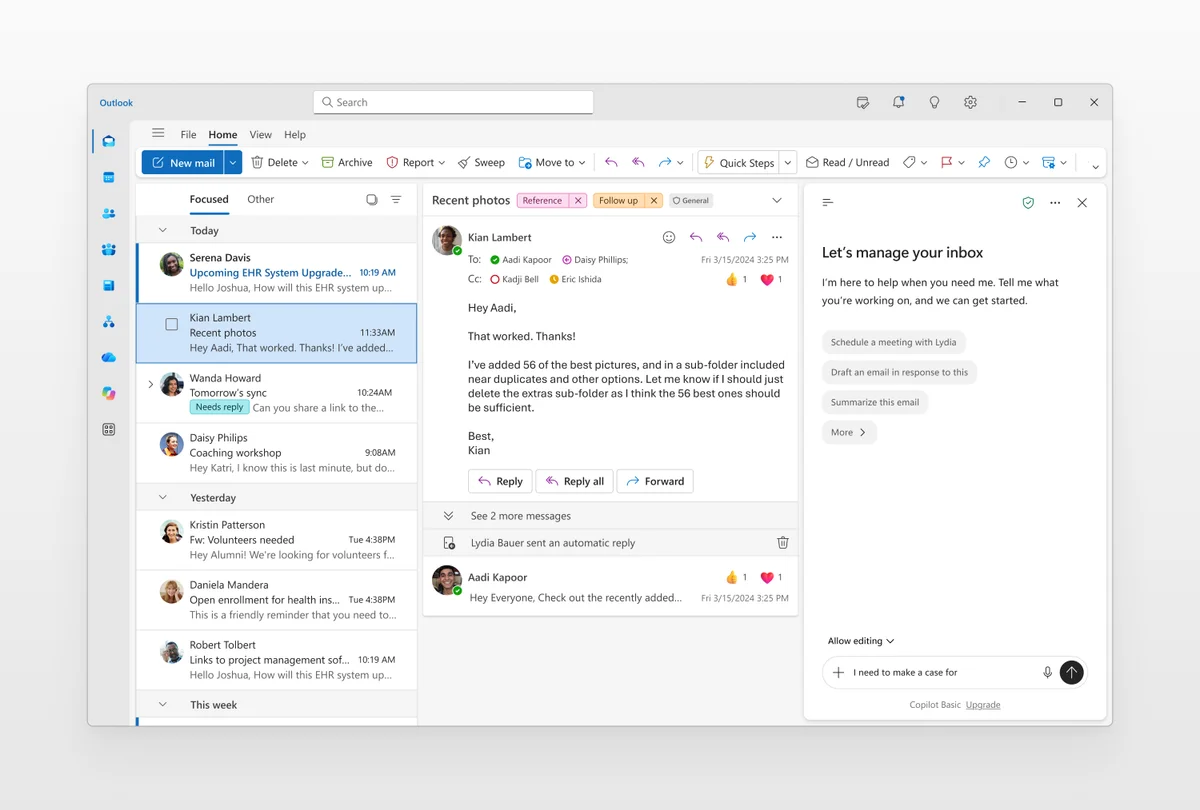
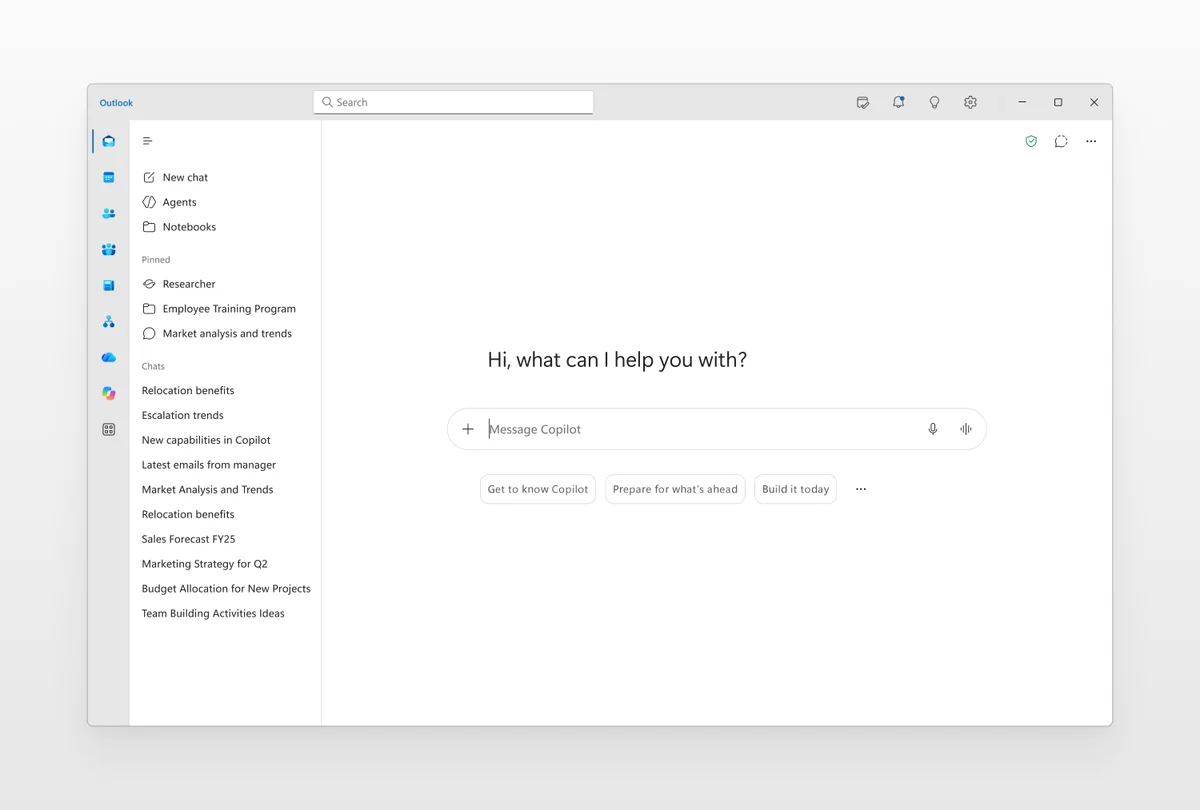
Unified Copilot experience in Outlook and Teams
Outlook and Teams adopt a revised Copilot interface, aligned with the chat-focused experience available in the Copilot app. Rollout in September 2026.
Administration and security
Microsoft Defender XDR: unified identity timeline
The Identity page in Microsoft Defender XDR receives a normalized timeline that aggregates events from Microsoft Entra (sign-ins), Microsoft Graph (audit), cloud SaaS activity and device sign-ins. Advanced filters and enriched event details accelerate investigations. Rollout between mid-September and mid-October 2026.
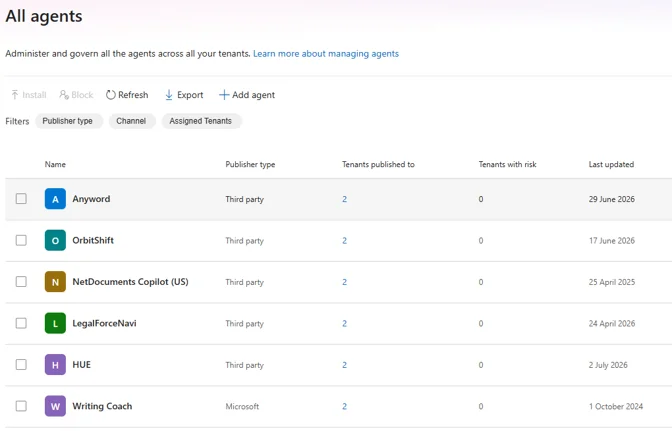
Multi-tenant agent management from the Microsoft 365 admin center
Partners and multi-tenant enterprise administrators can now view and manage Copilot agents across all their managed tenants from the Microsoft 365 admin center. Currently in Public Preview (early August 2026). Documentation: Microsoft Learn.
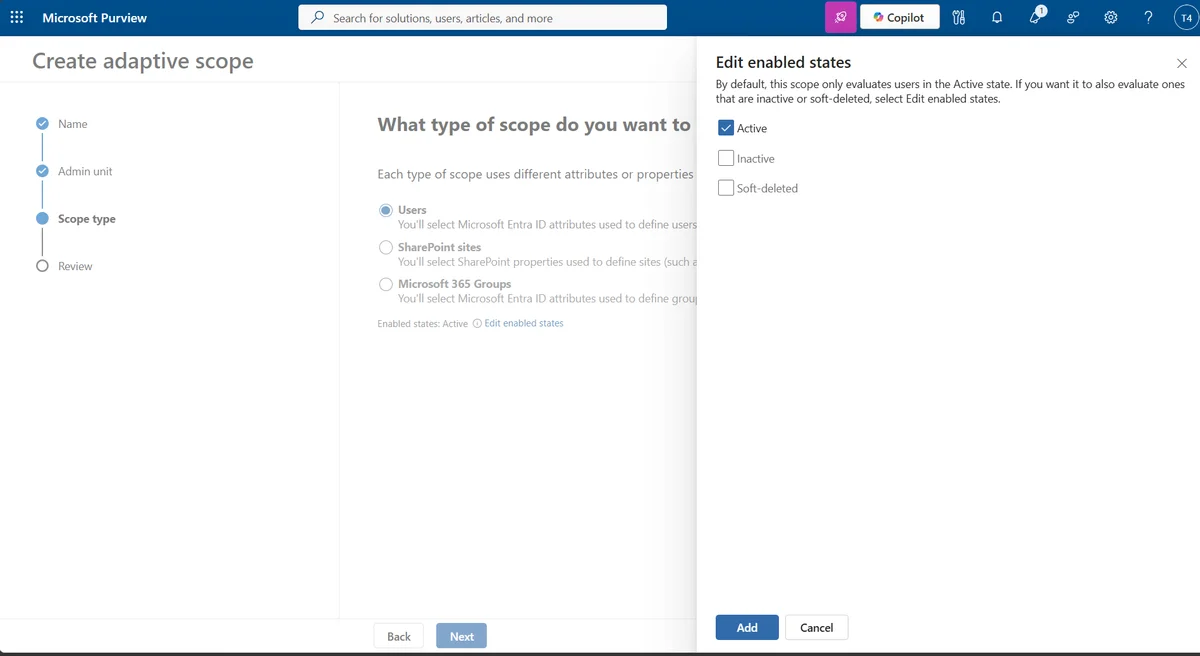
Microsoft Purview: lifecycle status control in adaptive scopes
Microsoft Purview adds lifecycle status controls to adaptive scopes: by default, only active recipients and site owners are evaluated. Administrators can explicitly include inactive or soft-deleted users. Rollout between mid-October and mid-November 2026.
Promotional offer: Microsoft Purview Suite at -50% for Business Premium
Commercial offer — through December 31, 2026
50% discount on Microsoft Purview Suite for customers combining Business Premium with Microsoft 365 Copilot Business or Microsoft 365 Copilot. Offer available through December 31, 2026. Details on the Partner Center.
Key points to remember
- Teams: prepare for pre-meeting consent (mid-October) and anticipate the retirement of live chat and Google Calendar sync (October 2026).
- Exchange Online / EWS: migration of cross-tenant functions to Cross-Tenant Access Policy is non-negotiable before April 1, 2027.
- Business mailboxes: the move to 100 GB is underway — no action required, but communicate to users.
- Intune: migrate legacy APP to assignment filters before January 11, 2027.
- Entra ID: passkeys are becoming a primary MFA enrollment method — now is the time to strengthen your passwordless authentication strategy.
- Copilot Studio: verify your GitHub Copilot harness agents before September 1, 2026 to avoid unexpected billing.