SharePoint: 25 Years of Evolution Toward Artificial Intelligence
For a quarter century, SharePoint has pursued a fundamental mission: facilitate the sharing of organizational knowledge and improve collaboration. Today, this platform operates at an exceptional scale, serving more than one billion users annually, with more than 2 billion files downloaded and 2 million SharePoint sites created daily.
Strategic Position
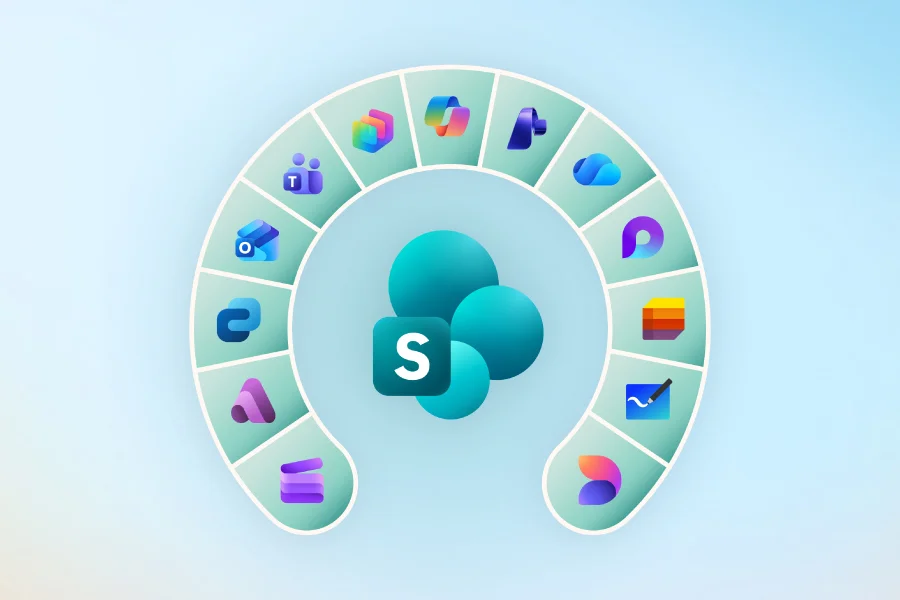
SharePoint is now the primary data source for Microsoft 365 Copilot, positioning the platform at the heart of Work IQ, the intelligence layer that powers Copilot and AI agents.
SharePoint as the Foundation of Enterprise AI
Leading organizations such as Takeda, Amey, Mars, and Hertz are integrating SharePoint at the center of their artificial intelligence strategies. This approach recognizes an inescapable reality: in the era of Copilot agents, knowledge can no longer remain passive but must be actively leveraged.
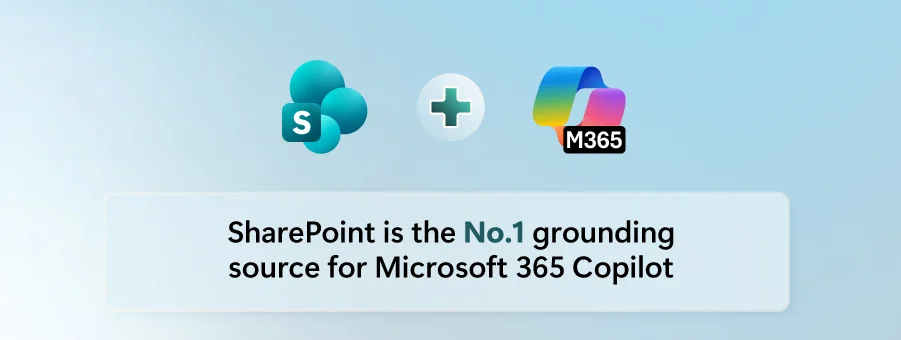
Knowledge activation revolves around three fundamental pillars:
- Building intelligent business solutions
- Publishing AI-optimized content
- Discovering proactive contextual information
Building Solutions with Conversational AI
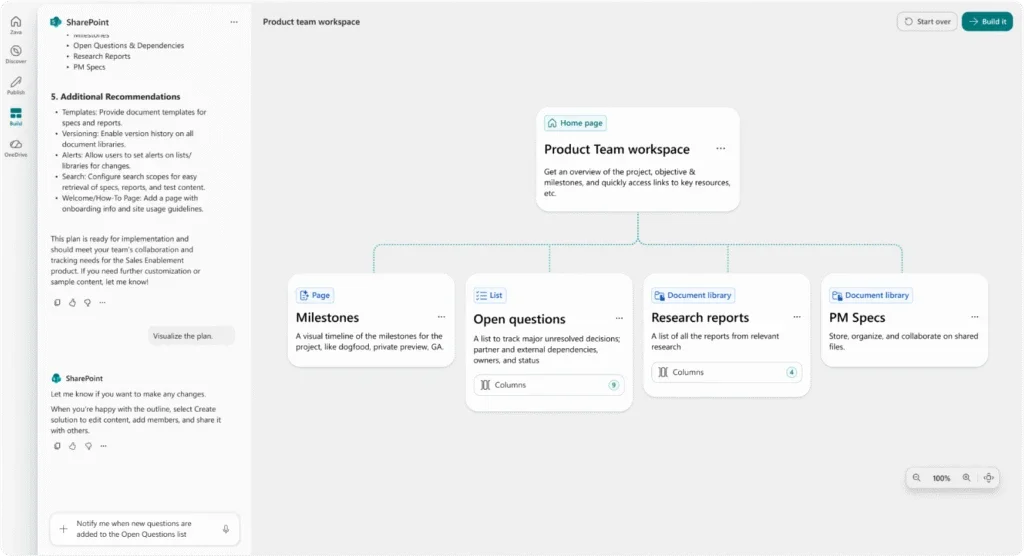
The most significant transformation in SharePoint lies in the evolution of development methods. Solutions that previously required deep technical expertise can now be designed from intentions expressed in natural language.
Expression of Business Intent
Teams describe their needs in natural language, without prior technical constraints.
Collaboration with AI
Integrated artificial intelligence analyzes requirements and proposes adapted solution architectures.
Iterative Development
Solutions evolve collaboratively, with continuous feedback between users and AI.
Custom AI Skills for the Enterprise
Custom AI skills represent a major innovation, encapsulating:
- Specific organizational standards
- Contextual business terminology
- Established governance rules
- Proprietary business logic
Concrete Example
A law firm can develop a contract review solution incorporating its specific policies, risk thresholds, and legal terminology, all automatically kept up to date.
Intelligent Publishing and Knowledge Amplification
Every day, millions of authors publish critical knowledge through SharePoint, from executive communications to product launches. AI now amplifies this base by:
- Enriching existing expertise
- Extending the impact of knowledge
- Transforming individual insights into collective understanding
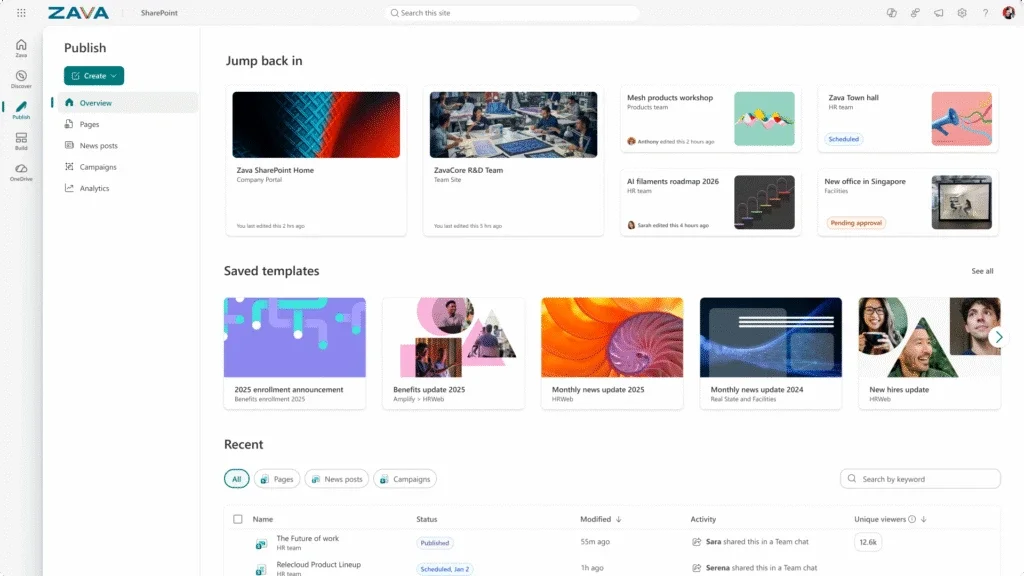
Redesigned Web Publishing System
SharePoint now natively integrates AI into its web publishing system, supporting each stage:
| Stage | AI Feature | Benefit |
|---|---|---|
| Planning | Content needs analysis | Optimized editorial strategy |
| Creation | Writing assistance | Accelerated quality content |
| Refinement | Automatic optimization | Consistency and standards met |
| Measurement | Intelligent analytics | Measured ROI and engagement |
Centralized Management
Communication becomes easier to manage centrally while reaching users where they work, with engaging and contextual content.
Proactive Discovery in the Workflow
Discovery in SharePoint now transcends the traditional search engine. It integrates naturally into the daily work environment:
- Copilot Chat for conversational interactions
- Microsoft Teams for team collaboration
- SharePoint itself for contextual navigation
Advanced Semantic Architecture
SharePoint powers the semantic foundation of Microsoft 365 through:
- Industry-level semantic index
- Optimized RAG architecture (Retrieval-Augmented Generation)
- Deep contextual understanding of documents
Work IQ Scenarios in Action
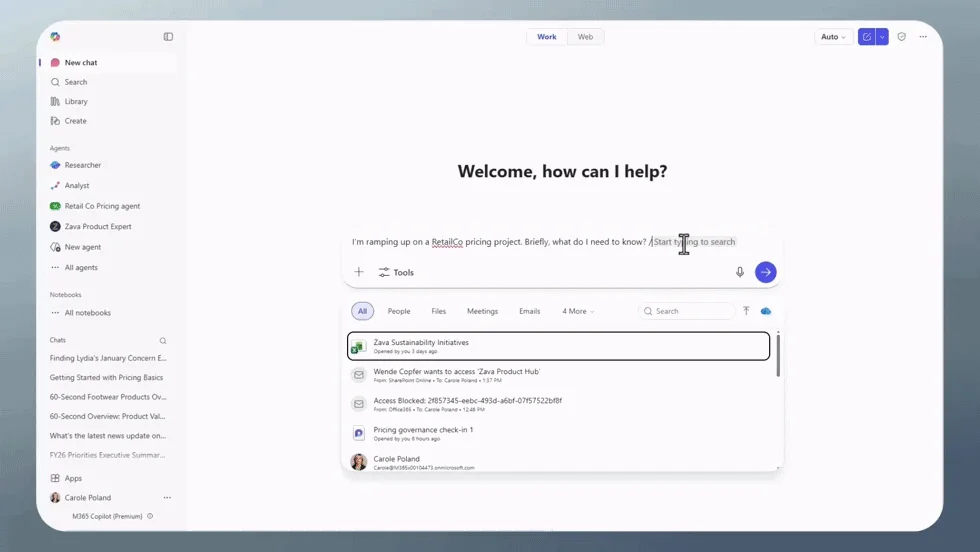
Proactive discovery manifests through:
- Contextual surfaces of relevant content
- Intelligent connections between Microsoft 365 knowledge
- Answers grounded in actual organizational work
Critical Differentiation
This approach differs fundamentally from lightweight connectors: SharePoint offers complete content understanding, impossible to replicate with superficial integrations.
PowerShell Scripts for SharePoint Administration
To optimize your SharePoint environment in this AI context, here are practical scripts:
Audit of SharePoint Sites for Copilot
1# Connection to SharePoint tenant2Connect-SPOService -Url "https://yourtenant-admin.sharepoint.com"3 4# Inventory of sites with extended metadata5Get-SPOSite -Limit All | Select-Object Url, Title, StorageUsageCurrent, LastContentModifiedDate, Template | Export-Csv -Path "SharePoint-Sites-Audit.csv" -NoTypeInformation6 7# Verification of Copilot configuration8Get-SPOTenant | Select-Object OneDriveForBusinessEnabled, SharePointAddInsEnabled, ConditionalAccessPolicyConfiguration of Permissions for AI
1# Configuration of site permissions for Copilot2$siteUrl = "https://yourtenant.sharepoint.com/sites/yoursite"3Connect-PnPOnline -Url $siteUrl -Interactive4 5# Verification of permission groups6Get-PnPGroup | Format-Table Title, Users, Roles7 8# Configuration of metadata for AI indexing9Set-PnPPropertyBagValue -Key "AI_Indexing_Enabled" -Value "True"10Set-PnPPropertyBagValue -Key "Copilot_DataSource" -Value "Primary"Glossary of Technical Terms
Work IQ: Intelligence layer of Microsoft 365 that powers Copilot and AI agents with contextual understanding of the user, their role, and their organization.
Grounding Source: Primary data source used by AI to anchor its responses in factual and contextual information specific to the organization.
RAG Architecture: Retrieval-Augmented Generation, architecture that combines retrieval of relevant information with AI content generation.
Custom AI Skills: Packages of organizational knowledge (standards, terminology, rules) that contextualize AI behavior according to enterprise specifics.
Semantic Index: Data structure that understands meaning and relationships between content, enabling smarter search and information retrieval.
Agentic Experiences: Interfaces and workflows where AI acts as an intelligent agent, capable of planning, creating, and iterating on solutions collaboratively.
Useful Links and Documentation
Official Microsoft Documentation
- SharePoint Developer Documentation
- Microsoft 365 Copilot for SharePoint
- SharePoint Online PowerShell
In-Depth Technical Resources
- SharePoint Framework (SPFx) with AI
- Microsoft Graph API for SharePoint
- SharePoint Governance and Compliance
Use Cases and Case Studies
Continuous Learning
To stay up to date with SharePoint and AI developments, regularly check the Microsoft 365 Message Center and participate in SharePoint Virtual Summit webinars.