On November 3, 2026, Microsoft opened more than 60 SharePoint operations in the Work IQ MCP server in public preview: any MCP-compatible agent can now search, create, edit and share SharePoint content. Because every call runs with the rights of the signed-in user, the main risk is not the tool but the state of your existing permissions. This lab sets up a test tenant, measures real exposure and defines guardrails before any pilot.
What enters public preview on November 3, 2026
Microsoft announces that the SharePoint tools in Work IQ reuse the ones that power Copilot in SharePoint, and expose them to any agent through the Work IQ MCP server. The scope covers lists and libraries, files and folders, search, approvals, rules, Quick Steps, the recycle bin and versioning.
60+
Native SharePoint operations exposed via Work IQ MCP
Microsoft
70,1 % → 84,6 %
Work IQ task success rate with the SharePoint tools
Microsoft, internal evaluations
16 %
Fewer tokens in the same tests
Microsoft, internal evaluations
These figures are the vendor's internal evaluations: they indicate a trend, not what you will get on your own scenarios. That is precisely the purpose of the lab below.
June 16, 2026
Work IQ APIs reach general availability
The Microsoft Learn documentation specifies, however, that the SharePoint tools remain in public preview.
November 3, 2026
Public preview of the SharePoint tools
More than 60 SharePoint operations via the Work IQ MCP server.
November 17-20, 2026
Microsoft Ignite in San Francisco
Microsoft will detail the roadmap there: more tools, richer skills, standardized transfer of large files.
A single endpoint, /sharepoint/ paths discovered at runtime
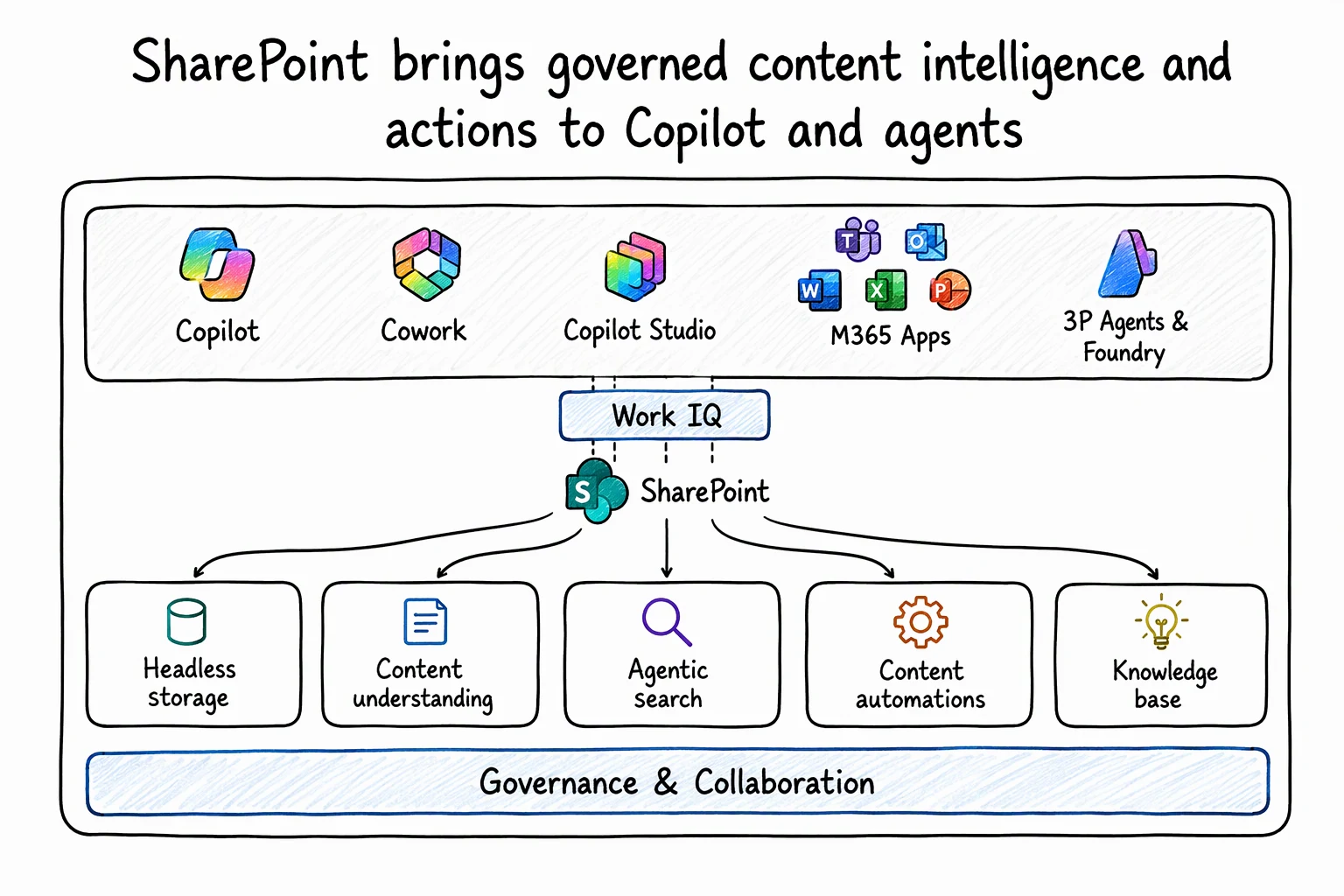
Work IQ applies the principle of "fewer tools, more paths": rather than dozens of tools loaded into the model's context, the agent has a small set of Work IQ verbs. SharePoint operations appear as /sharepoint/ paths that the agent discovers and whose schema it inspects before making the call. Work IQ then routes the request to SharePoint in a single hop, with no intermediate second model, and returns structured results.
The MCP entry point is https://workiq.svc.cloud.microsoft/mcp. Microsoft also offers a Work IQ plugin for GitHub Copilot CLI, published in the work-iq GitHub repository.
Do not confuse with the former Agent 365 MCP servers
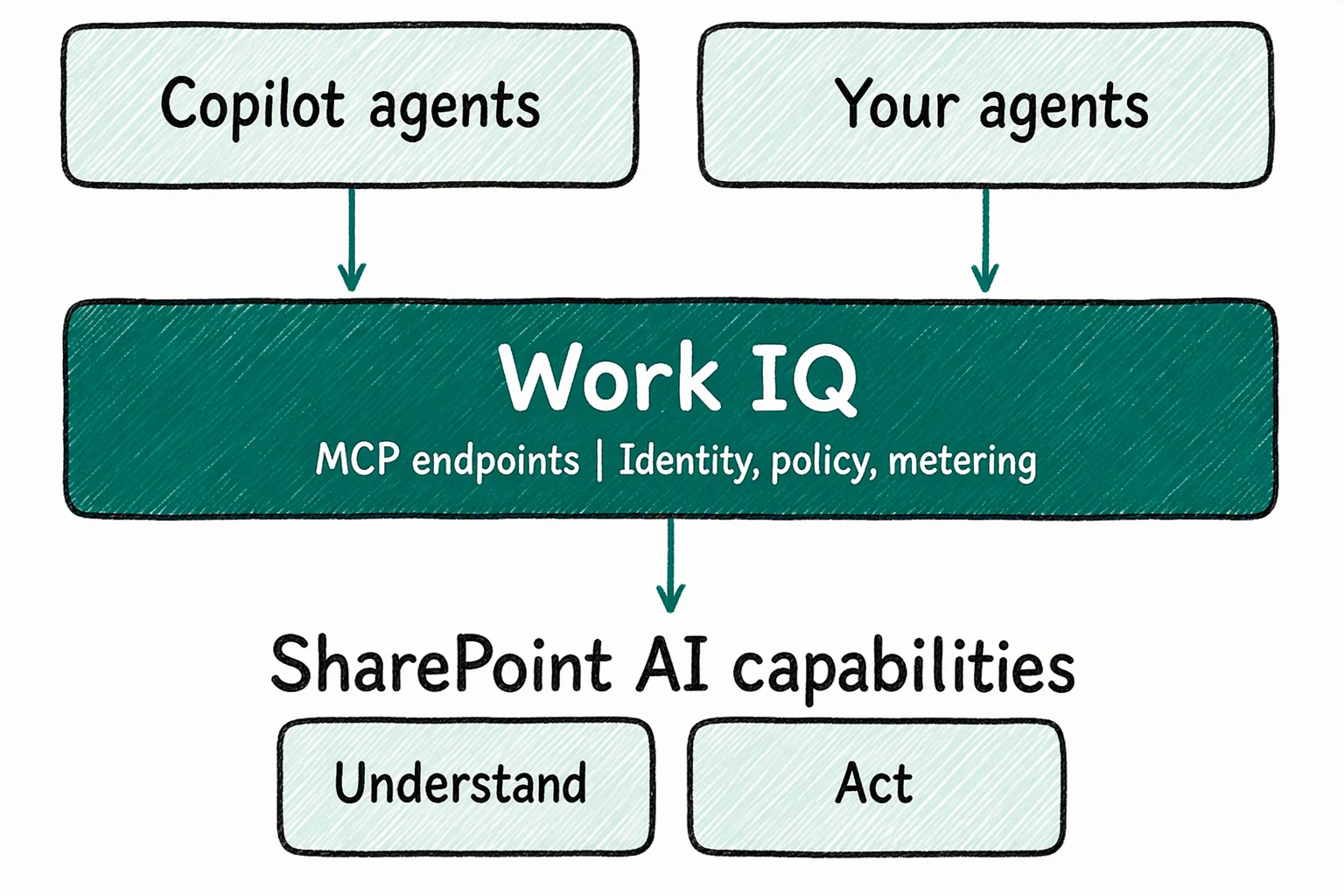
The application-specific MCP servers (SharePoint, OneDrive, Mail, Teams…) in Agent 365 are kept for backward compatibility. According to the Microsoft Learn documentation, they should not be used for new projects: Microsoft recommends Work IQ MCP, a single endpoint with 10 generic tools. In Copilot Studio, Work IQ is also not a simple renaming of the legacy per-workload tools: it relies on the GitHub Copilot harness and Copilot Credits billing.
Why oversharing becomes the real risk
All calls run as delegated, under the user's identity: the agent only sees and does what that person can already see and do in SharePoint. This is a good guarantee, but it shifts the problem. A forgotten "entire organization" sharing link on a sensitive file used to be lost in the volume; an agent that queries a site in natural language brings it up within seconds.
Microsoft adds two scopes for least privilege, and SharePoint is the first Work IQ provider to use them:
- WorkIQ.Read: search, read and summarize SharePoint content;
- WorkIQ.Act: create, update or move content, to be added only if the scenario requires it.
An agent that only holds the old WorkIQAgent.Ask permission will not see any SharePoint path. On the administration side, the administrator enables Work IQ for the tenant, consents to the application and uses the Work IQ tenant policy to choose which SharePoint paths and actions are allowed.
My reasoning for the lab: an agent's perimeter is the intersection of three things, the granted scopes, the tenant policy and the user's actual permissions. The first two can be set in a few minutes; the third depends on your tenant's sharing history, hence the audit that follows.
Prerequisites, licenses and lab cost
Before you start
- A test tenant (never production: the SharePoint tools are in public preview and previews are not intended for production, according to Microsoft Learn)
- An administrator account able to enable Work IQ and grant admin consent
- A connected Copilot Credits billing mode, with a spending policy defined
- Two test accounts: a content owner and an ordinary user with no direct access
- An MCP client, for example GitHub Copilot CLI with the Work IQ plugin
- In Copilot Studio: the "Enable preview workloads" option turned on in the agent settings to access preview workloads
On licensing, there is no SKU or per-user license for the Work IQ API: billing is done in Copilot Credits, independently of the Microsoft 365 Copilot license. Calls to the Tools API are billed at a flat rate, announced at 0.1 Copilot Credit per call at general availability; the Copilot Credits usage-based billing guide is the authority for up-to-date pricing. Users holding a Microsoft 365 Copilot license have Work IQ in the native Copilot experiences; usage-based billing applies to custom and third-party agents.
Implementation: set up the lab and audit exposure
The goal: create a site containing dummy files, one of which is shared with the entire organization, measure exposure with Microsoft Graph, then have an agent work on it. The scripts use Microsoft Graph REST requests via Invoke-MgGraphRequest.
1Install-Module Microsoft.Graph.Authentication -Scope CurrentUserPrepare the test tenant
An administrator enables Work IQ, consents to WorkIQ.Read for the test application (WorkIQ.Act only for the write phase) and allows only the necessary SharePoint actions in the tenant policy. Then connect a billing mode and set a low spending policy. These settings are made in the Microsoft 365 admin center; see the Work IQ documentation for the exact screens.
Create the dummy data
Create a test team site, then run the seeding script. Without -Apply, it only simulates.
Minimum permission: Files.ReadWrite.All and Sites.Read.All as delegated, with a site owner account. Output: three text files, two of which have a sharing link with organization scope.
Test tenant only
This script writes files and creates organization-wide sharing links. Never run it on a real site, and first run it without -Apply to check the target.
1# Lab uniquement : à ne jamais exécuter sur un tenant de production2param(3 [Parameter(Mandatory)][string]$SiteRef, # ex. contoso.sharepoint.com:/sites/lab-workiq4 [switch]$Apply # sans -Apply : simulation5)6 7Connect-MgGraph -Scopes 'Files.ReadWrite.All','Sites.Read.All' -NoWelcome8 9# Résolution du site puis de sa bibliothèque de documents par défaut10$site = Invoke-MgGraphRequest -Method GET -Uri "https://graph.microsoft.com/v1.0/sites/$SiteRef"11$drive = Invoke-MgGraphRequest -Method GET -Uri "https://graph.microsoft.com/v1.0/sites/$($site.id)/drive"12 13# Fichier = portée du lien à créer ($null = aucun lien)14$fichiers = [ordered]@{15 'RH-grille-salaires-TEST.txt' = 'organization'16 'Projet-confidentiel-TEST.txt' = $null17 'Politique-teletravail-TEST.txt' = 'organization'18}19 20foreach ($nom in $fichiers.Keys) {21 if (-not $Apply) {22 Write-Host "[Simulation] Création de $nom (lien : $($fichiers[$nom]))"23 continue24 }25 # Dépôt du fichier factice à la racine de la bibliothèque26 $uri = "https://graph.microsoft.com/v1.0/drives/$($drive.id)/root:/${nom}:/content"27 $item = Invoke-MgGraphRequest -Method PUT -Uri $uri -Body "Contenu factice du lab : $nom" -ContentType 'text/plain'28 29 # Création du lien de partage éventuel30 if ($fichiers[$nom]) {31 $corps = @{ type = 'view'; scope = $fichiers[$nom] } | ConvertTo-Json32 Invoke-MgGraphRequest -Method POST -Uri "https://graph.microsoft.com/v1.0/drives/$($drive.id)/items/$($item.id)/createLink" -Body $corps -ContentType 'application/json' | Out-Null33 }34}Measure exposure before the agent
The audit script lists the permissions of each file at the root of the library and flags links with organization or anonymous scope. It is read-only and produces a CSV file. If the permissions read call returns a 403, check the Microsoft Graph documentation for the scope required by this endpoint.
1param(2 [Parameter(Mandatory)][string]$SiteRef,3 [string]$CsvPath = './audit-partage-lab.csv'4)5 6Connect-MgGraph -Scopes 'Sites.Read.All','Files.Read.All' -NoWelcome7 8$site = Invoke-MgGraphRequest -Method GET -Uri "https://graph.microsoft.com/v1.0/sites/$SiteRef"9$drive = Invoke-MgGraphRequest -Method GET -Uri "https://graph.microsoft.com/v1.0/sites/$($site.id)/drive"10 11$resultats = [System.Collections.Generic.List[object]]::new()12$uri = "https://graph.microsoft.com/v1.0/drives/$($drive.id)/root/children"13 14# Parcours paginé de la racine de la bibliothèque15while ($uri) {16 $page = Invoke-MgGraphRequest -Method GET -Uri $uri17 foreach ($item in $page.value) {18 if ($item.folder) { continue } # fichiers uniquement19 $perms = Invoke-MgGraphRequest -Method GET -Uri "https://graph.microsoft.com/v1.0/drives/$($drive.id)/items/$($item.id)/permissions"20 foreach ($p in $perms.value) {21 $portee = if ($p.link) { $p.link.scope } else { 'direct' }22 $resultats.Add([pscustomobject]@{23 Fichier = $item.name24 Portee = $portee25 Droits = ($p.roles -join ',')26 Risque = ($portee -in 'organization','anonymous')27 })28 }29 }30 $uri = $page.'@odata.nextLink'31}32 33$resultats | Export-Csv -Path $CsvPath -NoTypeInformation -Encoding UTF834$resultats | Where-Object Risque | Format-Table -AutoSizeExpected result on the lab dataset: two at-risk rows (RH-grille-salaires-TEST.txt and Politique-teletravail-TEST.txt), none for Projet-confidentiel-TEST.txt apart from the owner's direct rights.
Connect the agent and replay the scenarios
Point your MCP client to https://workiq.svc.cloud.microsoft/mcp with the ordinary account, or install the Work IQ plugin for GitHub Copilot CLI. Grant WorkIQ.Read alone first, then run the test protocol below. Then rerun the audit: it must be identical, because a read agent changes nothing.
Test protocol: six scenarios to replay
Each row targets a specific hypothesis. Record the actual result, the /sharepoint/ paths called and the number of calls, to estimate Copilot Credits consumption.
| Scenario | Scope granted | Test prompt | What to observe |
|---|---|---|---|
| File under an organization link, user without direct access | WorkIQ.Read | Summarize the salary grid on the test site | Does the file come up? Hypothesis to validate: yes, because the link grants this user access |
| File without a link, user without access | WorkIQ.Read | Summarize the confidential project | No content returned: confirms the delegated model |
| Write with read-only | WorkIQ.Read | Create a task tracking list | Refusal expected: writing requires WorkIQ.Act |
| Write allowed | WorkIQ.Read + WorkIQ.Act | Create a tracking list then add three items | List and items created; check version history and recycle bin |
| Multiple-choice column | WorkIQ.Read + WorkIQ.Act | Update the multiple-choice column of an item | A field report on Microsoft Q&A mentions an updateListItem failure on MultiChoice, versus success on text, date and single choice |
| Path blocked by the tenant policy | WorkIQ.Read | Search the test site | A 403 is possible if the tenant Work IQ MCP policy does not allow it |
Scenario 1 is the one that justifies the lab: if the agent summarizes a document the user did not even know about, the problem is overly broad sharing, not the agent. The recommendations on link cleanup and perimeters continue in our article on SharePoint Embedded: AI, permissions and administration.
Troubleshooting: 401, 403 and missing SharePoint paths
| Symptom | Likely cause | Resolution |
|---|---|---|
| 401 when calling the MCP server | Token with the wrong audience | Request a new token for the correct Work IQ audience and retry |
| 403 on the call | Missing admin consent, Copilot Credits billing not enabled, spending policy or tenant Work IQ MCP policy | Check consent, billing mode, spending policy, then tenant policy |
| No /sharepoint/ path visible | The agent only holds WorkIQAgent.Ask | Add WorkIQ.Read or WorkIQ.Act to the agent |
| Failure in Foundry | Unsupported authentication type | Use AgentOnBehalfOfUser; UserEntraToken is not supported |
| SharePoint workload missing in Copilot Studio | Preview not enabled | Enable Enable preview workloads in the agent settings |
| Shared app unusable by a colleague | Non-shareable Entra ID connection of the Work IQ SharePoint MCP connector | Each user creates their own connection |
These leads come from the Microsoft Learn documentation on Work IQ in Foundry, Work IQ in Copilot Studio and the Work IQ SharePoint MCP connector, which is also marked Preview. Microsoft specifies that its capabilities and availability may change.
Frequently asked questions
Do you need a Microsoft 365 Copilot license to use the SharePoint tools in Work IQ?
No, not for custom or third-party agents. There is no separate SKU or subscription: billing is done in Copilot Credits. Holders of a Microsoft 365 Copilot license additionally have Work IQ in the native Copilot experiences.
Can an agent access more content than the user?
According to Microsoft, no: every call runs under the identity of the signed-in user, with delegated permissions. However, everything the user can already reach, including through a broad sharing link, becomes easily queryable by the agent.
Which scope should you give a read-only agent?
WorkIQ.Read is enough to search, read and summarize SharePoint content. Add WorkIQ.Act only if the agent must create, update or move content.
Can these tools be deployed in production?
Not today: the SharePoint tools in Work IQ are in public preview and Microsoft states that previews are not intended for production. The Work IQ APIs themselves have been generally available since June 16, 2026.
Three decisions to make before a pilot
Next actions
- Run the audit of organization and anonymous links on the sites the agent will be able to query
- Grant WorkIQ.Read alone, then add WorkIQ.Act only for a documented write scenario
- Set a Copilot Credits spending policy and monitor consumption in the Microsoft 365 admin center
- Test your column types, notably MultiChoice, before any write automation
- Restrict SharePoint paths and actions in the Work IQ tenant policy
If your tenant has a poorly controlled sharing history, deal with organization links first: the agent adds no rights, but it removes the obscurity that protected these files. If your organization is preparing Copilot scenarios in SharePoint, also read what's new in Copilot in SharePoint for September 2026 to place these tools in the product's trajectory.
Going further
- Work IQ MCP overview: design principles, tool categories and permission model of the MCP server.
- SharePoint Tools in Work IQ documentation: the reference for the exposed SharePoint tools.
- Work IQ in Copilot Studio: workload selection, preview activation and billing compared with legacy tools.
- Understand MCP server options in Agent 365: which MCP servers to favor and which to avoid for a new project.
- Work IQ GA and Copilot Credits billing: consumption model and tool call pricing.