Introduction
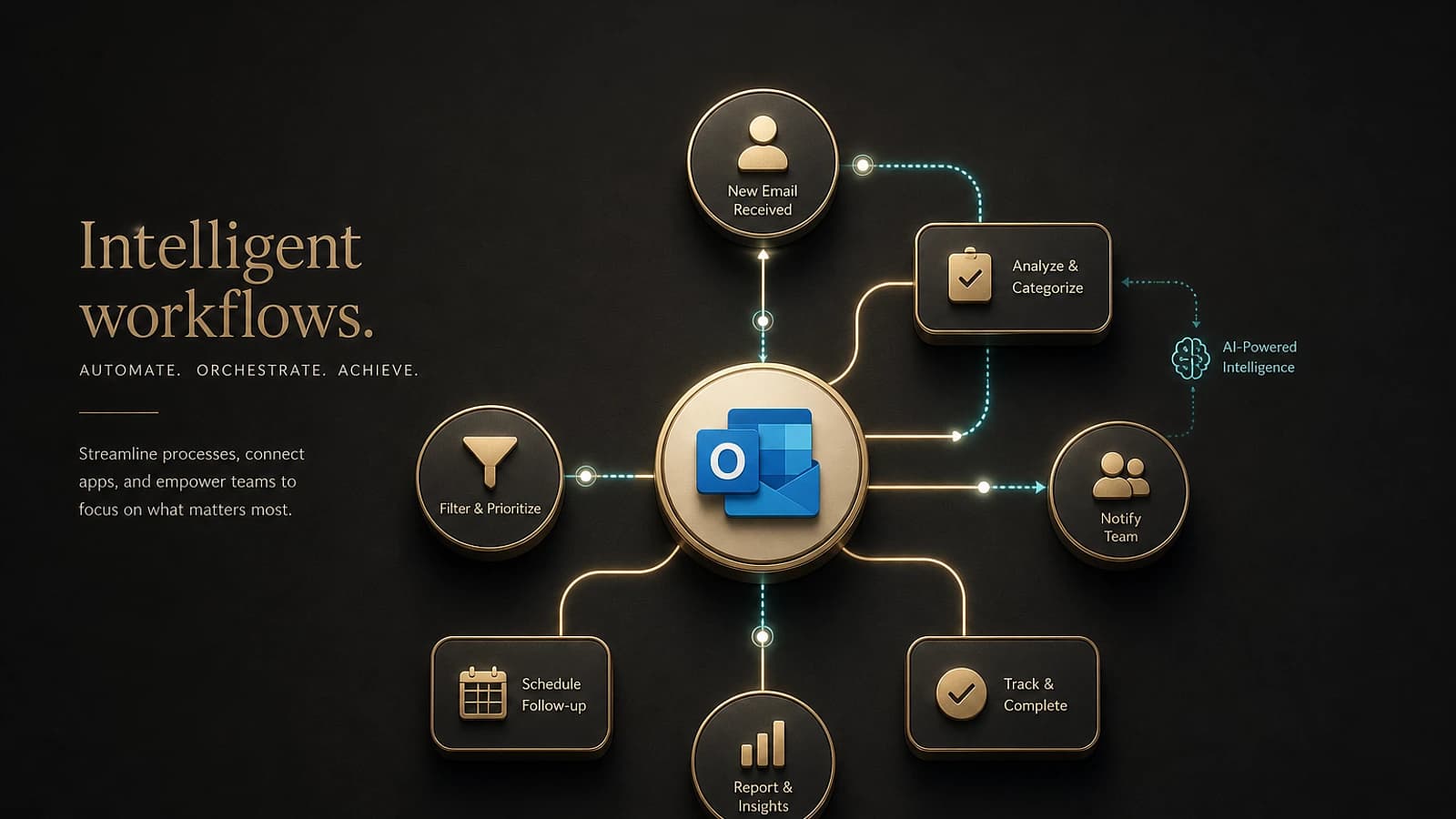
The third wave of Microsoft 365 Copilot marks a major evolution in the approach of artificial intelligence serving productivity. Rather than being limited to isolated tasks, this new generation introduces agentic experiences integrated directly into daily applications. In Outlook, these innovations enable users to move from intention to execution, whether for email or calendar management, without context loss or additional steps.
Work IQ: The Brain of Copilot
Copilot in Outlook relies on Work IQ, a contextual intelligence that leverages your relevant emails, meetings, calendar preferences and professional relationships to generate responses tailored to your work environment.
Collaborative Email Drafting with Copilot
An integrated iterative process
One of the main innovations in this update concerns collaborative email drafting. Unlike previous versions that generated static drafts, Copilot now works directly in the Outlook canvas, enabling real-time collaboration.
Draft Initialization
Describe your objective to Copilot which automatically generates an initial draft directly in the Outlook composition interface.
Clarification Questions
Copilot asks precise questions about the objective, target audience and desired tone to refine the message.
Iterative Refinement
Each of your responses triggers an immediate content update, visible in real-time in Outlook, eliminating copy-paste operations.
Examples of effective prompts
To optimize the use of this feature, here are examples of structured commands:
Initial creation:
- "Draft an email to /name confirming the decision of /meeting, detailing the agreed schedule and requesting final approval from /name."
Tone adjustment:
- "Make this message more concise and professional by applying the same tone that /name usually uses. Add a context paragraph summarizing the latest leadership decisions."
Final formatting:
- "Bold the approval request, convert the schedule into a table and add 'Approval Required' to the subject."
Availability
This feature is being rolled out progressively on the modern Outlook experience for Windows, web and mobile since March 9.
Complete Management via Copilot Chat
Unified workflow from request to send
The new Copilot Chat interface in Outlook enables a complete process of creating and sending emails. This integrated approach leverages Work IQ to automatically incorporate relevant context: recipients, conversation history, meeting outcomes.
Automatic Context
Work IQ automatically analyzes your previous interactions to suggest relevant content and maintain consistency in your professional communications.
Optimized prompts for Chat
Initial creation: "Draft a follow-up email to /name and /name regarding the actions agreed upon during /meeting and summarize next steps."
Executive iteration: "Rewrite this email to be more concise and tailored to executives. Keep the request in the first two lines."
Limited Availability
This feature is currently rolled out for Frontier users since March 9.
Intelligent Calendar Automation
Autonomous meeting invitation management
The most innovative feature of this update concerns automated management of meeting invitation responses. Copilot can now make autonomous decisions about your RSVPs based on customizable rules.
| Type of Action | Configurable Criteria | Result |
|---|---|---|
| Automatic Acceptance | Sender, title keywords, availability | Meeting confirmed without intervention |
| Automatic Decline | Specific keywords, working hours | Declining with notification |
| Passive Follow-up | Off-hours meetings, optional meetings | 'Pending' status maintained |
Preference Configuration
Personalizing these automations is done through custom instructions that you define according to your professional priorities:
Alignment with priorities: "Always accept meetings from my manager if I'm available."
Reducing clutter: "Always decline meetings containing 'standing' in the title and remove canceled meetings."
Protecting personal time: "Defer meetings scheduled after 5 PM."
Extended Availability
This feature is available now on the modern Outlook experience for Windows, Mac, web and mobile.
Impact on Professional Productivity
Workflow transformation
These new agentic capabilities represent a paradigm shift in managing professional communications. Native integration in Outlook eliminates workflow disruptions typical of external AI tools.
Operational Benefits
- Reduced drafting time through collaborative iteration
- Improved consistency via Work IQ and contextual analysis
- Automation of repetitive calendar administrative tasks
- Maintaining visibility on all automated actions
Important Considerations
While these features automate many tasks, it is essential to maintain active oversight, particularly for sensitive communications or critical calendar decisions.
Useful Links
- Official Microsoft 365 Copilot Documentation
- Microsoft 365 Admin Center
- Copilot Deployment Guide for Enterprises
- Microsoft 365 Community Forum
- Microsoft Learn Training on Copilot
Glossary
Agentic Experience: An AI feature capable of executing a sequence of complex actions autonomously, while maintaining the context and initial intent of the user.
Work IQ: Contextual intelligence of Microsoft 365 that analyzes and leverages work data (emails, meetings, documents) to provide personalized and relevant responses.
Canvas: Native composition interface in Outlook where email content is displayed and modified in real-time.
Copilot Chat: Conversational interface integrated to interact with Copilot through natural language commands.
Frontier: Microsoft's pre-release program allowing users to access features in development.
Automatic RSVP: A feature that enables Copilot to automatically respond to meeting invitations according to rules predefined by the user.