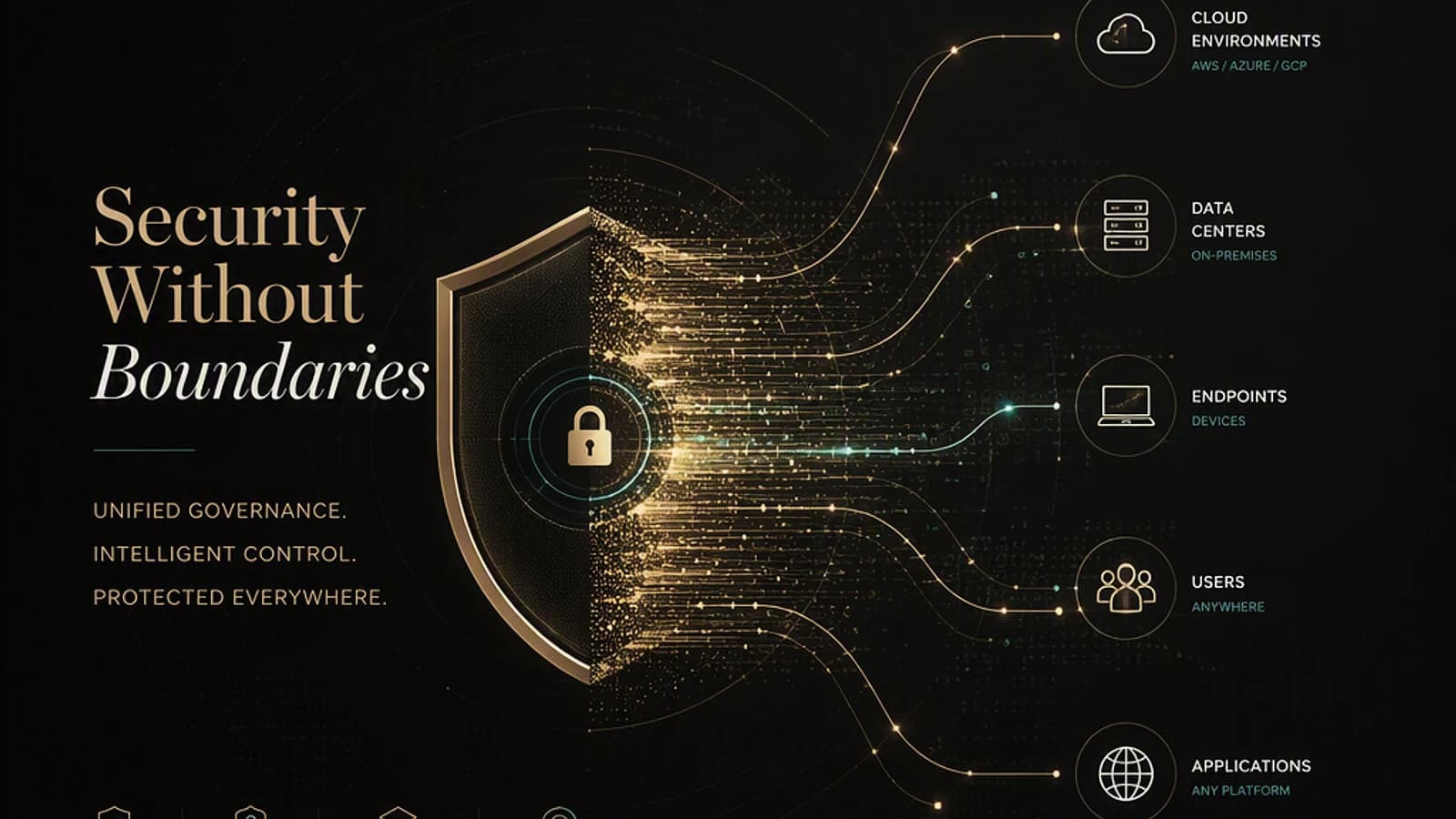
Microsoft Purview no longer merely protects Microsoft 365 documents: the platform extends its enforcement to networks, third-party applications and browsers, while absorbing governance of AI agents and Copilot. This summary article covers developments published between May and August 2026 on Microsoft Learn and official Microsoft blogs, with a focus on what is truly actionable in production. It addresses Purview, Exchange Online, and Microsoft Defender administrators who must distinguish between generally available (GA) features and previews — the latter should never be presented as operational controls.
Overview: Purview expands its reach to networks, third-party apps, and AI
Two trajectories structure recent publications. On one hand, enforcement (the actual application of policies) moves beyond the Microsoft 365 perimeter to cover non-Microsoft applications, endpoints, browsers, and now the network itself. On the other hand, governance extends from traditional documents to AI systems and autonomous agents: Copilot, Agent 365, Claude, and AI workloads hosted outside the Microsoft ecosystem.
This dual expansion has a direct consequence on management: the question is no longer "have you enabled this Purview feature?" but "are your sensitive data and AI interactions classified, monitored, enforced, retained, and documented consistently across every platform and control layer?". Keep this distinction in mind: several capabilities described below are still in preview and must remain bounded pilots, not production controls.
Recommended reading
Microsoft Learn documentation on Microsoft Purview updates centralizes all these changes month by month: What's new in Microsoft Purview.
Overview of updates published between May and August 2026
Before diving into technical details, here is a synthetic view of the status and publication date of each major evolution. It serves as a checklist for your quarterly compliance review.
| Feature | Status | Publication date |
|---|---|---|
| Network DLP via Microsoft Entra Global Secure Access | Preview | July 2026 |
| DLP and auto-labeling for non-Microsoft apps (Box, Google Workspace) | Preview | August 2026 |
| Auto-labeling extended to 500,000 files/day | Capacity increase | August 27, 2026 |
| Simulation mode + Insights tab | New | August 2026 |
| Detection of Exchange Online DLP classification failures | Preview | July 2026 |
| Unified alert queue in Insider Risk Management | Preview | July 2026 |
| Three-way approval for Priority Cleanup | Update | July 2026 |
| Expiration of role group assignments | Update | July 2026 |
| Blocking external emails for Copilot (anti prompt-injection) | Preview | June 2026 |
| Agent 365 | General availability | May 2026 |
| Anthropic Claude Enterprise connector | Preview | May 2026 |
| Extension to AWS Bedrock | Guide published | June 5, 2026 |
| Endpoint DLP — scoping by device group | New | June 2026 |
| Endpoint DLP telemetry queries (Advanced Hunting) | New | June 2026 |
| Endpoint DLP evidence investigation | Preview / GA notifications | June 2026 |
| Selective monitoring of generative AI apps (IRM) | General availability | June 2026 |
Network DLP and third-party applications: protection extends beyond Microsoft 365
The most structural development concerns the integration of Purview with Microsoft Entra Global Secure Access (documented in July 2026, preview status). Concretely, organizations can now intercept and inspect text and AI interactions at the network level, apply restrictive actions based on a DLP policy, and detect risky user activity via Insider Risk Management.
The business value is direct: enforcement no longer depends on whether the destination is a managed Microsoft application. For organizations whose main risk is a colleague copying confidential content to an unsanctioned AI service, this is the first control point that actually sits in the path of traffic, no longer just on the endpoint.
Still limited scope
This capability remains in preview. Do not present it as a control operating tenant-wide until it has been validated in simulation mode on a restricted pilot scope.
In parallel, DLP policies and auto-labeling policies can now protect sensitive data at rest in connected non-Microsoft applications like Box and Google Workspace (preview, August 2026). This functionality relies on Microsoft Defender for Cloud Apps connectors and the Microsoft 365 classification engine — a single classification model and a single policy authority now cover both Microsoft and part of the non-Microsoft landscape.
This point deserves attention: sensitivity labels do not merely classify a document, they carry encryption, feed DLP conditions, and determine access decisions that Copilot inherits. Extending their scope to third-party apps means extending, de facto, the protection surface of your AI agents.
Auto-labeling, simulation, and classification reliability
The auto-labeling capability (E5 or E7 licenses) on SharePoint and OneDrive increases from 100,000 to 500,000 files per day, according to the Microsoft Security Blog of August 27, 2026. For tenants that often host tens of millions of files, this increase concretely changes the speed at which a classification project can be completed.
Another useful addition: an Insights tab in the details panel of a DLP or auto-labeling policy now provides a synthetic view of its performance, with content that varies depending on whether the policy is in simulation or application mode. This tab only appears for Microsoft 365 content.
Always simulate before applying
Simulation mode is available for both DLP and auto-labeling. Use it systematically before any switch to "Enable" mode — it is the only reliable way to measure the false positive rate on your own content.
On the Exchange Online side, DLP policies now detect classification failures caused by timeouts, rate limiting (throttling), or other scan errors. Administrators can enable this detection and use the DocumentScanFailures condition to apply different protective action when a message could not be scanned correctly — thus avoiding treating a technical failure as a policy violation.
Internal governance: alerts, permanent deletion, and role expiration
In Insider Risk Management, the triage agent dashboard and the standard alerts dashboard merge into a single list: standard alerts and those triaged by agent are now managed in the same place, with agent summaries and user details directly accessible from the list.
The user profile is enriched with Microsoft Entra signals — office location, employee type, department, last work date — and analysts can add notes on alerts and cases, with system notes automatically generated at each status change, assignment, closure, or escalation.
Legal vigilance
The addition of personal attributes in an investigation flow creates, in several European jurisdictions, obligations to consult the social and economic committee (or local equivalent) and conduct data protection impact analysis. The technical availability of a preview never equates to legal validation.
Another notable change: priority cleanup policies, which accelerate permanent deletion of redundant information covered by a retention policy, now require a workflow approval from three distinct approvers: a Priority Cleanup administrator, a retention manager, and an eDiscovery administrator.
Irreversible action
Permanent deletion executed via priority cleanup is the most destructive command on the entire Purview platform. The three-way separation of duties has value only if your organization actually assigns these three roles to different people — never bypass it by assigning all three roles to the same account.
Finally, Purview role group assignments (except for eDiscovery Administrator and eDiscovery Manager roles) can now be configured with an expiration date, automatically revoking access at the expiry date. This option is configured directly at the level of the relevant role group assignment in the Microsoft Purview portal, without additional tooling or licensing — an appreciated gain for tenants that have not extended Microsoft Entra Privileged Identity Management to Purview roles.
Purview facing artificial intelligence: Copilot, agents, and multi-cloud
DLP remains, in my view, one of the pillars of information protection in the agentic era — and its scope continues to expand on the AI side. A new "Email is received from > External users" condition in the Microsoft 365 Copilot and Copilot Chat policy location prevents Copilot from using externally sourced emails for grounding, documented in the DLP release notes of June 2026: see Microsoft Learn documentation on Microsoft Purview DLP for Microsoft 365 Copilot and Copilot Chat.
The stakes are concrete: one of the first observed attack vectors consists of injecting AI instructions into the HTML body of an email. When the target (a CFO, for example) opens the message, the prompt executes with their own credentials. This DLP condition can thus become a central protection control for your tenant.
Other milestones from May to June 2026:
- Agent 365 reached general availability in May 2026 and integrates the new Microsoft 365 E7 license suite, providing a supported way to inventory which agents are used, requested, and what data they manipulate.
- The Anthropic Claude (Enterprise) connector has been available in preview since May 2026: Claude appears as an additional AI application alongside Microsoft 365 Copilot, Copilot Studio, and ChatGPT Enterprise, with tracking of individual interactions via Activity Explorer. See Microsoft Learn documentation: Use Microsoft Purview to manage data security & compliance for Anthropic Claude (Enterprise).
- Microsoft published a guide on June 5, 2026 on the Microsoft Purview Blog (Tech Community) to extend Purview data protection to AWS Bedrock agents, in the common scenario where an organization governs with Microsoft 365/Purview while running AI workloads across multiple clouds.
- Selective monitoring of generative AI applications in Insider Risk Management reaches general availability (June 2026): you can now choose which AI applications are monitored by policy indicators, reducing alert noise and usage-based billing costs.
Endpoint DLP: device group scoping, telemetry, and evidence investigation
An Endpoint DLP policy can now be limited to specific device groups — for example, apply a policy to Finance users on Windows devices, but not when they work from macOS — via dynamic device groups defined in Microsoft Entra ID. This removes a real operational friction: uniform application across all devices was often too disruptive to be widely adopted.
On the supervision side, device configuration attributes and Endpoint DLP policy synchronization can be queried at scale via the DlpInfo column of the DeviceInfo table in Advanced Hunting on the Microsoft Defender portal, rather than relying on one-off exports from the Microsoft Purview portal.
1// Search for devices with Endpoint DLP configuration information in Advanced Hunting2DeviceInfo3| where isnotempty(DlpInfo)4| project DeviceId, DeviceName, DlpInfo, Timestamp5| order by Timestamp descFinally, investigators can query data captured by Endpoint DLP policies on onboarded devices and add associated content to an investigation scope for AI-assisted analysis, allowing aggregated analysis of exfiltration events rather than alert-by-alert triage. Data preparation now executes automatically in the background, eliminating a manual vectorization step. See Microsoft Learn documentation on Search, review, and refine results in Data Security Investigations.
Implementation: audit the state of your DLP and auto-labeling policies
Before enabling a new policy in application mode, it is essential to know how many existing policies are still running in simulation mode in your tenant. The script below produces a readable inventory of all DLP and auto-labeling policies, with their actual mode.
Required module: ExchangeOnlineManagement (also covers Security & Compliance PowerShell).
Installation: Install-Module -Name ExchangeOnlineManagement -Scope CurrentUser
Minimum permission: "View-Only DLP Compliance Management" role for read-only access, or "Compliance Data Administrator" for full view including configuration metadata.
Output produced: two console tables listing DLP policies and auto-labeling policies respectively, with their mode (active application or simulation/test) and scope.
1# Connection to Security & Compliance PowerShell (Microsoft Purview)2Connect-IPPSSession -UserPrincipalName admin@contoso.com3 4# Audit of DLP policies: distinguishes policies in simulation from those in application5$dlpPolicies = Get-DlpCompliancePolicy | Select-Object Name, Mode, Enabled, Workload6 7Write-Host "=== DLP Policies ===" -ForegroundColor Cyan8$dlpPolicies | ForEach-Object {9 [PSCustomObject]@{10 Policy = $_.Name11 Mode = $_.Mode12 Status = if ($_.Mode -eq 'Enable') { 'Active application' } else { 'Simulation / test' }13 Scope = $_.Workload14 }15} | Format-Table -AutoSize16 17# Same audit for auto-labeling policies18$autoLabelPolicies = Get-AutoSensitivityLabelPolicy | Select-Object Name, Mode, Enabled19 20Write-Host "=== Auto-labeling Policies ===" -ForegroundColor Cyan21$autoLabelPolicies | ForEach-Object {22 [PSCustomObject]@{23 Policy = $_.Name24 Mode = $_.Mode25 Status = if ($_.Mode -eq 'Enable') { 'Active application' } else { 'Simulation / test' }26 }27} | Format-Table -AutoSize28 29# Clean session close to avoid exhausting connection quota30Disconnect-ExchangeOnline -Confirm:$falseRun this script in read-only mode before any campaign to switch to application mode. The Mode parameter of each policy must match what you think you have deployed — a discrepancy often reveals a policy never actually switched out of simulation.
Troubleshooting: common pitfalls to anticipate
Connect-IPPSSessionfails with authentication error: verify that the account has the required Purview role and that multi-factor authentication (MFA) is properly handled by the module — use a dedicated service account for scheduled scripts rather than an interactive administrator account.- A policy's mode remains displayed as
TestWithNotificationsafter modification: expect a propagation delay that can reach several hours before the change is visible everywhere, including in the Insights tab. - Auto-labeling does not apply on Box or Google Workspace: verify that the corresponding Microsoft Defender for Cloud Apps connector is properly configured and synchronized — without an active connector, the Purview policy remains ineffective, even if it appears "Enabled".
- A Purview protection policy targeting Azure SQL Database no longer applies: this scope was removed, without detailed explanation at this time in the release notes. No longer rely on Purview for this type of workload and compensate with native Azure SQL controls.
- Get-DlpCompliancePolicy returns access denied: the assigned role probably only covers classic Exchange administration — verify membership in a Purview-dedicated role group for compliance, not just Exchange Online.
Key takeaways
The direction has been consistent for several years: Microsoft Purview becomes the control plane that covers Microsoft and non-Microsoft data, multiple enforcement layers (endpoint, browser, network), as well as AI assistants and agents. Classification scope and throughput advance alongside capabilities for evidence, investigation, and administrative governance.
Concretely, come Monday morning:
- Run the audit script above to identify all DLP and auto-labeling policies still in simulation in your tenant.
- Check whether your organization depends on non-Microsoft applications (Box, Google Workspace) to justify a pilot extension of DLP/auto-labeling via Defender for Cloud Apps connectors.
- Evaluate the new "External users" condition on your Copilot Chat policies as a priority anti prompt-injection measure.
- Configure an expiration date on your most sensitive Purview role group assignments — it's free and immediate.
- Do not present any capability still in preview (network DLP via Global Secure Access, Claude connector, non-Microsoft apps) as a production control until it has been validated in simulation mode on a pilot scope.
If your organization already operates multiple AI applications beyond Copilot (Claude, ChatGPT Enterprise, AWS Bedrock agents), the urgency is no longer to add separate AI governance tools, but to verify that Purview actually covers these surfaces before investing elsewhere.