
Message center MC1459136 has quietly announced the migration of Microsoft 365 reporting endpoints to a new top-level domain. Behind this infrastructure change lies a concrete opportunity: the datamart now exposes 229 datasets, with a majority dedicated to Copilot, Agents, and Teams Queues. This article is aimed at administrators and developers who query these endpoints programmatically.
What's Changing: From reports.office.com to core.microsoft Domain
Reports displayed in the Microsoft 365 Admin Center don't visually change. What changes is the backend endpoint that requests ultimately reach. Microsoft is moving from the reports.office.com domain to the .core.microsoft domain, in line with the consolidation strategy under the .microsoft TLD.
A notable difference compared to other administration interfaces: while the portal and clients switch to cloud.microsoft, reporting endpoints land on core.microsoft.
No Cutoff Date Announced
Microsoft has not communicated a deprecation date. Old endpoints will continue to work and will be redirected to the new ones before any cutoff. A date will only be announced after this redirection occurs.
Here is the mapping table by cloud environment:
| Environment | Current Domain | New Domain |
|---|---|---|
| Commercial (Worldwide) | reports.office.com | usage-reports.core.microsoft |
| GCC Moderate | reports.office.com (shared with commercial) | gcc.usage-reports.core.microsoft |
| GCC High | reports.office365.us | usage-reports.usgovcloud-core.microsoft |
| DoD | reports.apps.mil | dod.usage-reports.usgovcloud-core.microsoft |
Impact on Microsoft Graph API Calls: None
Microsoft Graph reporting endpoints (/reports under graph.microsoft.com) are not affected. These calls go through a proxy layer on the Microsoft service side: the network boundary is crossed only after data retrieval. A script or application consuming Graph endpoints therefore has nothing to modify.
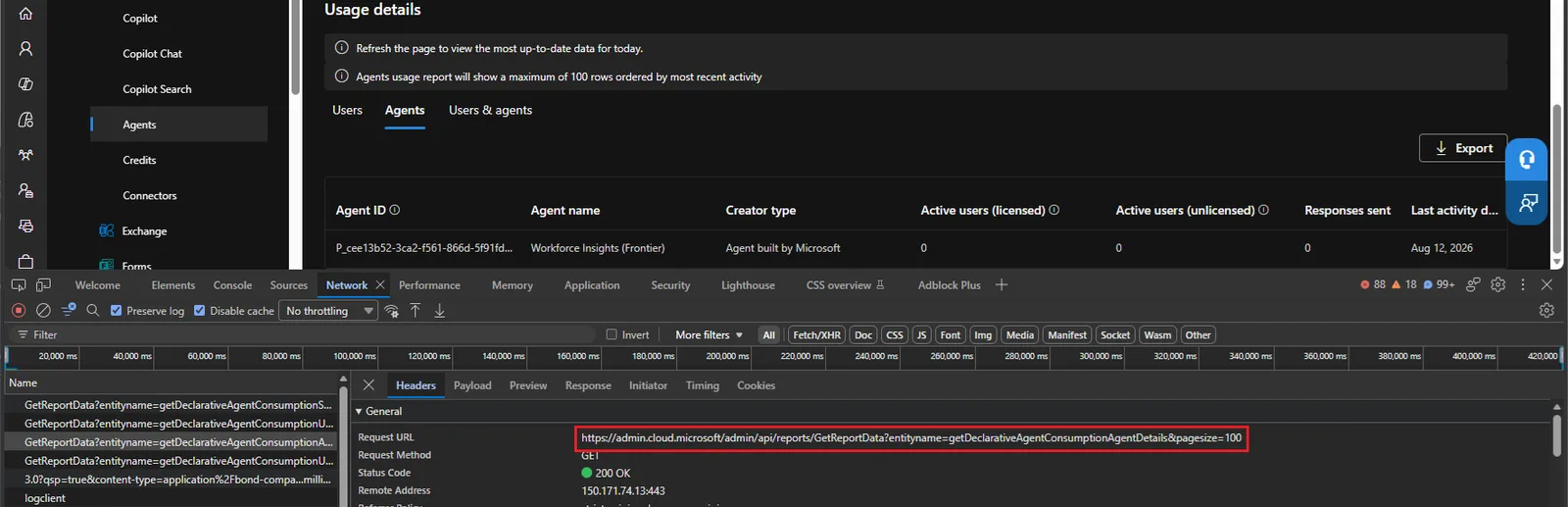
The impact concerns exclusively integrations that call reports.office.com directly — notably via custom queries to datasets not exposed by Graph.
Authentication: The Resource Hasn't Changed Yet
First pitfall to avoid: the OAuth resource value used to obtain a token remains https://reports.office.com/.default. Attempting to replace it with https://usage-reports.core.microsoft immediately causes an AADSTS500011 error:
1AADSTS500011: The resource principal named https://usage-reports.core.microsoft was not found in the tenant named xxxxxxxx-xxxx-xxxx-xxxx-xxxxxxxxxxxx.Microsoft has not specified if and when this value will be updated. In the meantime, the authentication block remains identical. The example below uses the built-in application Microsoft PowerQuery For Excel (a672d62c-fc7b-4e81-a576-e60dc46e951d) and the MSAL library to obtain an interactive token:
1$appId = "a672d62c-fc7b-4e81-a576-e60dc46e951d" #Built-in application "Microsoft PowerQuery For Excel"2$tenantId = "xxxxxxxx-xxxx-xxxx-xxxx-xxxxxxxxxxxx"3$redirectURI = "https://preview.powerbi.com/views/oauthredirect.html"4 5# Load MSAL binaries6Add-Type -Path "C:\Program Files\WindowsPowerShell\Modules\MSAL\Microsoft.Identity.Client.dll"7 8# Acquire a token for the https://reports.office.com resource (unchanged value)9$app2 = [Microsoft.Identity.Client.PublicClientApplicationBuilder]::Create("a672d62c-fc7b-4e81-a576-e60dc46e951d").WithRedirectUri($redirectURI).WithTenantId($tenantId).WithBroker().Build()10$Scopes = New-Object System.Collections.Generic.List[string]11$Scope = "https://reports.office.com/.default"12$Scopes.Add($Scope)13$token = $app2.AcquireTokenInteractive($Scopes).ExecuteAsync().Result14 15# Build authorization header16$authHeader1 = @{17 'Authorization'="Bearer $($token.AccessToken)"18}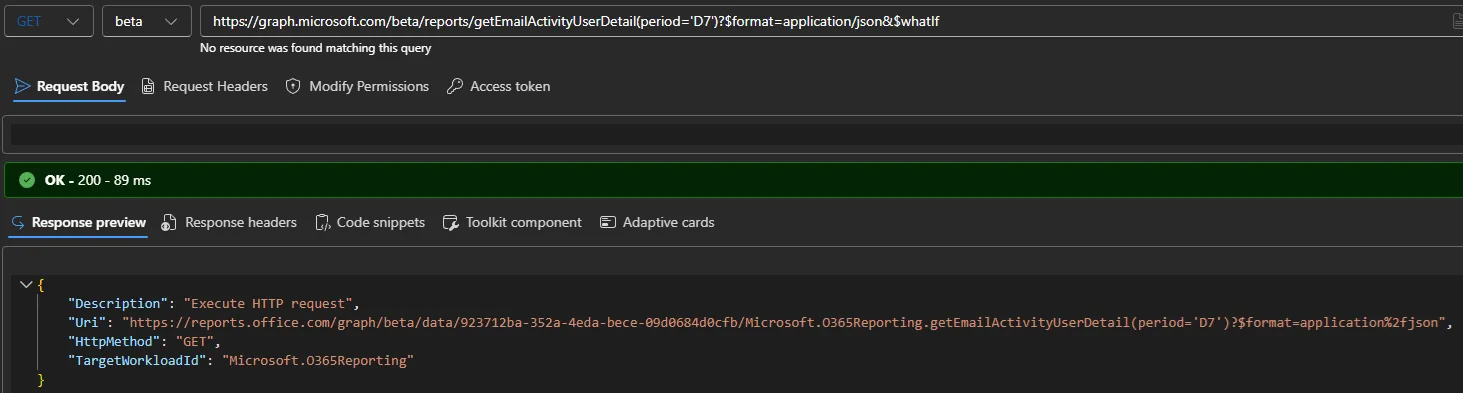
Calls to New Endpoints: Concrete Examples
Once the token is obtained, the new endpoints can be queried directly. Three representative examples below.
Teams Application Usage
1# Teams application usage report (worldwide endpoint)2$res = Invoke-RestMethod -Uri "https://usage-reports.core.microsoft/internal/ux/getTeamsAppUsageDetail?pageSize=200&tenantId=xxxxxxxx-xxxx-xxxx-xxxx-xxxxxxxxxxxx&Aggregate=M180" -Headers $authHeader13 4$res.value | ft appName, publisher,5 @{n="Last Activity"; e={$_.lad}},6 @{n="Number of Users"; e={$_.details.userUsingApp}},7 @{n="Number of Teams"; e={$_.details.teamUsingApp}}Planner Activity by User
1# Planner activity detail with 180-day aggregation2$res = Invoke-RestMethod -Uri 'https://usage-reports.core.microsoft/internal/ux/getPlannerActivityUserDetail?tenantId=xxxxxxxx-xxxx-xxxx-xxxx-xxxxxxxxxxxx&Aggregate=M180' -Headers $authHeader13 4$res.value | ft userPrincipalName,5 @{n="Last Activity"; e={$_.userActivityByPeriod.plannerLastActivityDate}},6 @{n="Active Days"; e={$_.userActivityByPeriod.plannerActiveUsageDays}}Outlook for Windows Adoption (Classic vs New)
1# Daily tracking of Outlook for Windows users over 30 days2$res = Invoke-RestMethod -Uri 'https://usage-reports.core.microsoft/internal/ux/getOutlookWindowsUserCounts?tenantId=xxxxxxxx-xxxx-xxxx-xxxx-xxxxxxxxxxxx&Aggregate=M30' -Headers $authHeader13 4# The response distinguishes outlookWindowsClassic and outlookWindowsNew5$res.value.outlookWindowsUserCountsByDate | ftThis last dataset is particularly useful for organizations managing the migration to New Outlook for Windows: it allows you to track coexistence between the classic and new versions on a daily basis.
Point of Caution: Regional Host Values Not Yet Migrated
The /private/intraTenantConfig/host endpoint — which returns the regional host assigned to the tenant — still returns values on the old OFFICE.COM domain, whether the request goes through reports.office.com or usage-reports.core.microsoft. Example:
1# Both requests still return https://REPORTSWEU.OFFICE.COM2$res = Invoke-RestMethod -Uri "https://usage-reports.core.microsoft/private/intraTenantConfig/host?tenantid=xxxxxxxx-xxxx-xxxx-xxxx-xxxxxxxxxxxx" -Headers $authHeader13$res.host4# Result: https://REPORTSWEU.OFFICE.COMPractical Recommendation
Pending complete migration of regional values, use global endpoints (usage-reports.core.microsoft for the commercial cloud) rather than the regional hosts returned by the configuration API.
229 Available Datasets: What You Need to Know
The datamart now exposes 229 endpoints, compared to 160 at the last inventory published on michev.info. The 69 additions mainly cover:
- Copilot and Agents:
getCopilotActivityUserDetailV4,getDeclarativeAgentConsumptionSummary,getAgent365OverviewMetricsData,getMessageConsumptionSummary, and their variants broken down by agent, user, and period. - Teams Queues:
getTeamsQueuesAppActiveUserCounts,getTeamsQueuesAppUserDetail. - Planner:
getPlannerActivityUserDetail,getPlannerAdoptionByDate. - Outlook for Windows:
getOutlookWindowsUserCounts— previously accessible only via the Exchange Admin Center. - M365 Search:
getTenantSearchMetric,getUserSearchMetric. - ProPlus V2:
getProPlusUsagePlatformsUserCountsV2,getProPlusUsageUserDetailV2. - Visio, Viva Goals, Forms Pro: multiple new datasets covering premium activity and platform distribution.
Copilot Datasets Not Exposed by Graph
The majority of Copilot and Agents datasets listed above do not yet have an equivalent in the Microsoft Graph API. The datamart therefore remains the only programmatic way to access them for now.
The example below queries the global metrics for Agent 365 — a dataset absent from Graph:
1# Overview of active agents over the last 30 days2$res = Invoke-RestMethod -Uri 'https://reportsweu.office.com/internal/ux/getAgent365OverviewMetricsData?pageSize=200&tenantId=xxxxxxxx-xxxx-xxxx-xxxx-xxxxxxxxxxxx' -Headers $authHeader13$res.value | select Total*, Top*Key Takeaways
Here's what matters for your planning:
- No urgent action: old
reports.office.comendpoints continue to work. Redirection will precede any deprecation. - Graph calls are not affected: only direct integrations on
reports.office.comare concerned. - OAuth resource remains unchanged: always use
https://reports.office.com/.defaultfor token acquisition. - New endpoints available now:
usage-reports.core.microsoftalready responds and can be tested without risk. - Regional hosts not yet migrated: prefer global endpoints in the meantime.
- 69 new datasets including Copilot, Agents, and Teams Queues metrics absent from Microsoft Graph.
If your organization uses Power BI dashboards, PowerShell scripts, or Logic Apps flows that directly call reports.office.com, start planning the URL update now. Reference message center MC1459136 to track the progress of this change.