
An expected alignment between Business and Enterprise plans
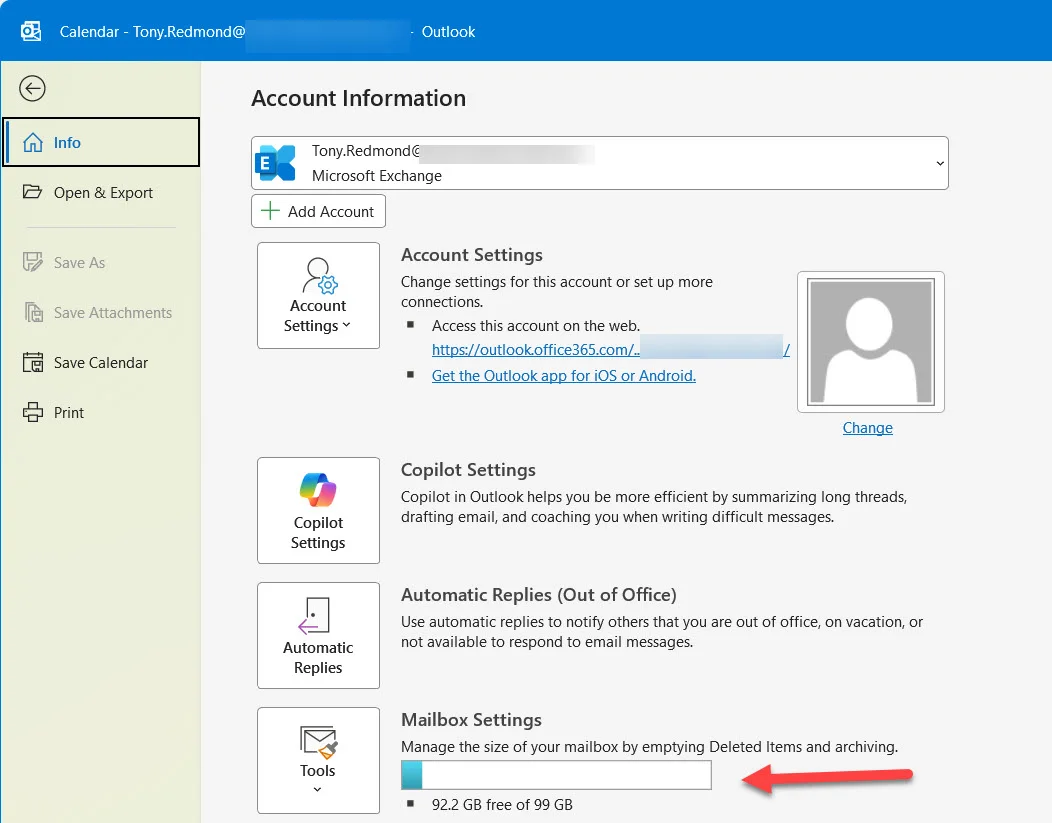
Since August 19, 2026, Microsoft is officially deploying the increase from 50 GB to 100 GB for primary mailboxes Exchange Online attached to Microsoft 365 Business Basic, Microsoft 365 Business Standard, and Microsoft 365 Business Premium licenses. This change was mentioned in February 2026 in a pricing and packaging announcement, before being detailed technically in a Tech Community post published the week of August 19.
Concretely, Microsoft 365 Business tenants are joining the quota level already offered to enterprise tenants such as Office 365 E3 since the launch of Office 365 in 2011. A historical difference between the two license families thus disappears, fourteen years after its creation.
Technical mechanism
The increase relies on a new service plan named EXCHANGE_STORAGE_50GB, injected into the three Business licenses in question. As soon as Exchange Online detects this service plan on a user license, it adds 50 GB to the existing quota.
How the new quota applies to existing mailboxes
The activation mechanism deserves to be understood before searching for a problem that doesn't exist:
- The addition of the extra 50 GB only applies to mailboxes that have retained the default 50 GB quota.
- If an administrator has already manually modified a mailbox quota in the past, Exchange Online preserves the custom value in place — no automatic override.
- New mailboxes created for a Business license holder receive the 100 GB quota directly, without an intermediate step.
- The standalone Exchange Online Plan 1 license remains unchanged at 50 GB — this change does not concern standalone Exchange licenses.
- In case of license stacking (multiple licenses each containing an Exchange service plan on the same account), the maximum quota remains capped at 100 GB, with no additional cumulation.
What doesn't change
Only the primary mailbox quota evolves. Archiving capabilities remain identical: automatic archiving with continuous expansion continues to support up to 1.5 TB of storage, with no link to this announcement.
Why Microsoft is extending this quota to Business tenants now
The justification is not obvious at first glance. A Microsoft 365 Business tenant is capped at 300 accounts by definition — the volume of internal emails generated there is structurally lower than in an enterprise environment. Several reasonable hypotheses emerge:
- Simplification of Exchange Online storage entitlements across all commercial plans, by eliminating a historical gap between Business and Enterprise.
- The persistence of email as the primary flow despite the rise of Teams, fueled in particular by summaries generated by Copilot, Loop components, and increasingly voluminous attachments.
- A practice of mailbox cleanup that has become virtually non-existent: users let email accumulate and rely on search rather than manual archiving, with purging remaining the responsibility of Microsoft 365 retention policies.
The risk of digital debris amplified by AI
Before the arrival of generative AI tools, accumulating old data in generous quotas had limited cost. This is no longer the case. OneDrive for Business has become the default repository for a wide range of Microsoft 365 content, and SharePoint Online is experiencing the same accumulation phenomenon. Result: a significant amount of obsolete content — "digital debris" — accumulates in storage associated with accounts.
This debris poses two distinct problems:
- It complicates content management when an employee leaves.
- It constitutes a source of misleading information for tools like Microsoft 365 Copilot, which can rely on it to generate responses.
Microsoft has already responded on the files side, with an intermediate step to switch to Microsoft 365 Archive for Purview labels and retention policies, and with the application of Restricted Content Discovery (RCD) on sites containing a lot of old information.
Blind spot on the email side
There is currently no equivalent mechanism to prevent Copilot from processing obsolete or misleading emails. If the message is accessible in the mailbox, Copilot can use it to respond to a user prompt.
A DLP (Data Loss Prevention) policy comparable to the one that already blocks Copilot's use of external emails would be relevant for internal email — with, ideally, an option to exclude messages prior to a given date.
100 GB mailbox: a real need or a marketing argument?
The practical utility of a 100 GB quota for the average user remains debatable. Some administrators find that their own mailboxes have never exceeded 10 GB over more than a decade of use, thanks to regular deletion discipline. Other profiles, conversely, easily saturate a 100 GB quota — the variance between users remains considerable.
Archive mailbox: the real limit of Business plans
The availability of archive mailboxes remains more restrictive than the primary quota:
| Plan | Primary mailbox | Archive mailbox included |
|---|---|---|
| Microsoft 365 Business Basic | 100 GB | No — Exchange Online Archiving add-on required |
| Microsoft 365 Business Standard | 100 GB | No — Exchange Online Archiving add-on required |
| Microsoft 365 Business Premium | 100 GB | Yes |
| Exchange Online Plan 1 (standalone) | 50 GB | No |
Generalizing archiving to all Business plans would probably have more practical value than increasing the primary quota. But the storage commitment would be much heavier for Microsoft: automatic expansion archiving can climb up to 1.5 TB, compared to an additional 50 GB on the primary mailbox — a delta that many users will never consume anyway.
Key takeaways
- The quota for primary mailboxes Microsoft 365 Business Basic, Standard, and Premium increases from 50 GB to 100 GB via the EXCHANGE_STORAGE_50GB service plan.
- The increase only applies to mailboxes that have retained the default quota; custom quotas remain unchanged.
- Standalone Exchange Online Plan 1 is not affected and remains at 50 GB.
- Archiving remains limited to Business Premium by default; other plans require the Exchange Online Archiving add-on.
- This quota extension reinforces the need for active email content governance, particularly with respect to Microsoft 365 Copilot, in the absence of a restriction mechanism equivalent to RCD for internal email.
Before communicating this change internally, verify in the Microsoft 365 admin center the actual state of your existing mailbox quotas: the switch to 100 GB is not systematic if a custom quota has already been applied.