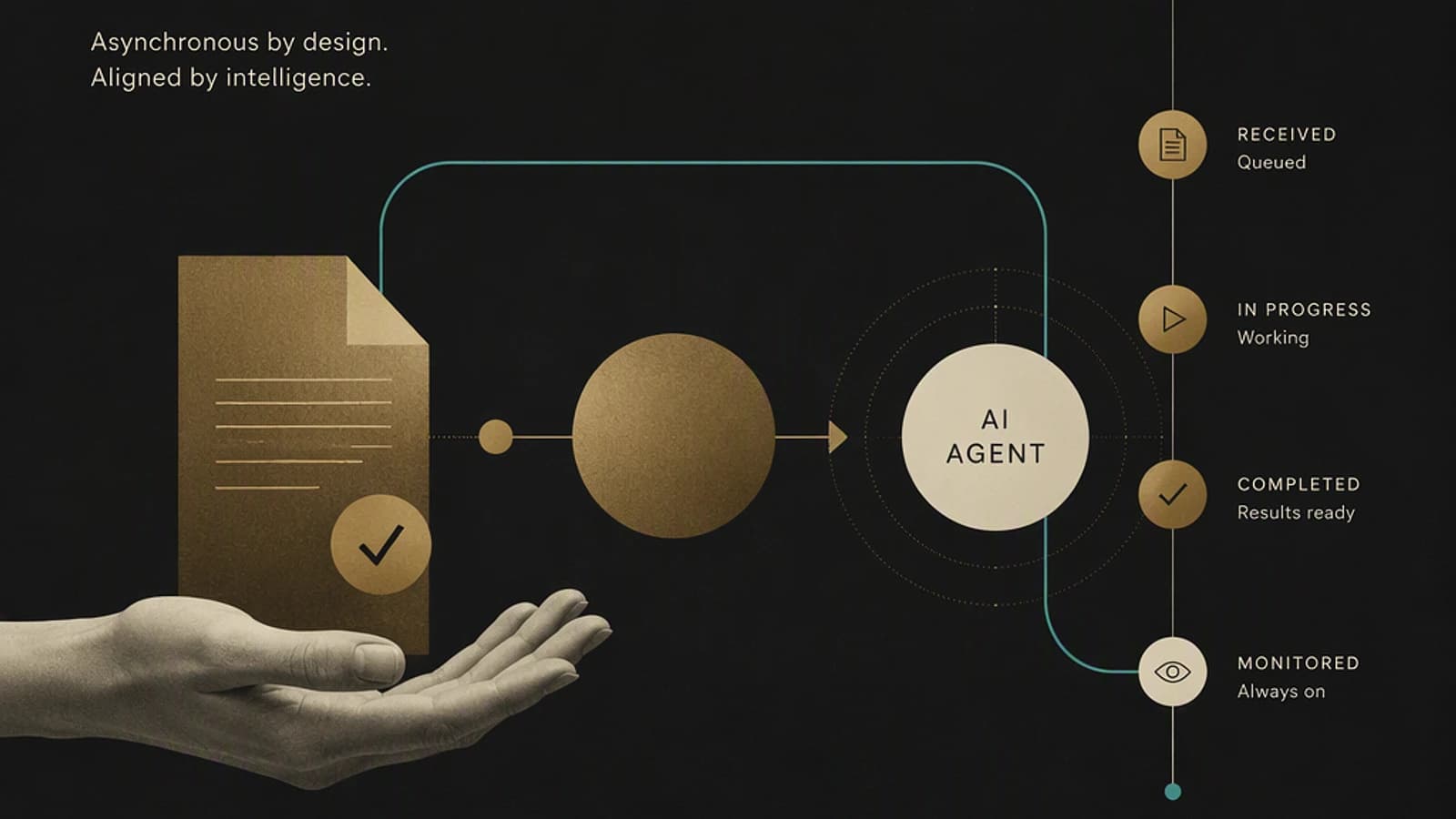
Cowork, a Copilot agent designed for asynchronous work
Copilot Cowork is the latest agent in the Microsoft 365 Copilot family, included with the standard Copilot license. It joins Researcher and Analyst, two older agents more focused on advanced reasoning, often described as the "elder brothers" in the ecosystem.
Its specialty: handling tasks while the user is away. The principle shifts the paradigm compared to Copilot Chat. It's no longer about having a direct dialogue with an AI, but rather entrusting it with a structured work plan, then letting it operate alone while the user does something else — attending a meeting, working on another task, or taking a break.
In the Microsoft 365 Copilot interface, a dedicated Cowork button opens a different experience from traditional chat. The agent communicates with the user using an execution logic ("is there anything left to finish?") rather than conversational assistance logic.
Good to know
Cowork is not an improved chatbot. It's an agent capable of working for several hours on a single request, using skills and knowledge sources that it documents in real-time in a dedicated panel.
Cowork vs. Copilot Chat: a different work logic
With Copilot Chat, interaction remains synchronous. The user can request sending an email or creating an event, but the action happens immediately, under direct control, and the agent monitors nothing continuously once the conversation ends.
Cowork works differently. A concrete scenario illustrated by a Microsoft 365 MVP: asking Cowork to monitor Teams and email messages from a specific contact, then automatically schedule an appointment when a message on a given topic is received. The agent asks clarification questions (which channel to monitor, how to handle the appointment upon message receipt) before executing the rule in the background.
This shift toward autonomous execution introduces a trust curve. Like with a new colleague, delegation starts with simple tasks before expanding to more complex scenarios, depending on each person's comfort level with generative AI.
Real use cases: what Cowork can actually handle
Reported uses range from automatic email sorting to complete document production:
- Sorting and classifying the mailbox based on sender or subject, executed in the background, without a data flow-type interface.
- Triggering conditional actions: scheduling an appointment upon receipt of a specific message, on Teams or via email.
- Automatic responses to recurring questions whose answers already exist in existing documentation (Microsoft Learn was cited as an example by a Microsoft manager internally).
- Production of complete deliverables: drafting a document based on a plan prepared in advance with Copilot Chat.
In all cases, the principle remains the same: structure the need during available time, then let Cowork execute while attention is directed elsewhere.
Available AI models and governance implications
At launch, Cowork required activation of Anthropic models. This prerequisite slowed down many European customers: even though Anthropic commits to respecting Microsoft's terms and conditions, data processing transited through North American-based infrastructure, whereas European tenants typically host their data in Europe.
This constraint has evolved. Cowork can now rely on GPT models, with a distinction between standard available models and preview models, the latter being subject to different usage conditions.
| Agent | Mode of collaboration | Billing / quota | Typical use case |
|---|---|---|---|
| Copilot Chat (M365 Copilot) | Synchronous, interactive | Included in M365 Copilot license | Direct writing in Word, Excel, PowerPoint |
| Researcher / Analyst | Advanced reasoning, deferred response | 25 prompts per month per user | In-depth analysis, complex research |
| Cowork | Asynchronous, task delegation | Prompt-based billing, credit consumption | Long tasks, automation, delegated document production |
The choice of the model family activated constitutes a first governance lever for administrators, before even considering data control.
Over-sharing, Purview and data control: existing safeguards
Cowork does not currently have fine-grained governance allowing specific actions to be prohibited for the agent. However, several levers exist upstream, at the Microsoft 365 ecosystem level:
- Data labeling via Microsoft Purview, which conditions what the agent can handle.
- Strict respect for user permissions: Cowork never has access to data that the user couldn't consult themselves. This principle limits the risk of over-sharing, an issue identified as a distinctive strength of the Microsoft ecosystem compared to other AI platforms.
- Control of the scope of custom skills when Cowork connects to data or tools outside Microsoft 365, for example a business CRM.
Caution
By default, Cowork operates within the Microsoft 365 Copilot scope. Extending its access to external business solutions is an explicit governance choice, to be evaluated based on the organization's AI maturity.
Document production: Word, PowerPoint, HTML and custom skills
Cowork is not limited to task scheduling. It produces complete deliverables: Word documents, Excel workbooks, PowerPoint presentations respecting the company's visual identity, but also less expected formats — generated images, interactive HTML pages, and PDF files.
The interactive HTML report was cited as a quick alternative to a standard Excel file for visualizing data during a one-off workshop, without aiming for a continuous reporting solution like Power BI.
Another notable capability: creating custom skills. In a concrete example, a user asked Cowork to transform an existing PowerPoint generation skill into an enriched version with their personal formatting preferences, based on modifications made manually to a previous deliverable. The agent generated the new skill and independently produced an HTML evaluation report of its quality.
Tip
Documents produced by Cowork are stored in OneDrive, in a shared folder that functions as a collaborative space. It's possible to make modifications or add comments directly, then ask the agent to take them into account, without going back to the conversation thread.
The real issue: the true cost of using Cowork
The central question asked by users is not the quality of deliverables, but the real usage cost. During its preview phase, Cowork was accessible without identified quota or billing on Microsoft's side — however, intensive use eventually hit technical limitations specific to this testing period.
The shift to billing changed things: each prompt sent to Cowork consumes credits, and the cost climbs quickly with repeated iterations on the same conversation. A cited example: approximately €400 consumed in two days for skill development related to custom artificial intelligence projects — a usage explicitly discouraged by the expert interviewed, precisely because of its cost.
Important
The most common pitfall is endlessly iterating with Cowork to refine a result. The longer the conversation, the higher the billing. Preparing the work plan in advance with Copilot Chat limits the number of iterations needed on Cowork's side.
Copilot Chat or Cowork? The right task distribution
Cowork's growth also revealed a misused scenario: many users resort to it for tasks that Copilot Chat already handles correctly, such as drafting a simple PowerPoint presentation. Between January and June, Copilot underwent over 80 major updates, but some users, burned by earlier versions of the product, switched to Cowork without returning to test Copilot Chat.
The practical rule that emerges:
- Copilot Chat for synchronous work, on a dedicated time slot, with direct interaction (direct writing in PowerPoint, Word, Excel).
- Cowork for pure delegation, when availability is lacking: preparing a business response urgently on a Friday evening, recurring automatic sorting, production of a complete deliverable from an already structured brief.
Cowork is not a substitute for Copilot 365: it's an additional virtual colleague, to mobilize for what can truly be outsourced.
Key points to remember
- Cowork is an asynchronous delegation agent included in the Microsoft 365 Copilot license, distinct from Copilot Chat and Researcher/Analyst.
- It initially required Anthropic models; extension to GPT models (standard and preview) broadens options but complicates governance of applicable terms of service.
- Over-sharing remains managed through strict respect for user permissions and Purview labeling, but no fine-grained governance of authorized actions exists yet.
- Per-prompt billing imposes discipline: preparing the plan with Copilot Chat before delegating execution to Cowork limits costs.
- Cowork excels at long tasks and conditional automation; Copilot Chat remains relevant for daily synchronous work.
To go further on the distribution of uses between Copilot agents, the detailed comparison between Copilot Chat, Researcher, and Analyst deserves regular monitoring on the official Microsoft 365 Copilot documentation.