Introduction
The Microsoft Exchange Online ecosystem uses different identifier types depending on the usage context, creating a true labyrinth for system administrators. With the deprecation of Exchange Web Services (EWS) and the transition to Microsoft Graph API, conversion between these formats becomes crucial for maintaining continuity in administrative operations.
This article details the mechanisms for converting Exchange folder identifiers, from storeId values obtained via PowerShell to the RestId used by Graph API, including formats required for eDiscovery and MAPI.
Technical Context
We focus here on folder identifiers in an Exchange administration context, where PowerShell is the primary intervention tool.
Architecture of Exchange Online Identifiers
Identifier Types and Use Cases
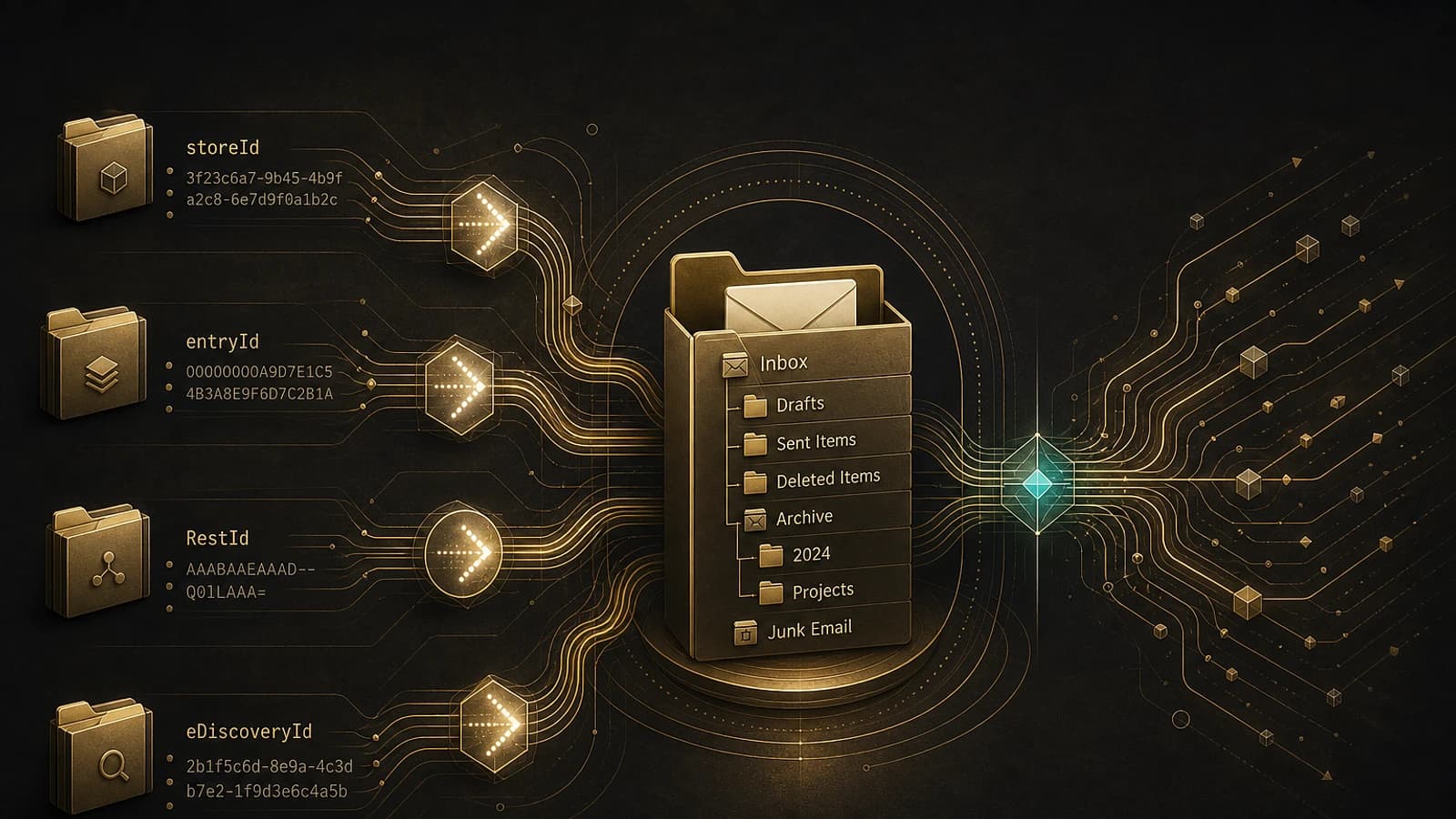
Microsoft Exchange Online implements multiple identifier formats depending on APIs and services:
- storeId: Native PowerShell format (Get-ExOMailboxFolderStatistics)
- entryId: MAPI format for traditional clients
- RestId: Microsoft Graph API format ("Outlook" APIs)
- eDiscoveryId: Specialized format for targeted searches
| Identifier Type | Source | Primary Usage | Format |
|---|---|---|---|
| storeId | PowerShell Exchange | Administration | Standard Base64 |
| entryId | MAPI/EWS | Traditional clients | Modified Base64 |
| RestId | Graph API | Modern applications | URL-safe Base64 |
| eDiscoveryId | Compliance Center | Legal searches | Hexadecimal |
Extraction of Source Identifiers
Retrieving storeId via PowerShell
The Get-ExOMailboxFolderStatistics cmdlet is the starting point for extracting folder metadata:
1# Retrieval of storeId for a specific folder2Get-ExOMailboxFolderStatistics vasil | Where-Object {$_.Name -eq "Xbox"} | Select-Object Name,FolderId3 4# Expected output:5# Name FolderId6# ---- --------7# Xbox LgAAAAChKSJAhlnUTIHtKSso30ThAQBIPfDMxyP/RYhY8M8xmAPVAAS8XYoAAAABAlternative PowerShell Approaches
Other cmdlets provide similar data:
1# Via Exchange Management Shell (on-premises)2Get-MailboxFolderStatistics -Identity "user@domain.com"3 4# Via alternative cmdlet5Get-MailboxFolder -Identity "user@domain.com" -RecurseConversion for eDiscovery (Targeted Collections)
Transformation from storeId to eDiscoveryId
eDiscovery targeted searches require specific storeId format conversion:
1function ConvertTo-EDiscoveryId {2 param(3 [Parameter(Mandatory=$true)]4 [string]$StoreId5 )6 7 # Base64 decoding of storeId8 $folderId = [Convert]::FromBase64String($StoreId)9 10 # ASCII encoding initialization11 $encoding = [System.Text.Encoding]::GetEncoding("us-ascii")12 $nibbler = $encoding.GetBytes("0123456789ABCDEF")13 14 # Output buffer allocation (48 bytes)15 $indexIdBytes = New-Object byte[] 4816 $indexIdIdx = 017 18 # Extraction and conversion of bytes 23-47 (24 bytes)19 $folderId | Select-Object -Skip 23 -First 24 | ForEach-Object { 20 $indexIdBytes[$indexIdIdx++] = $nibbler[$_ -shr 4]21 $indexIdBytes[$indexIdIdx++] = $nibbler[$_ -band 0x0F]22 }23 24 # Return hexadecimal string25 return $encoding.GetString($indexIdBytes)26}27 28# Usage example29$storeId = "LgAAAAChKSJAhlnUTIHtKSso30ThAQBIPfDMxyP/RYhY8M8xmAPVAAS8XYoAAAAB"30$eDiscoveryId = ConvertTo-EDiscoveryId -StoreId $storeId31# Result: 483DF0CCC723FF458858F0CF319803D50004BC5D8A000000KeyQL Usage
The eDiscovery identifier can be used with the folderId keyword in KeyQL queries to target specific folders during compliance searches.
Targeted eDiscovery Query
Once the identifier is converted, integrate it into your Content Search queries:
1# Create a targeted search2New-ComplianceSearch -Name "Xbox-Folder-Search" `3 -ExchangeLocation "user@domain.com" `4 -ContentMatchQuery "folderId:483DF0CCC723FF458858F0CF319803D50004BC5D8A000000"Conversion for Microsoft Graph API
Transformation from storeId to entryId
The translateExchangeIds method of Graph API does not directly support storeId. An intermediate conversion to entryId is necessary:
1function ConvertTo-EntryId {2 param(3 [Parameter(Mandatory=$true)]4 [string]$StoreId5 )6 7 # Base64 decoding to byte array8 $folderIdBytes = [Convert]::FromBase64String($StoreId)9 10 # Conversion to hexadecimal string without separators11 $folderIdHexString = [System.BitConverter]::ToString($folderIdBytes).Replace('-','')12 $folderIdHexStringLength = $folderIdHexString.Length13 14 # EntryId extraction (removing first and last byte)15 $entryIdHexString = $folderIdHexString.SubString(2,($folderIdHexStringLength-4))16 17 # Reconversion to byte array18 $entryIdBytes = [byte[]]::new($entryIdHexString.Length / 2)19 20 for($i=0; $i -lt $entryIdHexString.Length; $i+=2) {21 $entryIdTwoChars = $entryIdHexString.Substring($i, 2)22 $entryIdBytes[$i/2] = [convert]::ToByte($entryIdTwoChars, 16)23 }24 25 # Base64 encoding with URL-safe modifications26 $entryIdBase64 = [Convert]::ToBase64String($entryIdBytes)27 28 # Count padding characters29 $equalCharCount = $entryIdBase64.Length - $entryIdBase64.Replace('=','').Length30 31 # Final URL-safe format with padding counter32 $entryId = $entryIdBase64.TrimEnd('=').Replace('/','_').Replace('+','-')+$equalCharCount33 34 return $entryId35}Using translateExchangeIds
Once the entryId is obtained, use the Graph API for final conversion:
1# Prepare Graph request2$translateRequest = @{3 inputIds = @($entryId)4 sourceIdType = "entryId"5 targetIdType = "restId"6}7 8# Call Graph API9$result = Invoke-MgGraphRequest -Method POST `10 -Uri "https://graph.microsoft.com/v1.0/me/translateExchangeIds" `11 -Body ($translateRequest | ConvertTo-Json)12 13# Extract RestId14$restId = $result.value[0].targetIdAPI Limitations
The translateExchangeIds method does not support immutableEntryId and restImmutableEntryId formats for folders. These limitations affect certain integration scenarios.
Complete Automation Script
Script Features
The Mailbox_Folder_IDs.ps1 script automates the entire conversion process:
Connection to Services
The script establishes necessary connections to Exchange Online and Microsoft Graph with verification of required permissions:
1# Required Graph permissions2# - User.ReadBasic.All (mandatory)3# - Mail.ReadBasic.Shared (optional for delegation)Metadata Extraction
Retrieval of all folders via Get-ExOMailboxFolderStatistics with option to include non-IPM folders:
1# User folders only2.\Mailbox_Folder_IDs.ps1 -Mailbox user@domain.com3 4# Include system folders (non-IPM)5.\Mailbox_Folder_IDs.ps1 -Mailbox user@domain.com -IncludeNonIPMBatch Conversion
The script processes translateExchangeIds conversions in batches of 1000 identifiers to optimize performance and respect API limits.
Report Generation
Production of CSV and HTML files containing all identifiers with interactive features for Graph Explorer and OWA.
Script Parameters
1# Usage with SMTP address (recommended for OWA)2.\Mailbox_Folder_IDs.ps1 -Mailbox user@domain.com3 4# Usage with ExternalDirectoryObjectId GUID5.\Mailbox_Folder_IDs.ps1 -Mailbox 4ebd5057-4d61-4ca0-beb7-df3f1ebd1aa76 7# Complete processing including system folders8.\Mailbox_Folder_IDs.ps1 -Mailbox user@domain.com -IncludeNonIPMPerformance Considerations
The -IncludeNonIPM option can process several thousand system folders. Use this option only when absolutely necessary.
Structure of Generated Reports
CSV Format
The CSV file contains the following columns:
- Name: Folder name
- FolderType: Exchange folder type
- Identity: Complete folder path
- FolderId: Original storeId value
- eDiscoveryId: Identifier for targeted searches
- EntryId: MAPI identifier
- RestId: Graph API identifier
- OWAId: Outlook Web App identifier
Interactive HTML Interface
The HTML report includes:
- Sortable table with all identifiers
- Graph Explorer button: Launches a Graph API query directly
- OWA button: Direct navigation to folder (user folders only)
OWA Limitations
OWA links work only for user mail folders and require the primary SMTP address to be used as input parameter.
Architectural Considerations
Permission Management
The script currently supports delegated permissions only. For production deployment, consider:
- Application permissions for automated processing
- Certificate-based authentication for services
- Managed Identity in Azure environments
Possible Optimizations
1# Caching authentication tokens2$graphSession = @{3 TenantId = "your-tenant-id"4 ClientId = "your-app-id"5 CacheTokens = $true6}7 8# Parallel processing for large volumes9$folders | ForEach-Object -Parallel {10 # Conversion logic11} -ThrottleLimit 5Advanced Use Cases
Integration with Azure Automation
1# Configuration for Azure Automation Runbook2param(3 [Parameter(Mandatory=$true)]4 [string]$TargetMailbox,5 6 [Parameter(Mandatory=$false)]7 [switch]$IncludeSystemFolders8)9 10# Authentication via Managed Identity11Connect-MgGraph -Identity12Connect-ExchangeOnline -ManagedIdentityMonitoring and Logging
1# Implementation of structured logging2$logEntry = @{3 Timestamp = Get-Date -Format "yyyy-MM-ddTHH:mm:ss.fffZ"4 Operation = "FolderIdConversion"5 Mailbox = $TargetMailbox6 FoldersProcessed = $folders.Count7 ConversionErrors = $errors.Count8}9 10$logEntry | ConvertTo-Json | Out-File -Append "conversion-log.json"Conclusion
The conversion of identifiers between different Exchange systems represents a complex but manageable technical challenge with the right tools. This guide provides a solid foundation for automating these conversions in your production environments.
The transition to Microsoft Graph API requires careful planning, particularly for organizations dependent on traditional PowerShell tools. Automating these conversion processes becomes crucial for maintaining operational continuity.