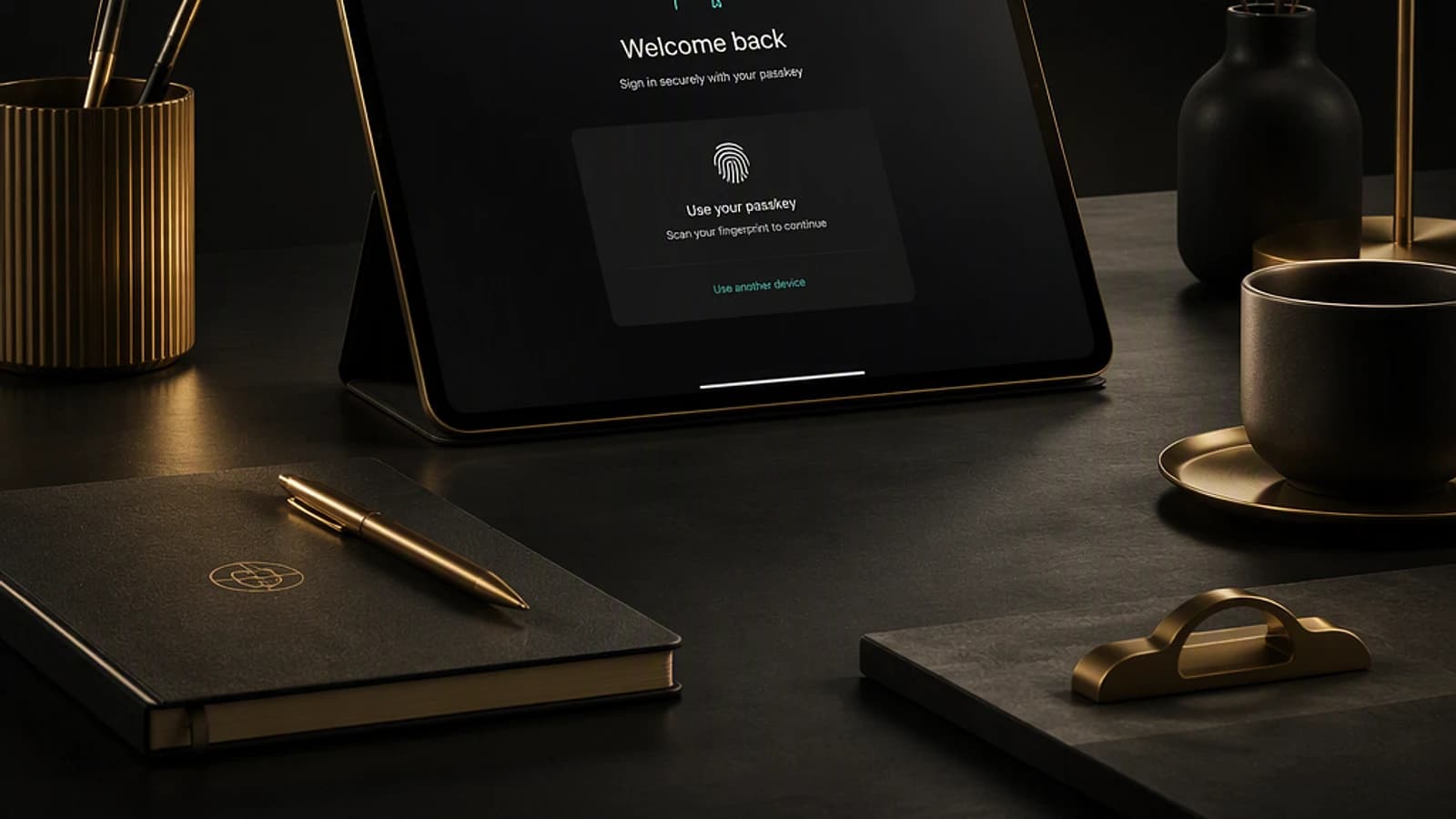
What's changing in Microsoft 365 in July 2026
This month, Microsoft is rolling out several major announcements: switching passkeys to the default authentication method in Microsoft Entra, phasing out Microsoft-provided SMS/voice services, overhauling Windows device synchronization in Microsoft Intune, and a wave of new Copilot capabilities across Excel, PowerPoint, Outlook, and Planner. Here's what matters, organized by product, with deployment dates and administrative impacts to anticipate.
How to read this
Microsoft deployment dates are communicated in waves ("rollout begins" then "expected to complete"). Always verify actual status in your tenant's Message Center before communicating timelines to users.
Microsoft Teams: Centralize recaps and secure generative AI
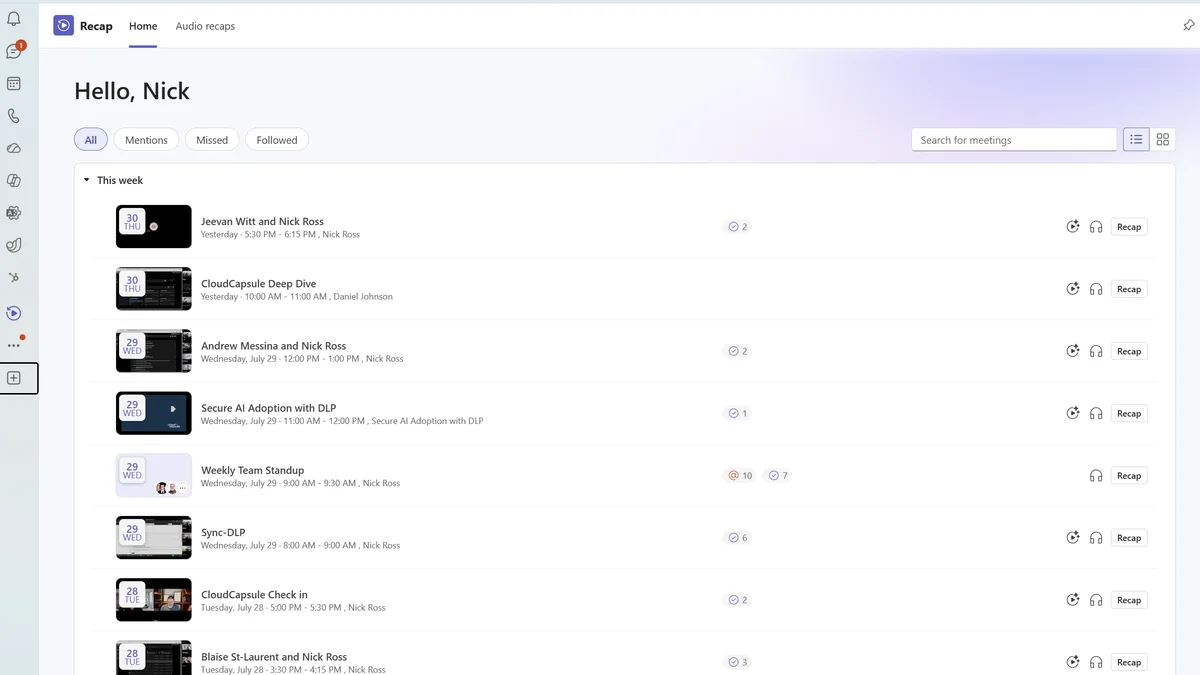
The Recap app becomes the single entry point for finding recordings, transcriptions, and AI-generated summaries after a meeting. The goal is clear: prevent users from navigating multiple tabs to reconstruct context from a missed meeting.
- Deployment: Early July 2026, complete early August 2026 (timeline pushed back from late July).
Another notable evolution: AI-generated meeting archive files. These archives feed Microsoft 365 Copilot and Facilitator with structured context, without retaining raw meeting content — an important point for compliance teams tracking sensitive data retention.
- Deployment: Mid-September 2026 (pushed back from late August), completion expected end of September 2026.
Official documentation on Teams meeting AI archiving
Microsoft 365 Apps: OneDrive and SharePoint strengthen control
Three changes directly target the workplace and document protection.
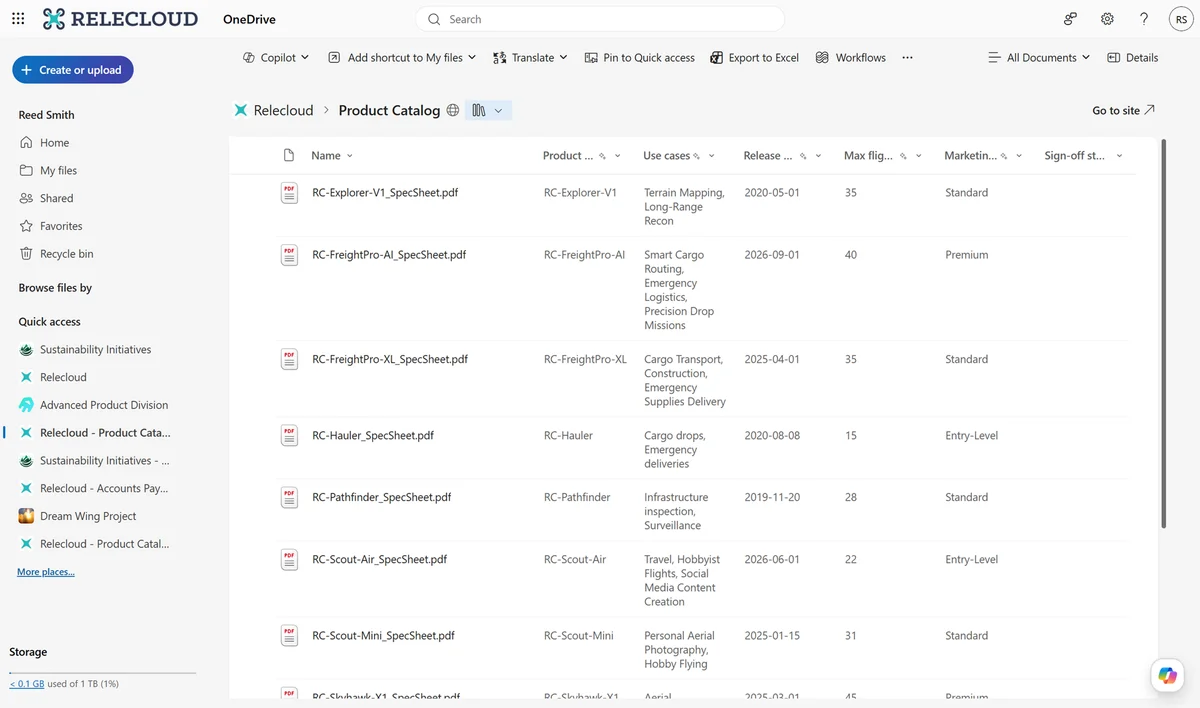
Exclude specific folders from OneDrive sync. Administrators can now exclude development-related folders (PowerShell modules, Visual Studio configuration, node_modules) to prevent them from unnecessarily uploading to the cloud. Deployment mid-August 2026, complete end of August 2026.
Restrict screenshot capture on labeled PDFs in Edge. The OneDrive and SharePoint PDF web viewer will now apply the "Do Not Allow Screen Capture" setting when the document carries a sensitivity label and is viewed via Microsoft Edge. Same deployment window, mid-August to end of August 2026.
Document library views in OneDrive for web. Users can access SharePoint views directly from the OneDrive interface without switching portals. Deployment mid-July 2026, complete end of July 2026.
Practical impact
For folder exclusion, anticipate updating the "Use OneDrive policies to control sync settings" documentation, announced for update before deployment.
Microsoft Intune: Clearer device synchronization
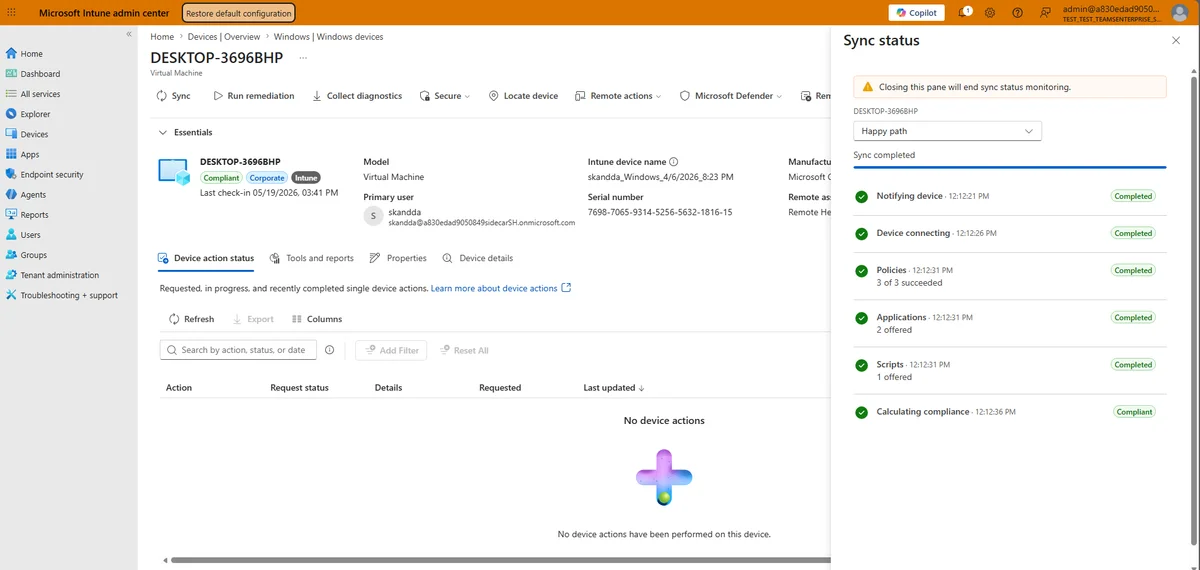
The per-device sync experience in the Intune admin center now displays real-time progress. In practice, a single sync action triggers both MDM (Mobile Device Management) check-in and Intune Management Extension check-in (Windows only), and retrieves policy, application, and script changes in a single pass.
For administrators who previously ran multiple manual syncs to ensure a policy was properly pushed, this change reduces the back-and-forth needed to diagnose a deployment issue.
- Deployment: July 2026.
Full article on the Microsoft Intune blog
Microsoft Entra: The big shift to passkeys
This is the month's most transformative change. Passkeys will become the default authentication method in Microsoft Entra, while Microsoft-provided SMS and voice shift to third-party providers configured through the Microsoft Security Store.
Timeline to remember
This transition spans several months and impacts all tenants using Microsoft SMS/voice as their MFA (multi-factor authentication) method.
| Deadline | What happens |
|---|---|
| September 1, 2026 | Progressive rollout begins; passkeys automatically enabled for users already on SMS/voice; Microsoft-Managed enrollment campaign targeting passkeys |
| September 18, 2026 | Window to evaluate telecom providers available via the Microsoft Security Store |
| October 30, 2026 | Customers wishing to keep SMS/voice must choose a third-party telecom provider |
| February 1, 2027 | Microsoft-provided SMS and voice retired; only customer-configured providers remain active |
During MFA enrollment, users will be prompted to create a passkey, with the option to defer the action ("skip").
Documentation on Microsoft SMS/voice retirement
Other passkey-related developments
- Enrollment optimization: Logic now guides users toward passkey types aligned with admin-configured profiles and prioritizes local device enrollment when policy allows. Deployment late August 2026.
- Authenticator restore on iOS: Clarified restore flow for users with iCloud Keychain backup. Android is not included in this release and will be supported later. Feature enabled by default, no admin configuration change required. Deployment August 2026.
- Passwordless password change via My Sign-Ins: Passwordless users can change their legacy password via a passkey or Windows Hello, without knowing the old password or going through self-service password reset (SSPR). Deployment late October 2026.
Retirement of custom CSS positioning properties
As part of custom sign-in page branding, Microsoft is retiring free-positioning CSS properties to prevent deceptive layouts that could facilitate phishing. Deployment October 2026, complete end of November 2026.
Tech Community announcement on Entra ID branding security
Microsoft Copilot: Expansion in Excel, PowerPoint, Outlook, and Planner
The pace of Copilot updates remains high this month, with concrete additions for business teams.
- Planner in Copilot Chat: Create, update, and query tasks and plans directly in natural language, without opening Planner. Deployment early September 2026.
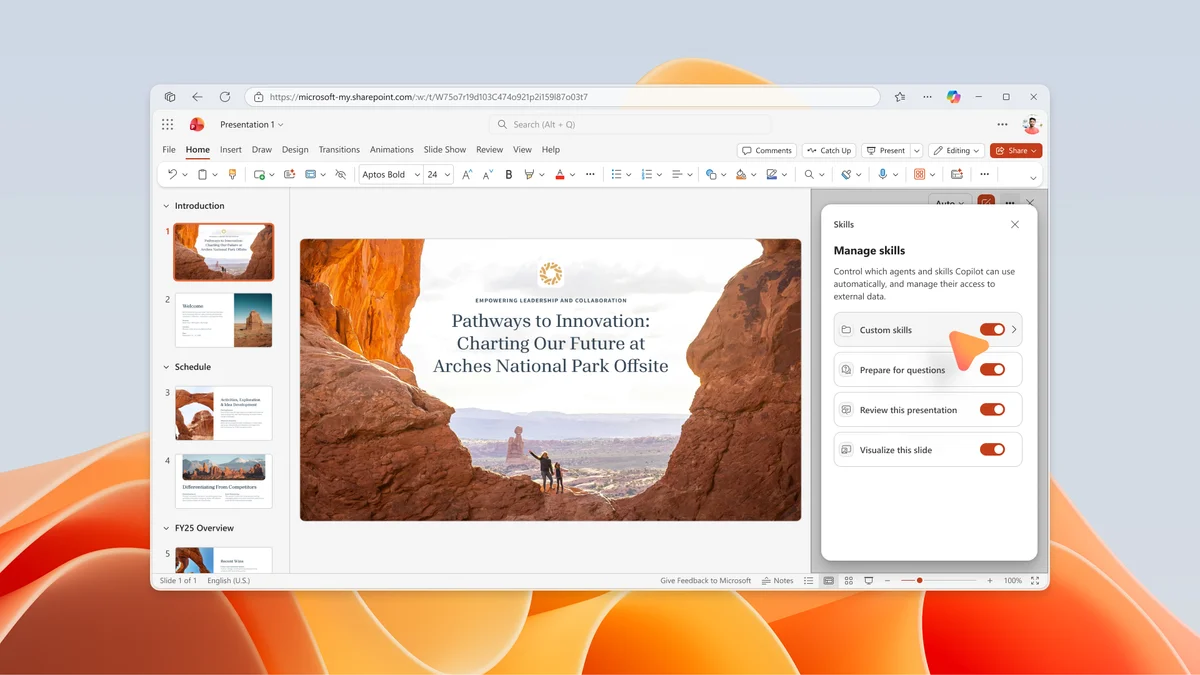
- OneDrive custom skills in PowerPoint Copilot: Users drop a folder containing a
SKILL.mdfile in a dedicated OneDrive location; the skill automatically appears in the Copilot Skills menu. Deployment late July 2026. - Brand Kit in Copilot for Excel: Automatic application of the organization's visual identity (colors, fonts, logos) from the Microsoft 365 Brand Center to charts and graphs. Deployment mid-July to mid-August 2026.
- Copilot collaboration during drafting in Outlook: Direct Copilot integration in the email composition experience. Deployment mid-July, complete early August 2026.
- Multi-owner Copilot agents: Microsoft 365 Copilot agents now accept multiple owners, reducing dependency on a single creator. Deployment mid-August 2026.
- Copilot Studio: Share autonomous agents with end users: Create triggers executing the agent with end-user credentials, enabling responsive background operation to external events. Available in public preview July 30, 2026.
Security and administration: Defender, Purview, and licenses
Microsoft Defender for Office 365
Two security enhancements deserve SOC (Security Operations Center) team attention:
- Encrypted attachment protection: New opt-in setting in Safe Attachments policies to automatically quarantine messages containing password-protected attachments when scan or detonation fails. Deployment early to end of August 2026.
- Protection against prompt injection in emails: Detection and blocking of malicious content designed to manipulate AI assistants and exfiltrate data, discover tools, or expose system prompts. High-confidence threats are quarantined before any AI workflow processing. Deployment early September 2026.
Tech Community article on prompt injection protection
Microsoft Purview
The compliance portal introduces an expiration date limit for admin assignments: ability to set an expiration date ranging from 1 day to 2 years when adding a user or security group to a role group. This is a direct lever for applying the principle of least privilege without relying on a manual revocation process. Deployment late July, complete end of August 2026.
Licenses and partner incentives
| Offer | Details | Price / condition |
|---|---|---|
| Copilot in 30 | Microsoft 365 Copilot Business trial, 25 users, 30 days, for organizations under 300 employees | Available from August 1, 2026 |
| Microsoft 365 Business Standard with Copilot | Annual subscription, annual billing, 300-license cap | $23.50 / user / month |
| Microsoft 365 Business Premium with Copilot | Annual subscription, annual billing, 300-license cap | $32 / user / month |
For CSP partners
Microsoft FY27 (fiscal year) incentives are undergoing major changes for Cloud Solution Provider partners reselling Microsoft 365 services. Check the impact on your compensation model before the fiscal year begins.
Partner Center announcement — July 2026
Key takeaways
- Passkeys become the standard in Microsoft Entra starting September 1, 2026; Microsoft-provided SMS/voice disappears February 1, 2027.
- Intune simplifies Windows sync by merging MDM check-in and Intune Management Extension check-in into a single action.
- Copilot advances simultaneously in Excel (Brand Kit), Outlook (compose), PowerPoint (OneDrive skills), and Planner (chat).
- Defender for Office 365 adds dedicated protection against prompt injection, an emerging risk tied to enterprise AI workflows.
- New Microsoft 365 Business with Copilot SKUs and the Copilot in 30 offer open an adoption path for SMBs under 300 employees.
Before each feature deployment, plan a Message Center review and test the impact on a pilot group, particularly for the passkey migration affecting your entire user base.