GPT-5.6 is Available Today in Microsoft 365 Copilot
Microsoft and OpenAI are taking their collaboration to the next level: the GPT-5.6 model is now integrated into Microsoft 365 Copilot, directly within Word, Excel, PowerPoint, Chat, and Cowork. This deployment, officially announced on the Microsoft Community Hub, represents a significant upgrade to the inference engine powering the AI assistants in the most widely used office suite in enterprise.
The two companies have co-optimized GPT-5.6 specifically for knowledge work: complex, multi-step, often ambiguous tasks spread across multiple tools and files. The model becomes the preferred model for Microsoft 365 Copilot, accessible both natively and via the OpenAI API.
Good to Know
Microsoft accesses GPT-5.6 in two ways: by hosting the model natively in its Azure infrastructure, and by consuming it directly via the OpenAI API. This dual approach ensures availability and performance at enterprise scale.
What GPT-5.6 Changes Concretely in Your M365 Applications
The transition to GPT-5.6 is not a simple incremental update. It's a paradigm shift in how Copilot processes complex requests, thanks to enhanced reasoning for agentic and multi-step tasks.
Word: More Complete Drafts, Fewer Revisions
In Microsoft Word, GPT-5.6 enables Copilot to transform still-fuzzy ideas into structured and coherent documents right from the first draft. Concretely:
- Transformation of rudimentary intentions into complete, organized drafts
- Content restructuring with improved flow logic
- Stylistic refinement to produce more professional deliverables
Microsoft's stated goal is to reduce the number of iterations needed between the initial idea and the final document.
Excel: Deeper Analytical Reasoning
In Microsoft Excel, the gain comes from Copilot's ability to reason through more complex analyses without requiring the user to manually assemble each step. GPT-5.6 helps Copilot:
- Handle multi-layered analytical requests with complex logic
- Move directly from intent to actionable results
- Reduce manual work in formatting and structuring data
PowerPoint: Richer Presentations from Creation
In Microsoft PowerPoint, GPT-5.6 improves the quality of automatically generated presentations:
- Denser, better-argued slide content
- Improved visual balance between text and structure
- Greater flexibility to adapt to different presentation styles
Tip
To get the most out of Copilot in PowerPoint with GPT-5.6, describe your audience and objective in your initial prompt. The model will adjust the tone, density, and style accordingly.
Copilot Chat: Reasoning Through Ambiguity
In Copilot Chat, GPT-5.6 strengthens the model's ability to handle open-ended and non-linear requests. Where previous versions could produce generic responses to complex questions, GPT-5.6 enables:
- Comparing options with structured criteria
- Developing detailed action plans from vague instructions
- Diagnosing problems through step-by-step reasoning
- Transforming open prompts into actionable responses
This improvement is particularly relevant for professionals who use Copilot Chat as their primary interface for delegating reasoning and synthesis tasks.
Copilot Cowork: Agentic AI Reaches the Next Level
The most strategic integration concerns Copilot Cowork, Microsoft 365's agentic capability. With GPT-5.6, Cowork can execute end-to-end multi-step tasks: the user describes the desired outcome, and Cowork plans, reasons across available tools and files, then returns a finalized deliverable — no longer just a draft or recommendation.
This functionality relies on Work IQ, Microsoft's contextualization system that grounds AI reasoning in real enterprise data: files, business tools, organizational context.
Attention
The availability of Copilot Cowork and GPT-5.6 may vary by region and tenant configuration. Check the Microsoft Learn documentation, the Microsoft 365 Roadmap, and the Microsoft 365 Copilot release notes to determine deployment status in your environment.
Copilot Cowork Architecture with GPT-5.6
Here's how the agentic execution flow is organized in Cowork:
1User → Natural Language Instruction2 ↓3GPT-5.6 (Planning & Reasoning)4 ↓5Work IQ (Contextualization: files, tools, business data)6 ↓7Multi-step Execution (Tool calls, file reading, actions)8 ↓9Finalized Deliverable Returned to UserThis execution model significantly reduces the time spent assembling and coordinating work, allowing human attention to focus on decision-making and validation.
Comparison: GPT-4o vs GPT-5.6 in Microsoft 365 Copilot
| Criteria | GPT-4o (previous) | GPT-5.6 (new) |
|---|---|---|
| Multi-step reasoning | Limited on complex tasks | Enhanced for agentic workflows |
| Word draft quality | Good, requires iterations | More complete from first draft |
| Excel analysis | Basic to intermediate | Complex analysis with less manual assembly |
| Copilot Cowork | Not optimized | End-to-end execution, finalized deliverable |
| Model selection | Automatic | Automatic + manual selection possible |
How to Access GPT-5.6 in Microsoft 365 Copilot
Verify Availability in Your Tenant
GPT-5.6 is rolling out progressively. Check the Microsoft 365 Roadmap and filter for "Copilot" to verify whether the feature is available in your region and tenant configuration.
Let Copilot Automatically Select the Model
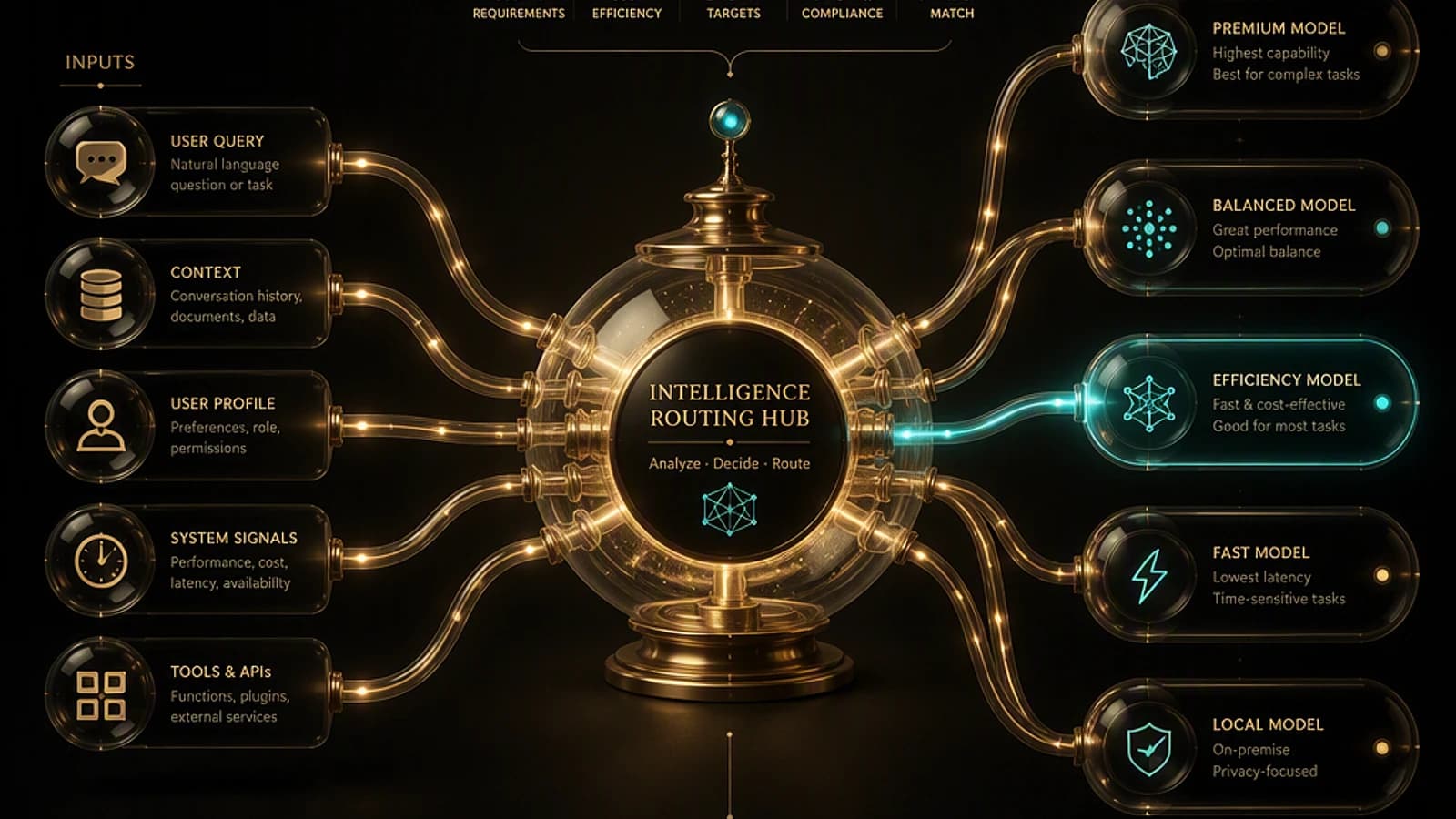
In most cases, Copilot automatically selects GPT-5.6 when it's best suited for the task at hand. No user action is required to benefit from this intelligent selection.
Manually Select GPT-5.6 via the Model Selector
Where model selection is available (particularly in Copilot Chat), users can choose GPT-5.6 directly from the model selector in the Copilot interface. Look for the dropdown menu at the top of the chat window.
Check Release Notes for Deployment Tracking
Follow deployment progress via the official Microsoft 365 Copilot release notes. Availability may vary by region and license type.
References and Official Resources
To delve deeper into this topic and track deployment progress, here are the official resources:
- Official Microsoft Community Hub Announcement
- GPT-5.6 Announcement by OpenAI
- Microsoft Learn Documentation — Microsoft 365 Copilot
- Microsoft 365 Roadmap
- Microsoft 365 Copilot Release Notes
- Microsoft 365 Copilot — Security and Compliance
Important
GPT-5.6 is subject to the same security, compliance, and privacy guarantees as the entire Microsoft 365 Copilot suite. Enterprise data is not used to train OpenAI models. Consult the Microsoft 365 Copilot Privacy Policy for all details.