
Introduction
Microsoft continues to innovate in the Microsoft 365 ecosystem by strengthening the capabilities of Microsoft 365 Copilot. These updates, scheduled for June and July 2026, offer advanced tools to improve user productivity, optimize workflows, and deepen contextual integration. Here are the main features to expect.
Real-time Visual Analysis with Copilot
Microsoft 365 Copilot expands its functionality by allowing users to share their screen or mobile display to ask questions about visual content. Now, Copilot will analyze content in real-time, providing insights, explanations, or recommendations based on both the displayed visual and the user's business data.
Good to know
This feature ensures fast and effective contextual assistance for scenarios requiring precise visual insights.
When it will be available:
- Deployment planned for end of June 2026
- Generally available by end of July 2026
Branded Presentations via Copilot in PowerPoint
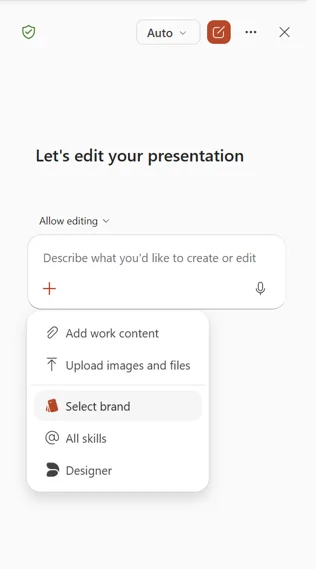
Create presentations that comply with your organization's brand guidelines directly via Copilot in PowerPoint. Users will be able to select a brand kit when generating content to standardize their slides.
When it will be available:
- Deployment planned for mid-June 2026
- Completion by end of June 2026
Custom Prompts Published by Administrators
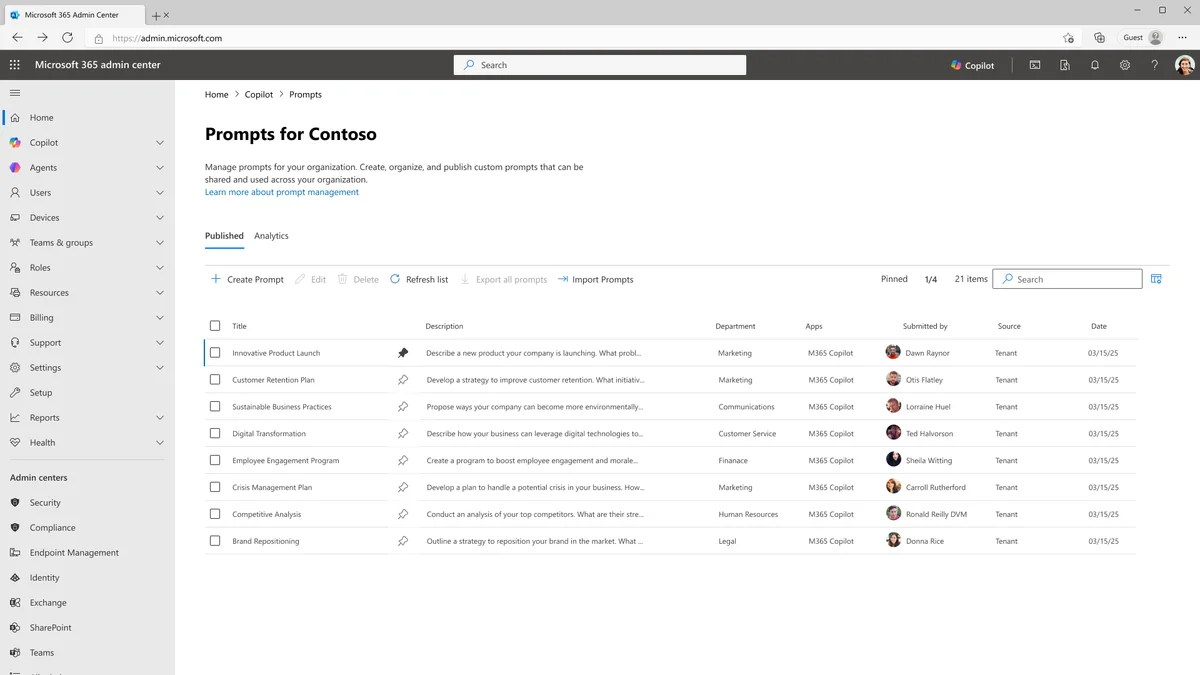
Administrators will soon be able to create and publish prompts tailored to their organization in Microsoft 365 Copilot Chat. This customization will allow standardization of interactions with Copilot according to priorities, terminology, and workflows validated by the enterprise.
When it will be available:
- Deployment planned for early July 2026
- Completion by end of July 2026
Copilot Cowork Available in General Availability
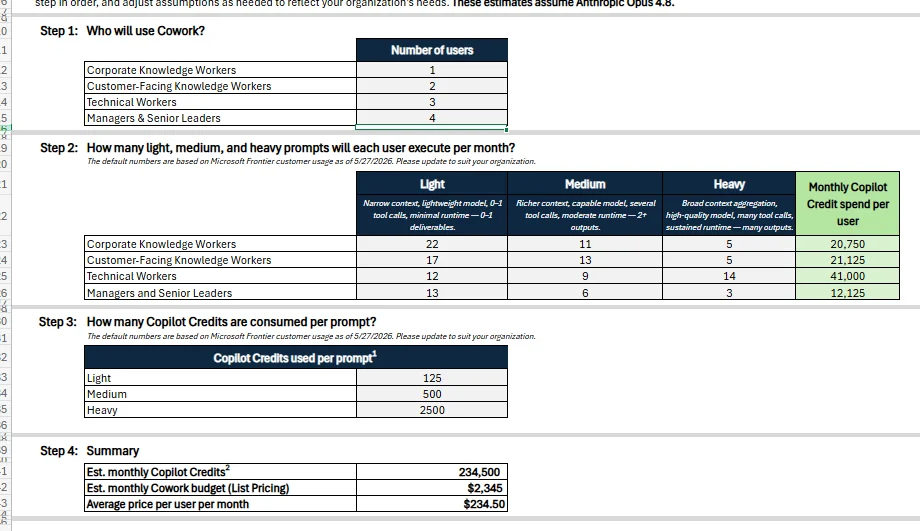
The official launch of Copilot Cowork in Microsoft 365 marks an important milestone. This feature moves to general availability (GA) phase for tier 1 languages starting June 16, 2026. It offers consumption-based billing, allowing businesses to better control their costs.
When it will be available:
- Usage-based consumption applicable from July 1, 2026
New Autonomous Agents with Microsoft Scout
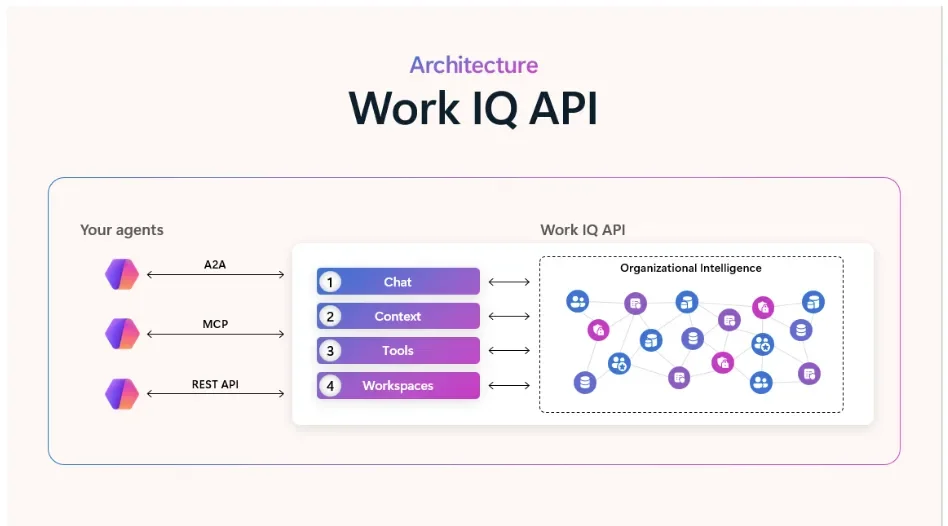
Microsoft introduces a new category of agents called Autopilots, autonomous entities capable of working independently according to defined policies and permissions. Microsoft Scout, the first Autopilot, is powered by Work IQ and fully integrates with applications like Teams, Outlook, OneDrive, and SharePoint.
Tip
Microsoft Scout can be used to automate recurring tasks and improve productivity while respecting organizational governance.
When it will be available:
- Available in preview now
Outlook as a Reference in Copilot Notebooks
Users will now be able to integrate their Outlook emails as references in Microsoft 365 Copilot Notebooks. This will allow Copilot to cross-reference the content of added emails with existing documents to generate more relevant results.
When it will be available:
- Deployment planned between early and end of July 2026
Explicit Integration in Excel with Excel Agent
Through Excel Agent, Microsoft introduces explicit file integration to anchor Copilot's responses in data loaded by the user. Users will be able to analyze large datasets, consolidate information across different files, and work with a wide range of file types directly in Excel.
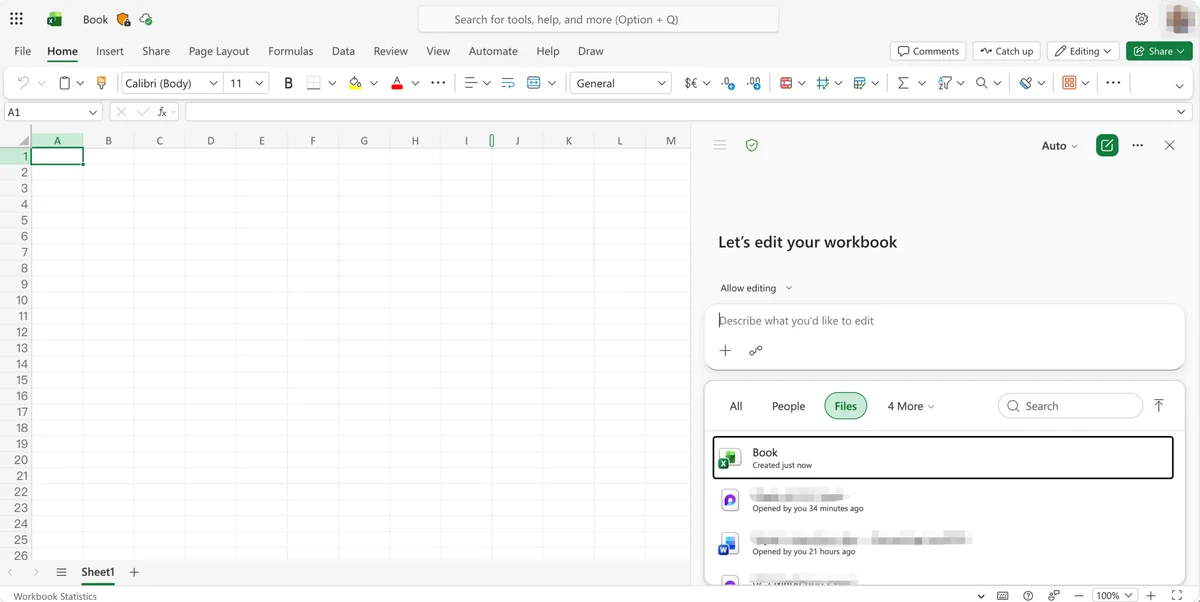
When it will be available:
- Deployment from end of April to end of June 2026
Conclusion
These updates strengthen the position of Microsoft 365 Copilot as an essential tool for modern businesses. Enhanced features and new tools offer unique opportunities to optimize productivity and meet diverse needs. Be sure to follow the deployment dates to plan your transition!
Resources
To learn more, consult the Microsoft Scout guide on learn.microsoft.com.